
Prompt
Copy and customize
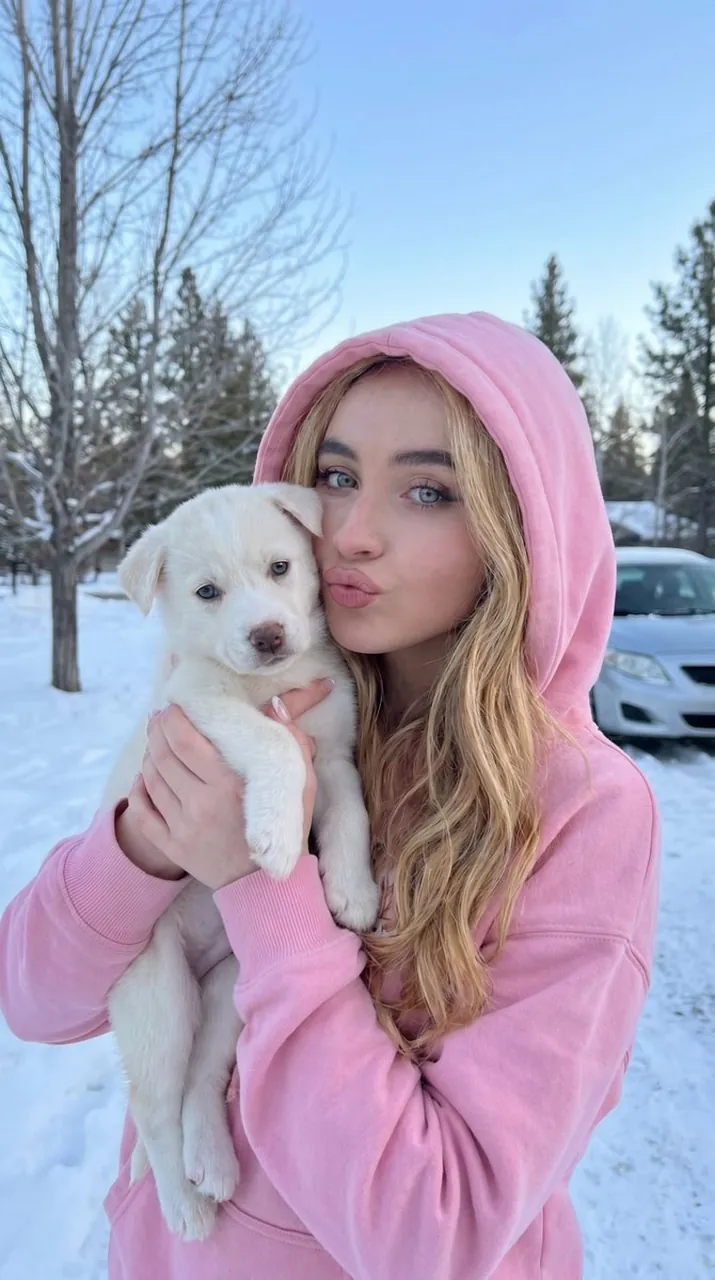
{ "reference_usage": { "instruction": "Use the uploaded reference image as the identity base. Replicate the same face structure, facial features, skin tone, and hairstyle from the reference image. Maintain strong identity consistency and do not alter facial proportions, jawline, eyes, nose, lips, or hairline.", "identity_consistency": "Face and hair must match the reference image identity" }, "image_description": { "subject": { "face": { "preserve_original": true, "reference_match": true, "description": "The subject facial features and expression must remain identical to the reference image." }, "girl": { "age_appearance": "young adult", "hair": "long wavy hair matching the hairstyle from the reference image", "expression": "puckering lips playfully toward the camera", "clothing": "{argument name=\"clothing\" default=\"black hooded sweatshirt\"}" }, "puppy": { "type": "{argument name=\"puppy type\" default=\"small white puppy\"}", "eyes": "light blue", "expression": "calm expression looking forward" } }, "environment": { "setting": "{argument name=\"setting\" default=\"outdoor winter scene\"}", "elements": [ "snow covering the ground", "bare winter trees in the background", "blurred silver car behind the subject" ], "sky": "clear pale blue winter sky" }, "mood": "cute natural winter moment", "camera_style": { "style": "photorealistic outdoor lifestyle photo", "depth_of_field": "soft background blur", "lighting": "natural daylight with cool winter tones" } } }
Best for
Tips
Keep the main subject focused so reference usage instruction Use the uploaded reference remains recognizable after style or lighting changes.
Adjust camera angle and aspect ratio before generation when the composition needs a specific platform format.