
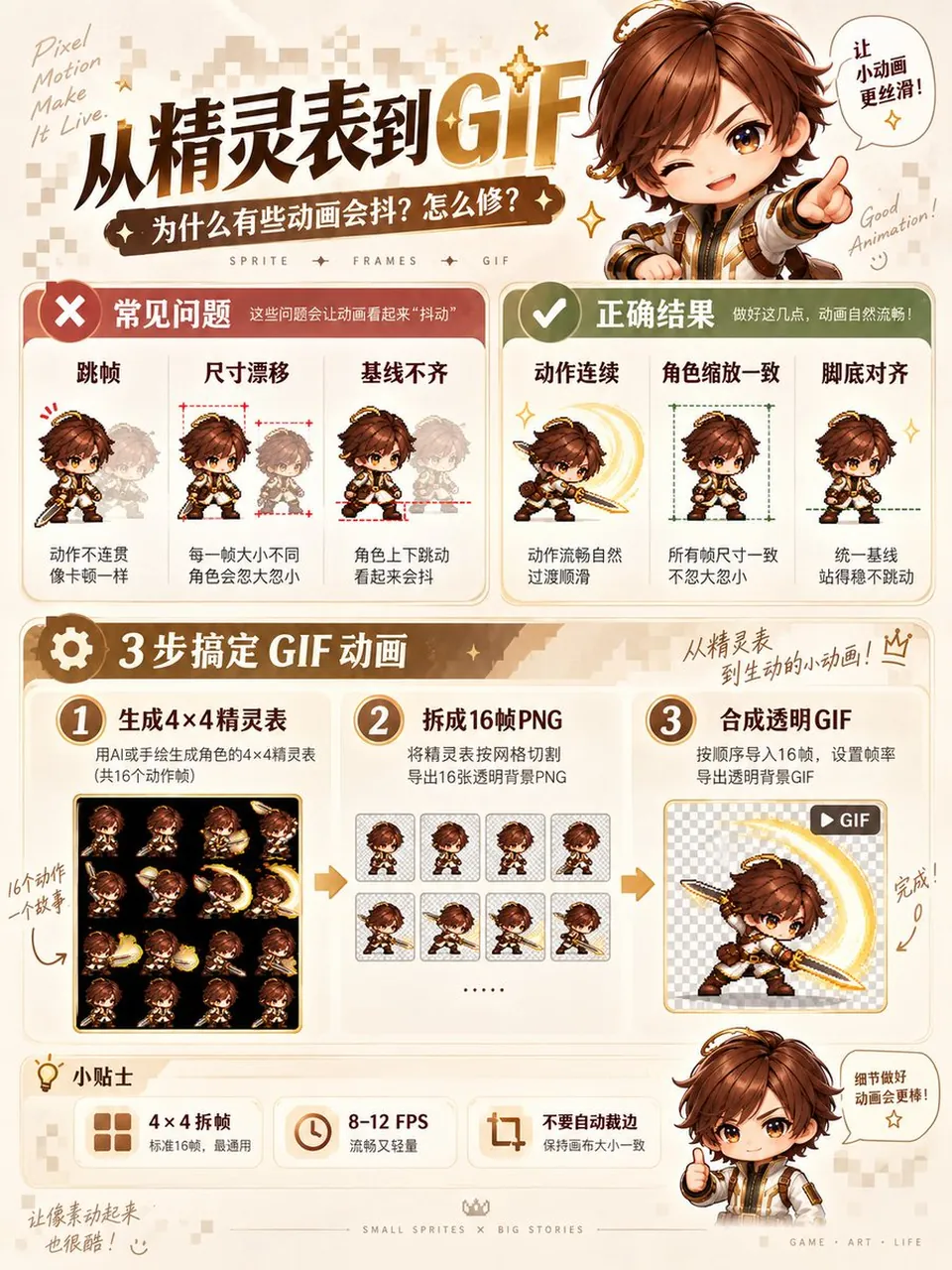
Pixel Art Sprite Sheet Generator

A polished image of Pixel Art Sprite Sheet Generator uses clear subject styling, lighting, composition, and atmospheric detail for a finished visual concept.

Pixel Art Sprite Sheet Generator

Prompt

Copy and customize

将图1角色转化为高质量2D像素游戏角色,生成一张正方形、4×4等分排列、共16帧的连续动作Sprite Sheet。每格尺寸完全一致。画面按从左到右、从上到下的顺序播放。严格保留角色的脸型、发型、体型、服装配色、标志性配件与武器结构。16帧使用相同的像素比例、角色尺寸、朝向和色板。角色完成一次【挥剑攻击/跳跃/翻滚/施法/扑击】动作。第1至3帧为待机与蓄力;第4至7帧为重心移动和动作展开;第8至10帧完成主要攻击与力量释放;第11至13帧表现惯性和收势;第14至16帧回到待机状态。第16帧与第1帧能够自然衔接。相邻帧只改变完成动作所需的关节、轮廓、衣摆、头发和武器位置。动作方向、受力关系和运动轨迹保持连续。所有格子保持相同机位、角色缩放、脚底基线和画面中心。角色完整显示,不裁切头部、武器、尾巴或特效。背景优先使用透明通道。透明背景不稳定时,改用统一纯色背景,方便后期抠图。不要生成场景、地面纹理、格线、编号和文字。采用清晰硬边像素、有限色板 and 统一像素密度。禁止模糊边缘、抗锯齿、半写实渲染、重复帧、跳帧、角色变形、服装变化、武器增减、视角切换和每格重新构图。

Best for

Game AssetVisual conceptStyle studyComposition testPrompt remix

Tips

Keep the main subject focused so 1 2D 4 4 16 Sprite Sheet remains recognizable after style or lighting changes.

Adjust camera angle and aspect ratio before generation when the composition needs a specific platform format.

How to use this GPT Image 2.5 prompt

1

Copy the ready-to-use GPT Image 2.5 prompt from this page.

2

Paste it into GoEnhance AI or another generator that supports GPT Image 2.5.

3

Click generate and get your image quickly. You can edit the prompt first if needed.

Copy the prompt, try it with GoEnhance AI or another tool that supports GPT Image 2.5, and generate your image in just a few simple steps.

Overview

Everything you need to master AI prompts

From quick copy-paste prompts to advanced techniques, build stunning visuals faster.

20000+ prompts
All major models
Updated Daily