
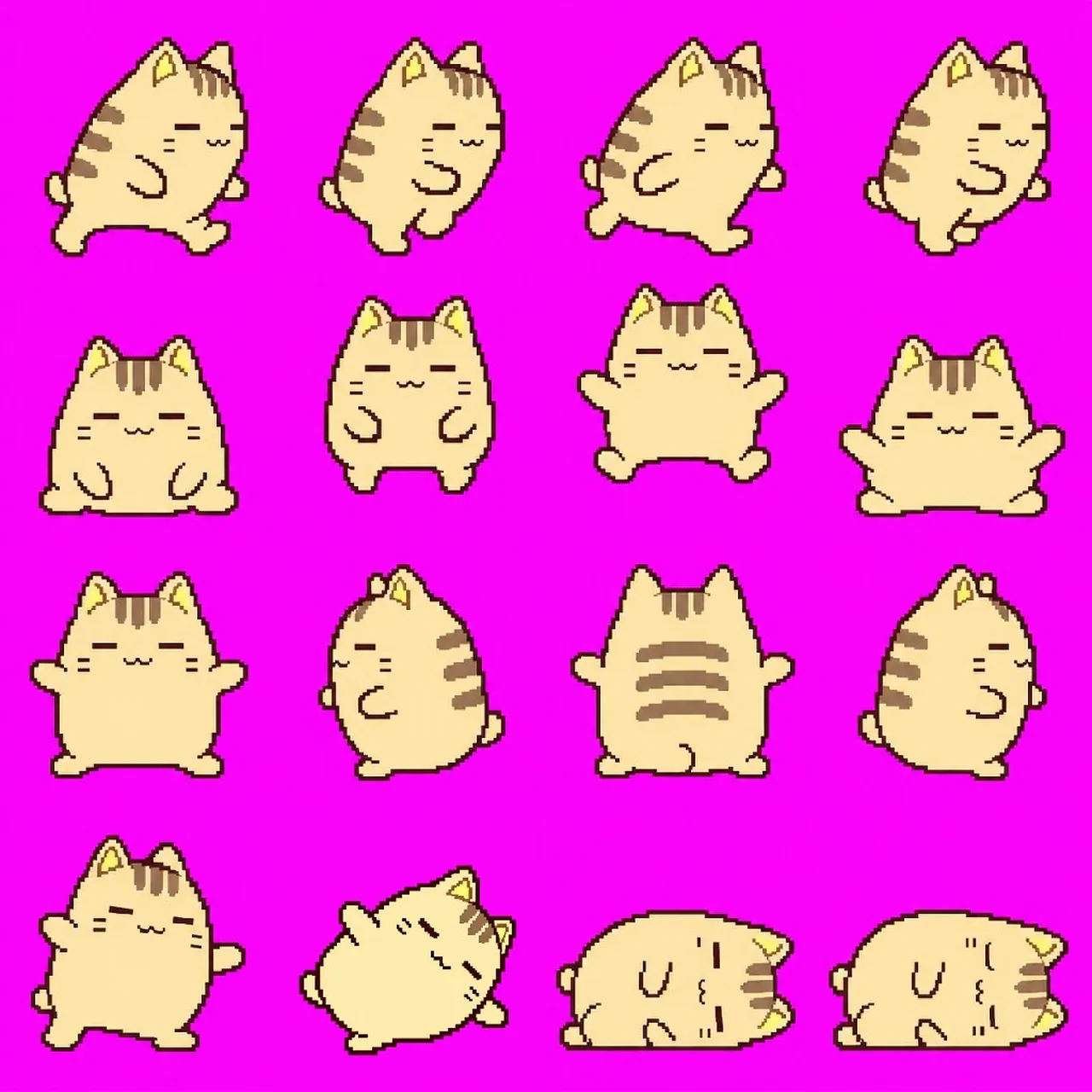
Pixel Art Character Sprite Sheet

A polished image of Pixel Art Character Sprite Sheet uses clear subject styling, lighting, composition, and atmospheric detail for a finished visual concept.

Pixel Art Character Sprite Sheet

Prompt

Copy and customize

添付キャラクターの顔・髪型・衣装・配色・体格を統一し、ゲームで映える4種類のドット絵モーションを、各最大4フレームで1枚のスプライトシート画像に生成して。1フレームのサイズは256x256px。 ・走る:体を前傾させ、手足を大きく交互に動かす。 ・ジャンプ:しゃがむ → 跳び上がる → 空中で手足を広げる → 着地。 ・回転攻撃:正面 → 横向き → 後ろ向き → 反対の横向きと、全身を一回転。 ・倒れる:よろめく → 横に傾く → 寝転ぶ → 目を閉じて動かなくなる。 1行に1動作を横一列で配置し、全セルの大きさ、足元、中心、縮尺を揃える。背景は完全な単色とし、影、文字、枠、番号、UI、ぼかし、半透明、グラデーション、アンチエイリアスは使用しない。ループ動作は最初と最後が自然につながるようにする。

Best for

Portrait styleCharacter designGame AssetVisual conceptStyle study

Tips

Keep the main subject focused so 4 4 1 1 256x256px 1 1 remains recognizable after style or lighting changes.

Adjust camera angle and aspect ratio before generation when the composition needs a specific platform format.

How to use this GPT Image 2.5 prompt

1

Copy the ready-to-use GPT Image 2.5 prompt from this page.

2

Paste it into GoEnhance AI or another generator that supports GPT Image 2.5.

3

Click generate and get your image quickly. You can edit the prompt first if needed.

Copy the prompt, try it with GoEnhance AI or another tool that supports GPT Image 2.5, and generate your image in just a few simple steps.

Overview

Everything you need to master AI prompts

From quick copy-paste prompts to advanced techniques, build stunning visuals faster.

20000+ prompts
All major models
Updated Daily