
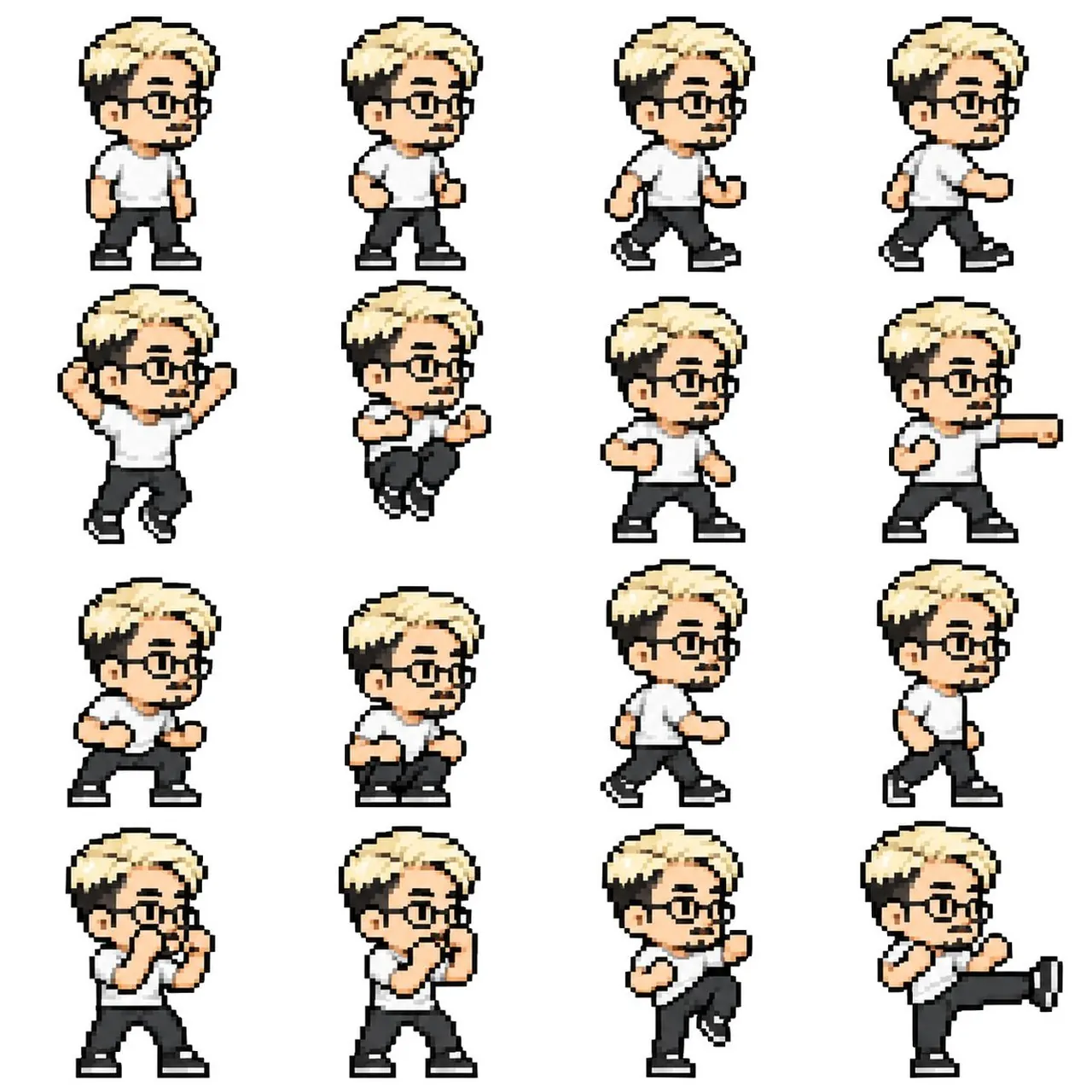
Prompt
Copy and customize
Create a 512x512 pixel art sprite sheet featuring a 2-3 head tall character in a 4x4 grid layout. Each frame should be 128x128 pixels. The character must be facing right and maintain consistent scale and design across all frames. Arrange the animations as follows: Row 1: Idle 1, Idle 2, Walk 1, Walk 2. Row 2: Jump 1, Jump 2, Punch Prep, Punch Extend. Row 3: Crouch 1, Crouch 2, Retreat 1, Retreat 2. Row 4: Guard 1, Guard 2, Kick Prep, Kick Extend. Use a clear 8-bit pixel art style with no anti-aliasing. Ensure no grid lines, labels, or background patterns are included.
Best for
2D game developmentCharacter animation designRetro pixel artSprite sheet creation
Tips
Ensure the character maintains consistent proportions and scale across all sixteen frames to prevent animation jitter during the playback sequence.
Keep the character centered within each 128x128 cell, aligning the feet 8px from the bottom edge for proper ground positioning.