
Prompt
Copy and customize
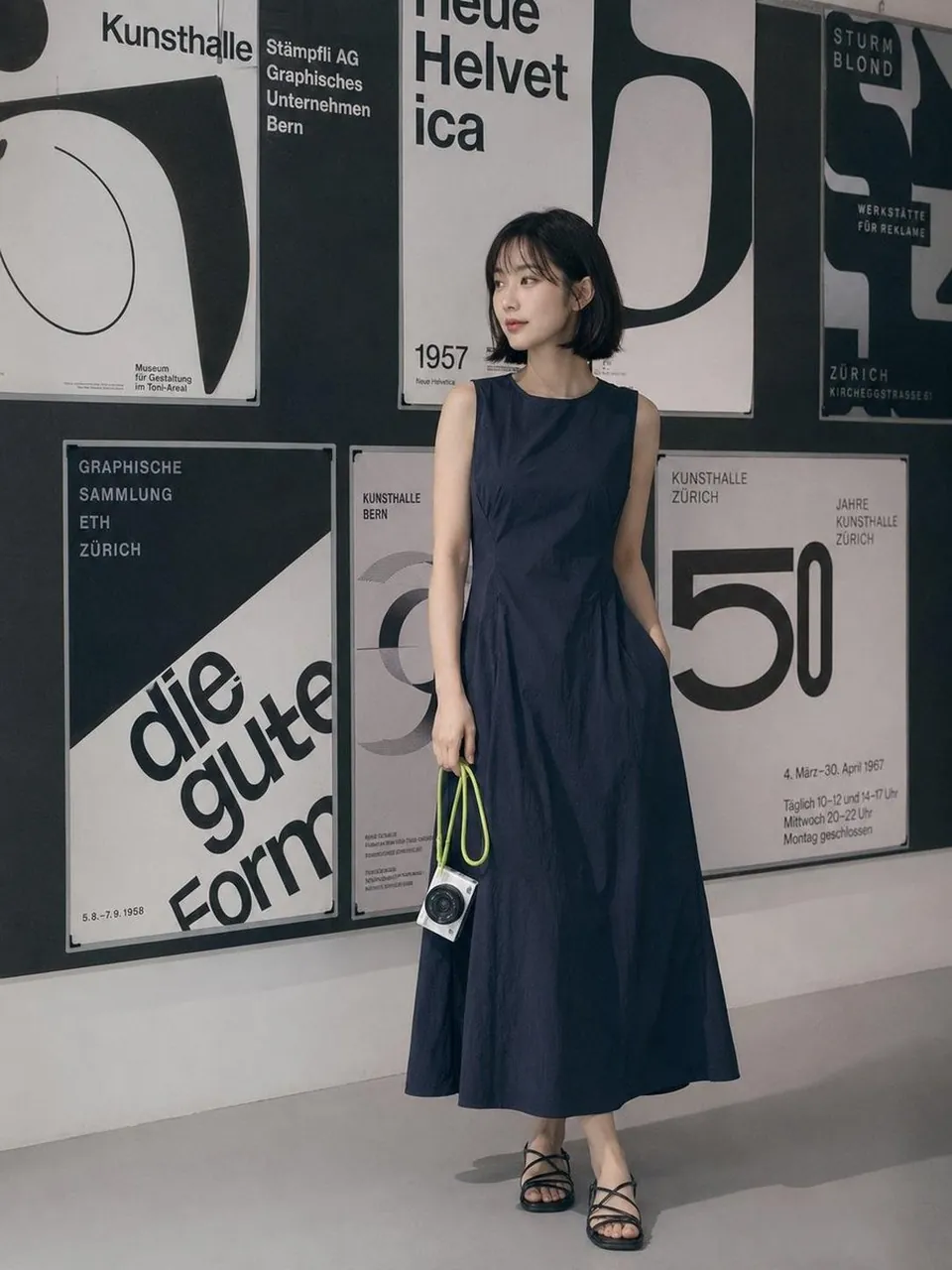
A minimalist editorial fashion photoshoot featuring a young woman with a short black bob haircut and soft wispy bangs, wearing a sleeveless navy blue midi dress with a clean silhouette and black strappy sandals. She is holding a compact white premium camera with a bright lime-green wrist strap. Modern art gallery interior with a wall covered in large black-and-white Swiss typography posters inspired by Helvetica and Bauhaus graphic design. Soft natural indoor lighting, muted neutral color palette, clean composition, Scandinavian/Japanese minimalism, luxury lifestyle photography, candid yet elegant pose, calm expression, high-end fashion magazine aesthetic, cinematic color grading, shallow depth of field, ultra-sharp details, realistic skin texture, premium mirrorless camera look, 35mm lens, f/2, full-body editorial, contemporary museum atmosphere.
Style keywords:
Minimalist
Editorial fashion
Muji / Japanese aesthetic
Scandinavian interior
Swiss graphic design
Soft natural light
Neutral tones
Clean composition
Luxury lifestyle
Cinematic
Photorealistic
High detail
8K
Negative Prompt:
low quality, blurry, oversaturated colors, heavy makeup, exaggerated facial features, extra fingers, distorted hands, bad anatomy, duplicate limbs, warped camera, text artifacts, watermark, logo, noisy image, overexposed, underexposed, cartoon, CGI, low resolution.
Best for
Tips
Maintain a clean composition with neutral colors and soft natural lighting to achieve the minimalist editorial look.
Ensure the Swiss typography posters remain sharp and readable as they define the setting.