
Prompt
Copy and customize
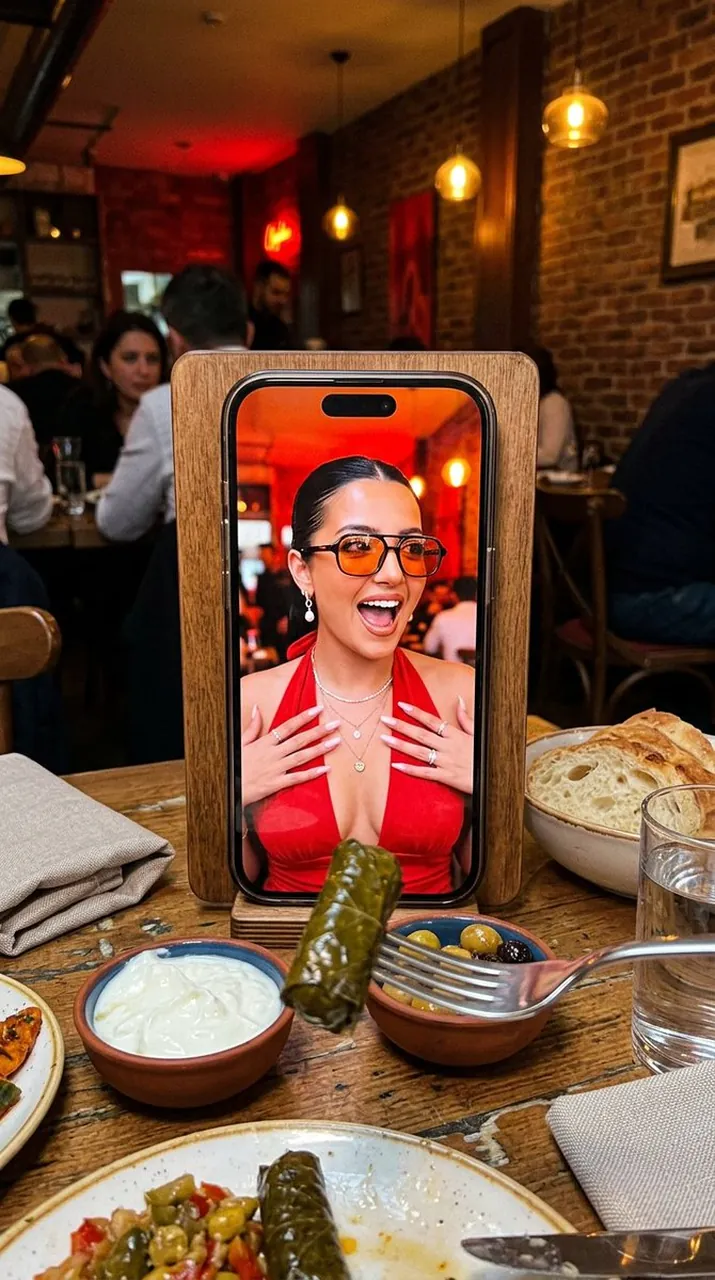
Ultra-photorealistic vertical 4:5 candid photo, a clever meta composition shot at a cozy Istanbul restaurant table. In the center stands an iPhone 17 propped upright against a wooden menu holder, and on its screen is a full-frame portrait of a young woman, as if a photo of her is displayed on the phone. On the phone screen: she wears tinted orange-lens sunglasses and a red halter-neck (tie-at-the-neck) dress, sleek hair pulled back, pearl earrings, layered necklaces, mouth open in a playful surprised expression, a warm red interior glowing behind her. In the real foreground, on the warm wooden table: a pair of chopsticks (or a fork) lifting a piece of Turkish sarma (stuffed grape leaves) toward the phone, a small bowl of creamy white yogurt beside it, a bottle of olive oil, a glass of water, and a folded cloth napkin resting on the table. Behind the table, a softly blurred Istanbul meyhane interior: warm wood, deep red leather banquette, soft pendant lighting, an authentic lived-in atmosphere. Lighting: warm cozy indoor restaurant light, soft natural glow, gentle shadows, candid snapshot mood. Shot on a phone camera, fine grain, shallow depth of field, realistic food and fabric texture. Negative: plastic skin, over-smoothed AI face, doll face, cartoon, 3D render, distorted hands, extra fingers, bad anatomy, mangled food, unreadable labels, watermark, random text, logo clutter.
Best for
Tips
Keep the main subject focused so Ultra-photorealistic vertical 4 5 candid photo a remains recognizable after style or lighting changes.
Adjust camera angle and aspect ratio before generation when the composition needs a specific platform format.