
Prompt
Copy and customize
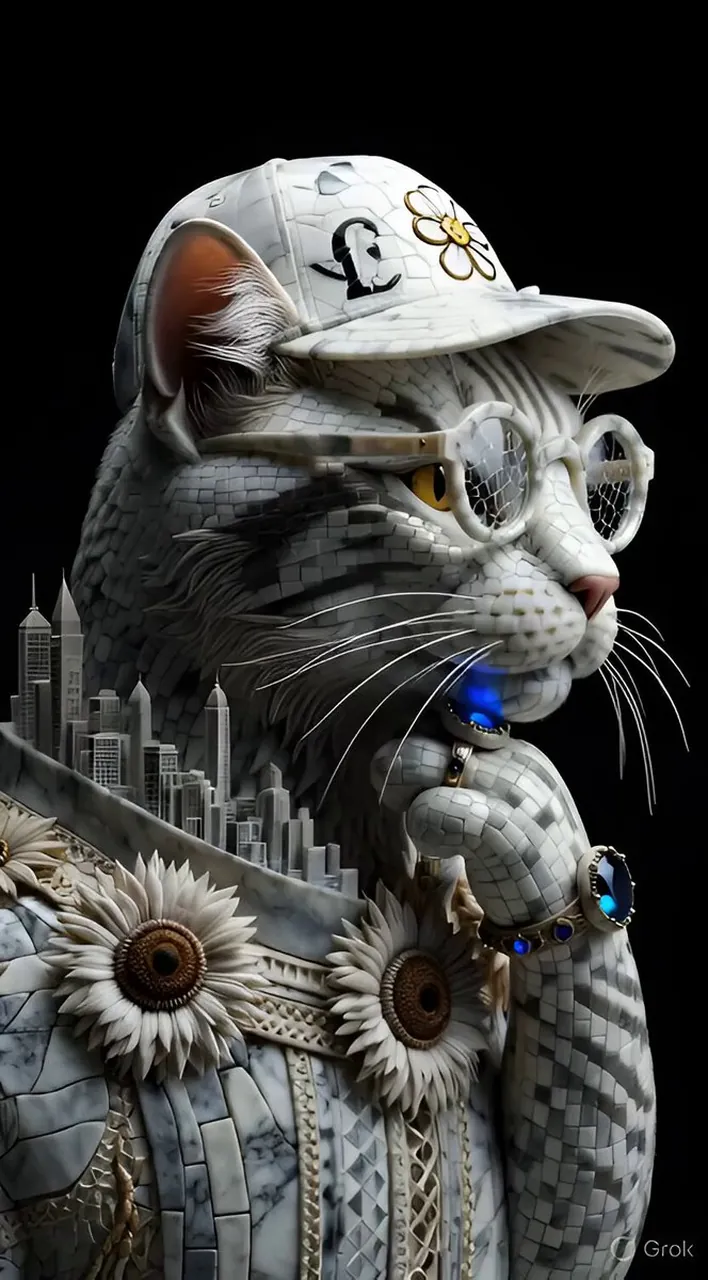
Ultra-detailed hyper-realistic side profile portrait of a cat made entirely of intricate marble stone mosaic tiles and polished mineral fragments. The cat wears a marble mosaic baseball cap with a flower emblem and stylized letter pattern, and round stone-framed glasses with mineral mosaic lenses. Its whiskers, beard-like fur, and facial details are sculpted from delicate stone filaments and tiles. Its skin/fur is composed of tiny polished marble squares forming a luxurious stone mosaic texture. Along its jawline and neck, miniature futuristic stone city skyscrapers and architectural structures emerge organically from the mosaic surface, blending the feline form with a marble metropolis. Its paw rests thoughtfully on its chin, covered in the same detailed marble mosaic tiles, wearing ornate stone rings with glowing dark gemstones. Its clothing is an elaborate marble mosaic garment decorated with sunflower-like ornaments and geometric patterns. Dramatic studio lighting highlights the polished stone surfaces and extreme detail. Deep black background for high contrast. Ultra sharp focus, cinematic lighting, luxury editorial photography style, hyper-real textures, extreme detail, masterpiece.
Best for
Portrait style photographyFashion concept artCinematic mood lightingDetailed texture studiesLuxury editorial imagery
Tips
Maintain the core subject focus to ensure the intricate marble mosaic texture remains clearly defined and recognizable after applying any style changes.
Adjust the camera angle and aspect ratio before generating to ensure the composition fits your specific platform or display format requirements perfectly.