
Prompt
Copy and customize
- Use my uploaded face image as the primary identity reference. Preserve my 100% exact facial identity, face shape, hairstyle, hair texture, beard style, skin tone, eye shape, eyebrows, nose, lips, and all unique facial details with maximum accuracy. Do not change my face or make me look like a different person.
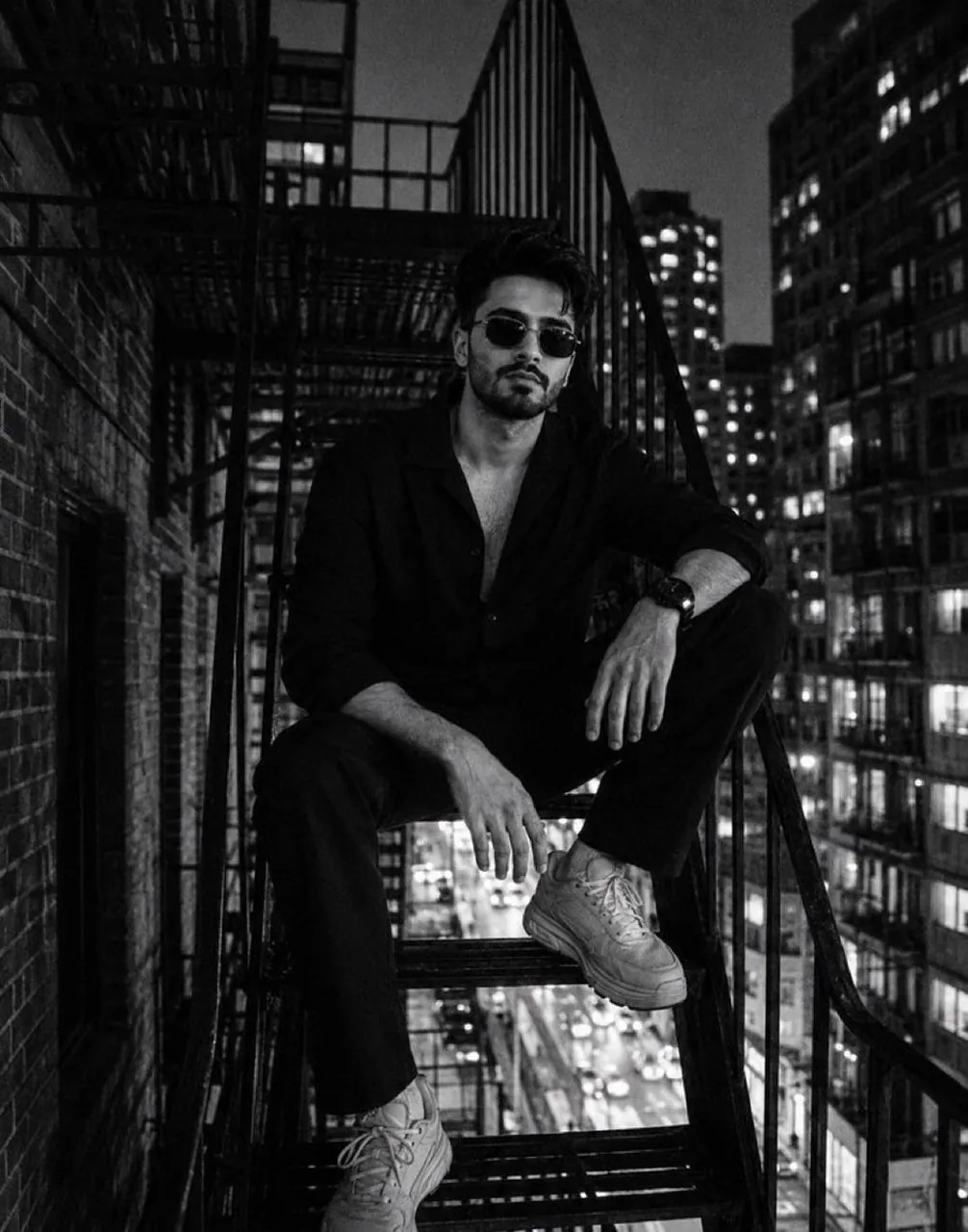
Create a realistic cinematic black-and-white street fashion portrait of me sitting on a metal fire escape staircase at night in a city. Match the composition and mood of the reference image: I am seated casually with one knee raised, leaning slightly forward with a relaxed, confident expression. I am wearing an all-black outfit — black open-collar shirt, black pants, and stylish sneakers. Add subtle sunglasses for a cool urban look.
The scene should have a dark moody atmosphere, high-rise buildings in the background, blurred city lights, nighttime urban environment, dramatic shadows, deep contrast, and a grainy 35mm film photography style. Make it look like a luxury fashion editorial shot, realistic photography, natural pose, detailed textures, sharp focus on my face, cinematic lighting.
Maintain my real appearance while recreating the same vibe, framing, and aesthetic of the reference photo.
Best for
Tips
Keep the main subject focused so Use my uploaded face image as the remains recognizable after style or lighting changes.
Adjust camera angle and aspect ratio before generation when the composition needs a specific platform format.