
Prompt
Copy and customize
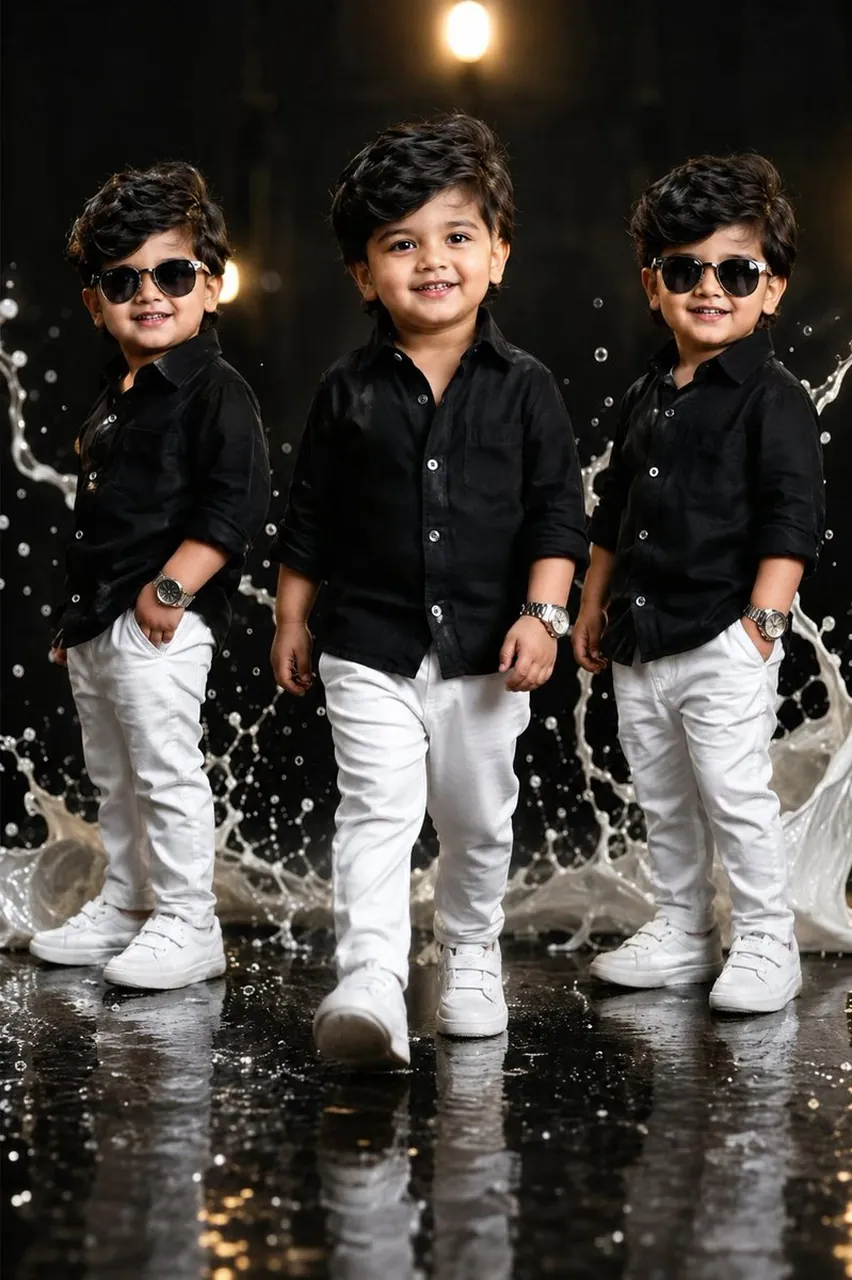
Create a premium ultra-realistic studio portrait of the same adorable toddler duplicated three times, with every clone preserving the exact same face, hairstyle, skin tone, joyful smile, body proportions, and identity. Arrange the three identical toddlers in a stylish fashion composition. The center toddler is walking confidently toward the camera with a cheerful smile, while the left and right toddlers stand in relaxed poses with one hand in their pockets, both wearing black sunglasses.
All three toddlers wear matching premium black button-up shirts with rolled sleeves, slim-fit white trousers, luxury silver wristwatches, and clean white sneakers. Their hair is thick, voluminous, and side-swept with a fashionable texture.
The background is a dramatic luxury black studio with glossy reflective flooring, cinematic warm spotlight bokeh, and large frozen white milk splash effects behind the toddlers. Ultra-realistic lighting, premium fashion editorial styling, shallow depth of field, realistic skin texture, HDR, 8K, DSLR quality, Canon EOS R5, 85mm lens, f/1.8, masterpiece, luxury children's fashion campaign, photorealistic, no text, no watermark, no logo.
Negative Prompt: low quality, blurry, cartoon, anime, CGI, extra limbs, duplicate face errors, bad anatomy, distorted body, deformed hands, watermark, logo, text, cropped, oversaturated, noise, low resolution.
Best for
Tips
Keep the main subject focused so premium ultra-realistic studio portrait of the same remains recognizable after style or lighting changes.
Adjust camera angle and aspect ratio before generation when the composition needs a specific platform format.