
Prompt
Copy and customize
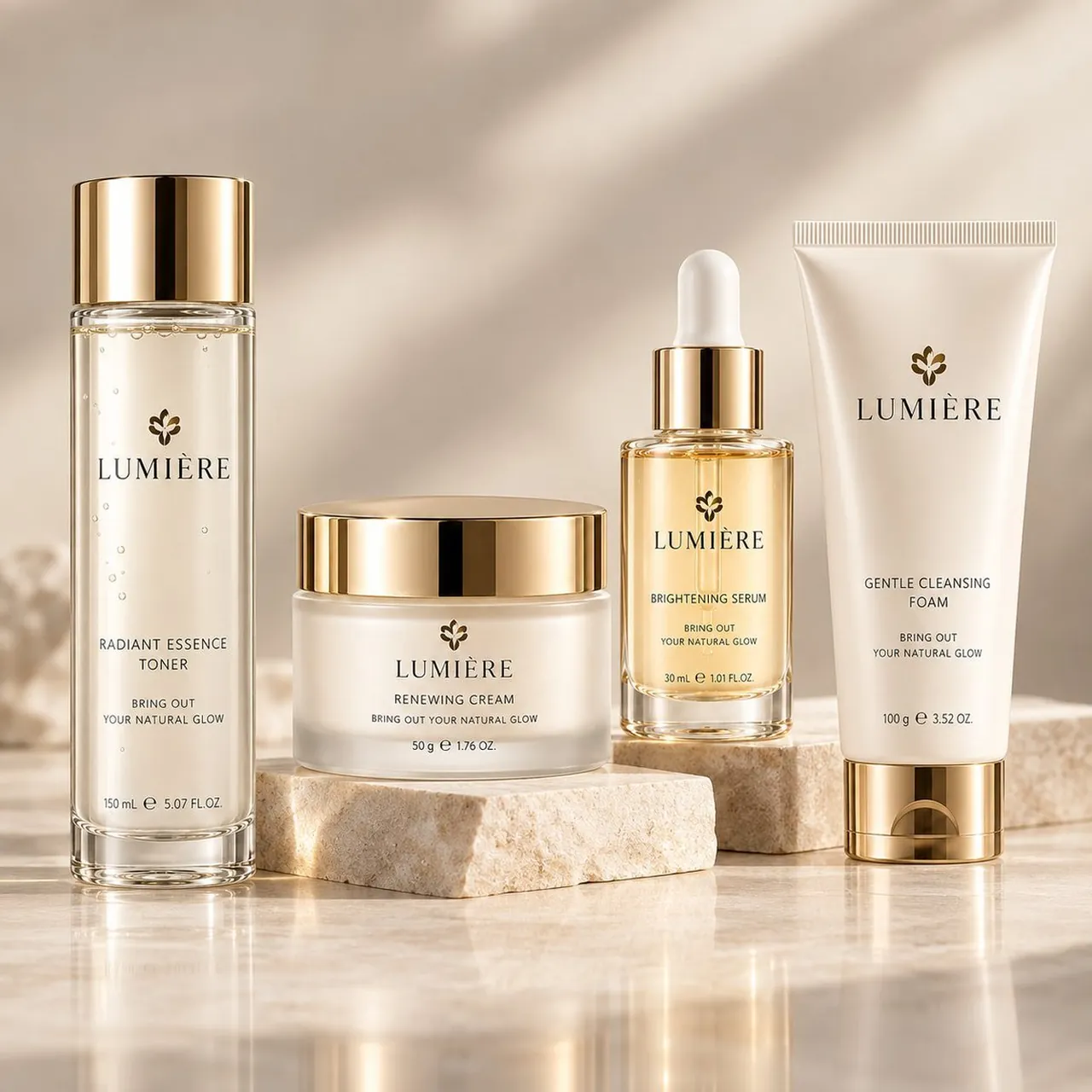
Create a premium photorealistic e-commerce beauty product hero image for a luxury skincare line named LUMIÈRE. Square 1:1 canvas, front-facing studio product photography, warm beige and champagne color palette, soft diffused sunlight with diagonal shadow patterns in the background, glossy marble surface with subtle reflections, and natural travertine stone risers. Show exactly 4 skincare products arranged left to right: 1 tall transparent cylindrical toner bottle filled with pale golden liquid, tiny bubbles, clear thick base, and reflective metallic gold cap, labeled “RADIANT ESSENCE TONER”, “BRING OUT YOUR NATURAL GLOW”, “150 mL ℮ 5.07 FL.OZ.”; 1 low frosted glass cream jar on a rectangular stone block, with a wide reflective gold lid, labeled “RENEWING CREAM”, “BRING OUT YOUR NATURAL GLOW”, “50 g ℮ 1.76 OZ.”; 1 small transparent serum dropper bottle on a slightly taller stone block, filled with amber-gold serum, clear glass pipette and white rubber bulb, shiny gold collar, labeled “BRIGHTENING SERUM”, “BRING OUT YOUR NATURAL GLOW”, “30 mL ℮ 1.01 FL.OZ.”; 1 upright ivory squeeze tube with crimped top and shiny gold flip cap, labeled “GENTLE CLEANSING FOAM”, “BRING OUT YOUR NATURAL GLOW”, “100 g ℮ 3.52 OZ.”. Put a small dark gold flower emblem above the brand name on every product. Use elegant black serif typography with crisp readable packaging text, centered labels, high-end cosmetic advertising composition, realistic glass refraction, metallic gold highlights, soft shadows, shallow depth of field, clean uncluttered background, no people, no extra products, no watermark.
Best for
Tips
Keep the main subject focused so premium photorealistic e-commerce beauty product hero image remains recognizable after style or lighting changes.
Adjust camera angle and aspect ratio before generation when the composition needs a specific platform format.