
Prompt
Copy and customize
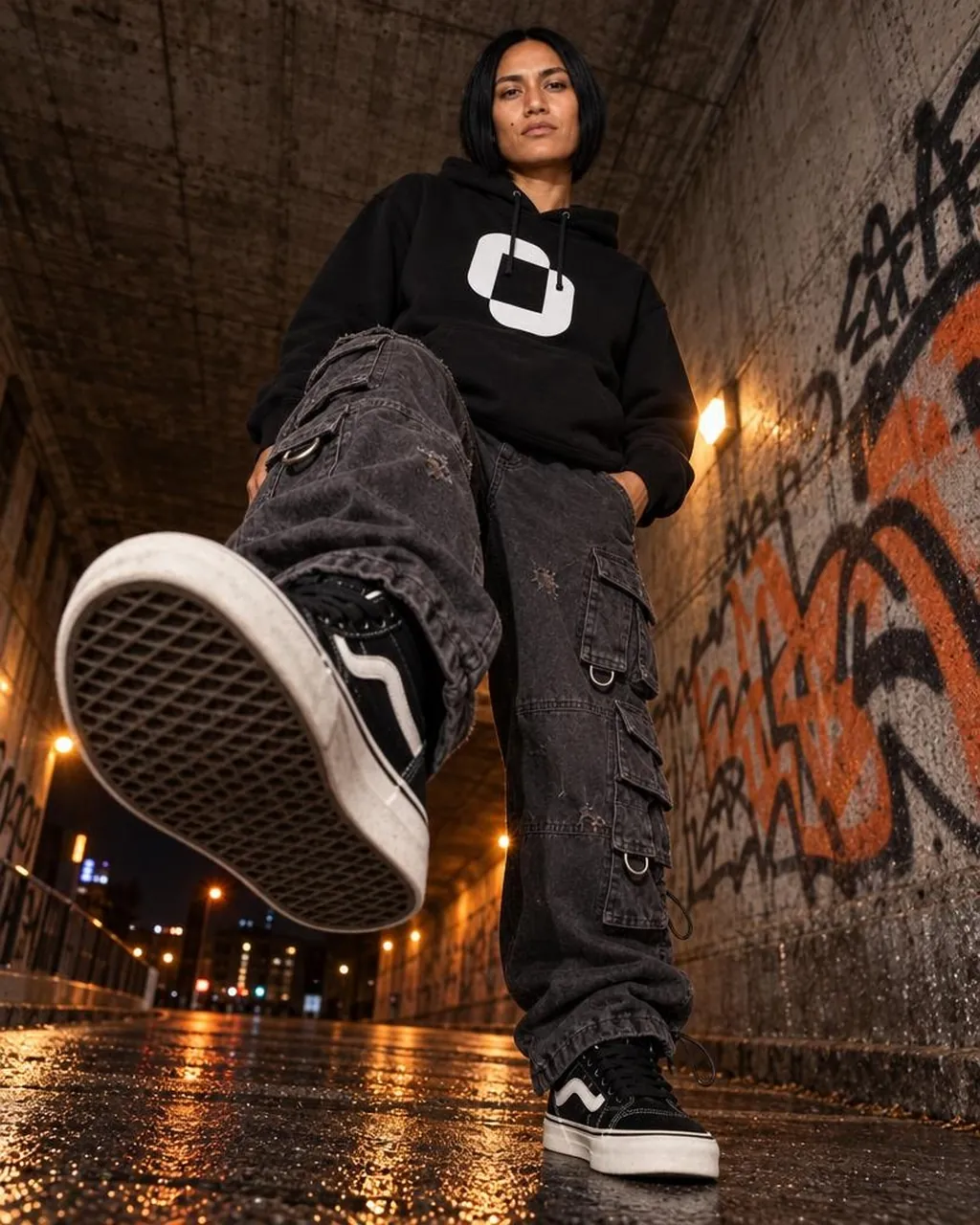
Create a high-fashion urban streetwear photo of a confident young woman with a short black bob haircut and medium tan skin standing in a gritty concrete tunnel at night. Use an extreme low-angle, ground-level perspective with a wide-angle lens so one sneaker sole dominates the foreground as she steps toward the camera, creating dramatic foreshortening. She wears exactly 4 visible outfit pieces: an oversized black hoodie with a large white abstract square logo on the chest, distressed charcoal-gray baggy cargo pants with multiple flap pockets and metal D-rings, black-and-white skate sneakers with thick white soles, and black hoodie drawstrings. Her pose is assertive and relaxed, one hand in her pants pocket, chin slightly raised, looking directly down at the camera with a calm serious expression. The setting is a wet underpass with rough stained concrete ceiling and walls, graffiti on the right wall in black and orange, warm wall lights glowing along the tunnel, distant city lights at the far end, and rain-slick pavement reflecting amber light. Emphasize premium fashion editorial realism, crisp clothing texture, worn denim details, rubber waffle sole pattern, shallow depth of field, moody cinematic lighting, realistic skin, high contrast, vertical composition, no text overlay, no watermark. Customize the hoodie logo as a bold white rounded square mark with a black center, the pants as distressed charcoal-gray baggy cargo pants, the location as a graffiti-covered concrete underpass at night, and the lighting mood as warm amber streetlights reflected on wet pavement.
Best for
Tips
Keep the main subject focused so high-fashion urban streetwear photo of a confident remains recognizable after style or lighting changes.
Adjust camera angle and aspect ratio before generation when the composition needs a specific platform format.