
Prompt
Copy and customize
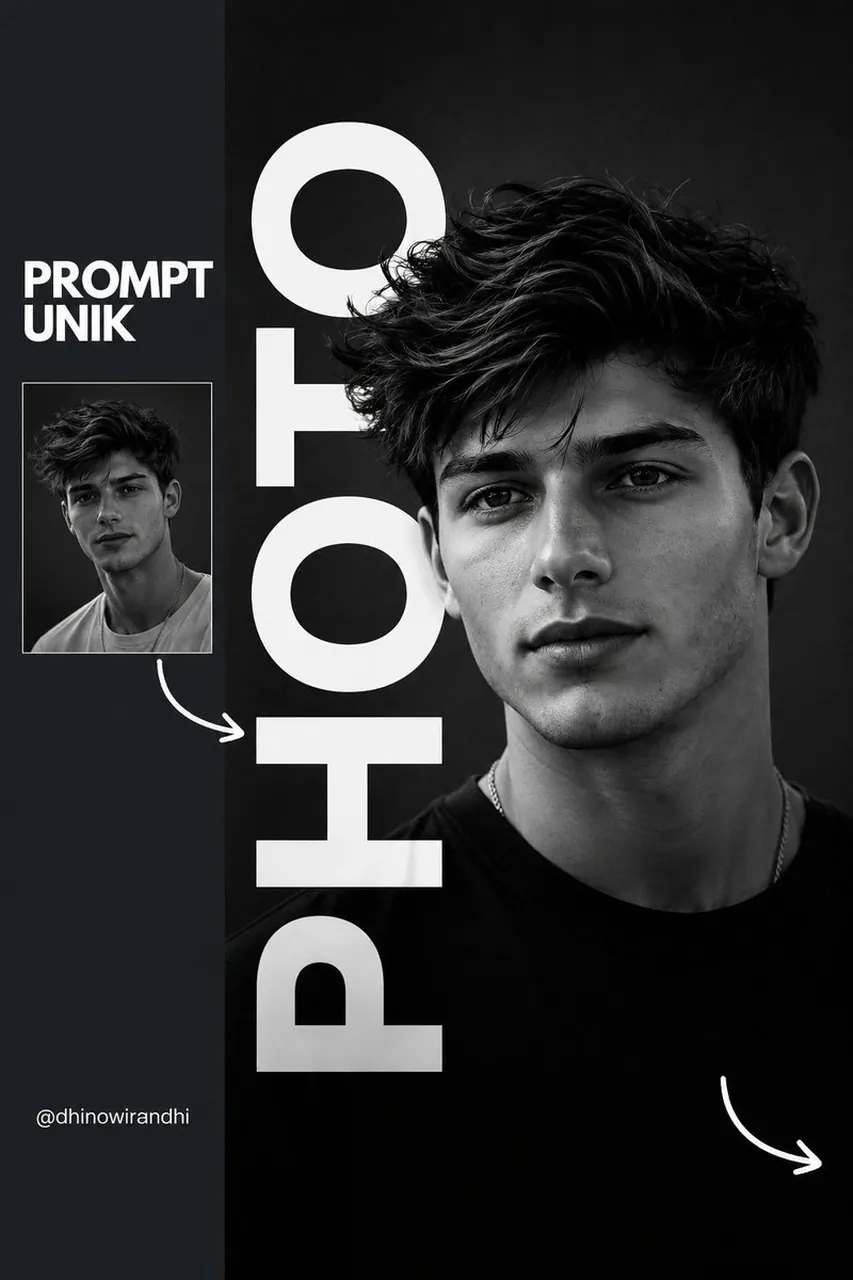
Create a premium minimalist editorial portrait poster with a monochrome black-and-white aesthetic. The composition features a cinematic close-up portrait of a stylish young man with neatly combed black hair, subtle stubble, wearing oversized black square eyeglasses and a fitted black t-shirt. The subject looks slightly to the right with a calm, confident expression under soft studio lighting, creating deep contrast and realistic skin texture.
Design the layout like a modern fashion magazine cover. Place the portrait on the right side over a dark charcoal background. Add a huge bold white vertical sans-serif word (e.g., "PHOTO") running from top to bottom, partially hidden behind the subject to create a layered depth effect.
On the left, include a dark slate sidebar containing:
A bold uppercase title reading "PROMPT UNIK" in white.
A small thumbnail version of the portrait below the title.
A hand-drawn white curved arrow pointing from the thumbnail toward the main portrait.
A small creator handle at the bottom in clean white typography.
Add another hand-drawn white curved arrow in the bottom-right corner for visual balance. Use generous negative space, clean alignment, sharp typography, and subtle shadows. The overall design should feel luxurious, modern, premium, and suitable for Instagram, Behance, or a creative portfolio.
Style: Minimalist, editorial, Swiss design, luxury branding, fashion magazine, monochrome, cinematic lighting, ultra-realistic, high contrast, crisp typography, premium graphic design, 8K quality, professional poster layout, Instagram aesthetic.
Best for
Minimalist editorial portraitFashion magazine posterMonochrome graphic designCinematic portrait layoutHigh contrast typography
Tips
Keep the subject focused so the minimalist portrait layout remains sharp and readable when customizing typography or studio lighting.
Adjust camera framing and canvas aspect ratio before generation when creating vertical posters for specific magazine or social layouts.