
Prompt
Copy and customize
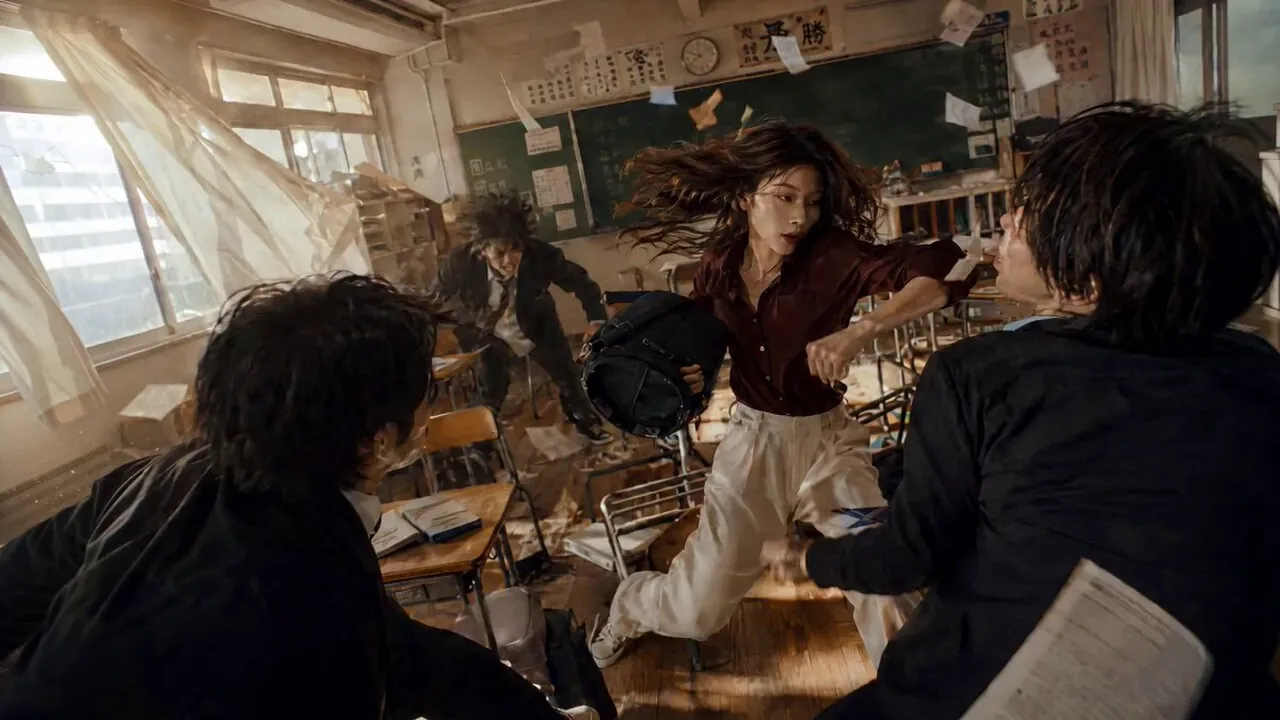
@image1 takes on three opponents inside a Japanese high school classroom during an intense, uninterrupted one-shot martial arts sequence. The room is packed with wooden desks, chairs, school bags, a chalkboard, sliding windows, curtains, fluorescent lights, posters, books, and loose papers. Every part of the environment becomes part of the fight. She weaves through narrow rows of desks with incredible agility, avoiding attacks from all sides. She leaps across desks, slides over tabletops, sends chairs flying into enemies, uses classroom objects to block strikes, catches a backpack to absorb a blow, and redirects momentum through the tight classroom layout. Papers scatter everywhere, desks overturn, chairs scrape loudly, curtains sway from the action, and warm afternoon sunlight streams through the windows, highlighting dust in the air.
The camera stays close throughout the entire continuous shot, constantly tracking the action. It circles around the fighter, ducks between desks, rushes backwards as opponents advance, drops low for sweeping kicks, rises with her jumps, and rapidly swings to reveal each new attacker. The framing feels handheld, urgent, immersive, and as though the viewer is standing inside the classroom.
The choreography should feel fast, realistic, and impactful with believable reactions, fluid close combat, and seamless movement from beginning to end. Present it as a premium martial arts action scene filmed in one uninterrupted take. Use authentic classroom lighting blended with warm afternoon sunlight, natural shadows, subtle motion blur, grounded textures, and real-world imperfections. Avoid an overly polished AI or CGI appearance.
Best for
Action scene artDynamic character posesDetailed interior designCinematic storytelling visuals
Tips
Ensure the central character remains the distinct focal point of the bustling classroom scene during generation.
Adjust the aspect ratio beforehand if you want to capture more of the surrounding classroom environment.