
Prompt
Copy and customize
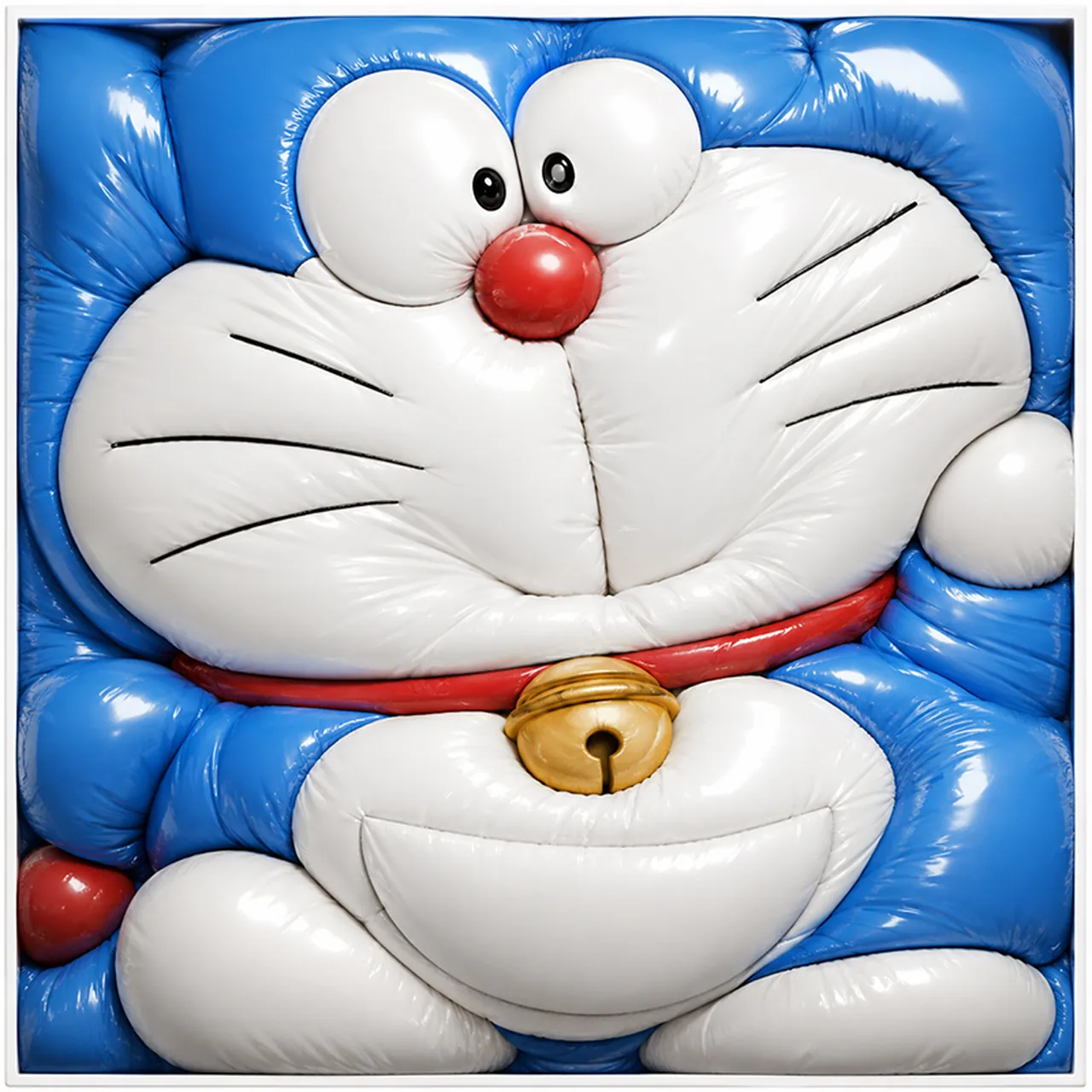
Create a square, tightly framed hyperrealistic 3D render of Doraemon transformed into an overinflated glossy balloon sculpture, squeezed into a shallow white square box so every part bulges against the edges. The character has a shiny bright blue head and body with a white face and belly, two oversized white bulging eyes with small black pupils, one round glossy red nose, six thin black whisker lines total, three on each cheek, a red collar, and one metallic gold bell centered below the face. The inflated vinyl material should show strong specular highlights, soft wrinkles, seams, pinched creases, and pressure folds where the balloon-like forms press together. Composition: front-facing close-up, cropped tightly so the head fills the top two-thirds and the body, paws, belly, and bell fill the lower third; the blue ears/head corners and limbs are compressed into rounded pillow-like blocks along the frame edges. Include exactly 2 eyes, 1 red nose, 6 whisker lines, 1 red collar, 1 gold bell, 2 white feet at the bottom, 2 white hands/paws at the sides, and a thin white square border around the packed form. Use studio lighting, ultra-detailed glossy latex texture, playful surreal toy aesthetic, no text, no background beyond the white tray frame.
Best for
Tips
Keep the main subject focused so square tightly framed hyperrealistic 3D render of remains recognizable after style or lighting changes.
Adjust camera angle and aspect ratio before generation when the composition needs a specific platform format.