
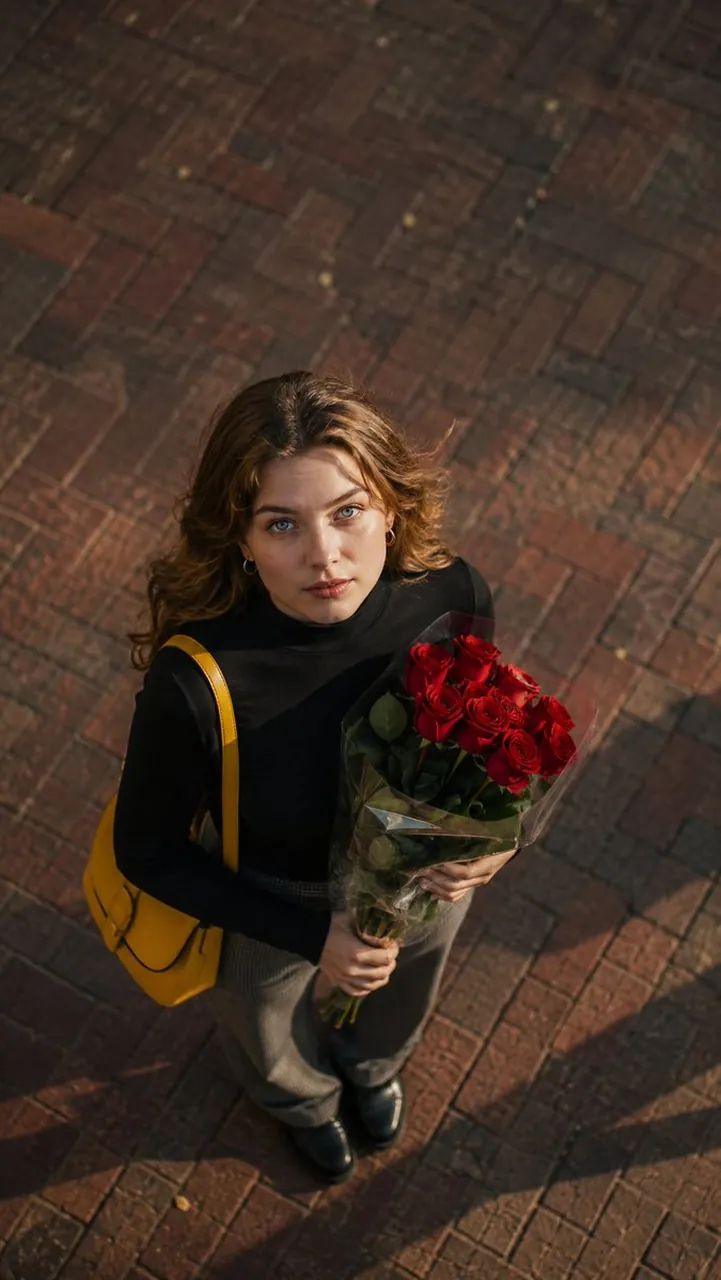
Image 1 : created with Gpt image 2 on @ChatGPT

A polished image of Image 1 : created with Gpt image 2 on @ChatGPT uses clear subject styling, lighting, composition, and atmospheric detail for a finished.

Image 1 : created with Gpt image 2 on @ChatGPT

Prompt

Copy and customize

High-angle overhead perspective looking directly down at a young woman standing on a reddish-brown brick pavement in warm sunlight. She has wavy light-brown hair, expressive light blue eyes, and is looking straight up at the camera. She is wearing a fitted black mock-neck shirt, grey patterned trousers, and a vibrant yellow leather shoulder bag, holding a bouquet of fresh red roses wrapped in clear cellophane. Vintage cinematic film look, soft dramatic shadows, muted background tones with vibrant red and yellow accents, 35mm street photography, realistic lighting, --ar 9:16

Best for

Portrait styleCinematic moodCity sceneMotion beatVisual concept

Tips

Keep the main subject focused so High-angle overhead perspective looking directly down at remains recognizable after style or lighting changes.

Adjust camera angle and aspect ratio before generation when the composition needs a specific platform format.

How to use this GPT Image 2 prompt

1

Copy the ready-to-use GPT Image 2 prompt from this page.

2

Paste it into GoEnhance AI or another generator that supports GPT Image 2.

3

Click generate and get your image quickly. You can edit the prompt first if needed.

Copy the prompt, try it with GoEnhance AI or another tool that supports GPT Image 2, and generate your image in just a few simple steps.

Overview

Everything you need to master AI prompts

From quick copy-paste prompts to advanced techniques, build stunning visuals faster.

20000+ prompts
All major models
Updated Daily