
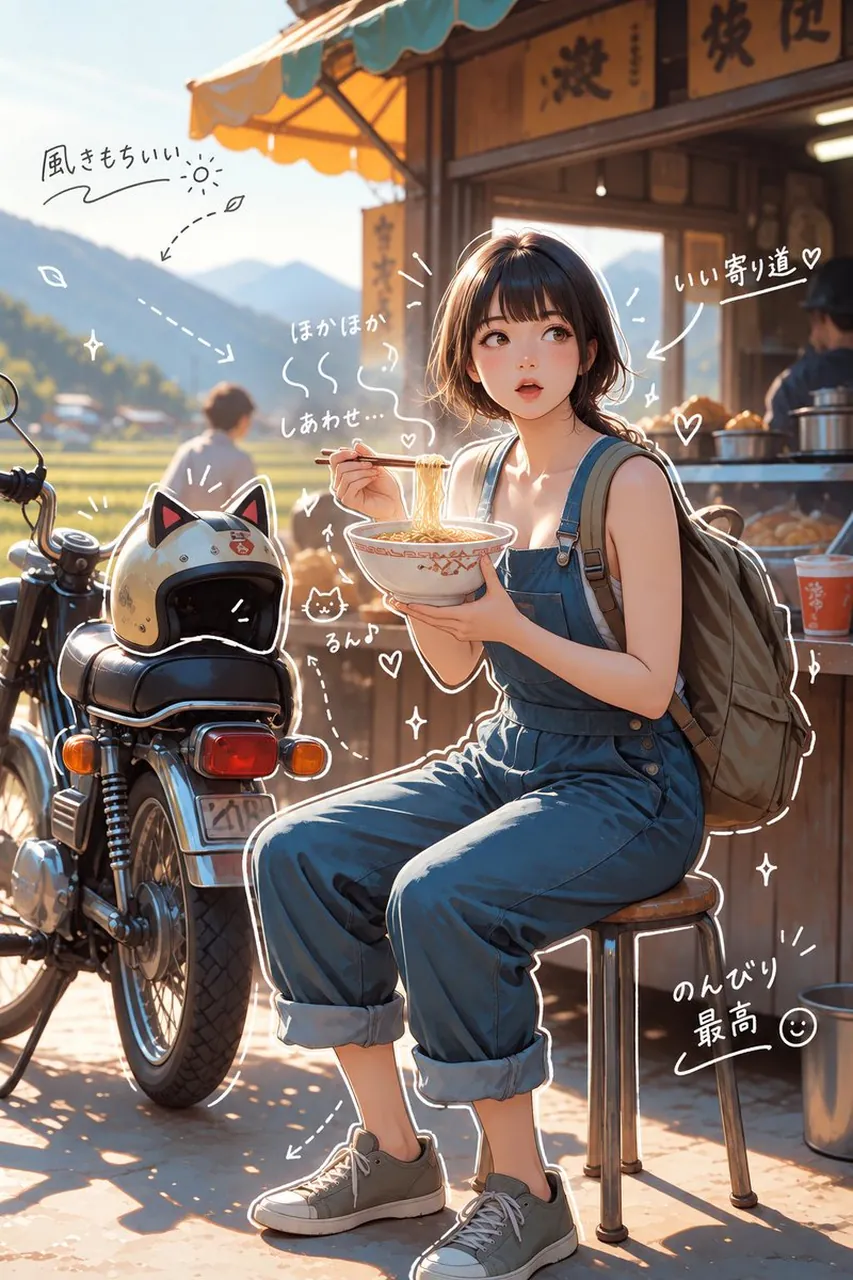
Hand-Drawn Style Image Overlay

A polished image of Hand-Drawn Style Image Overlay uses clear subject styling, lighting, composition, and atmospheric detail for a finished visual concept.

Hand-Drawn Style Image Overlay

Prompt

Copy and customize

画像の上に手描き風のオーバーレイを加えて。仕上がりは、おしゃれで、肩の力が抜けた、さりげなくカジュアルな雰囲気にして。描画ルール:ペンで描いたような白色の手描き線を使う。ラフで少しいびつな、一筆書き風のスタイルを保つ。対象物の外側の輪郭をなぞる線を加える。矢印や点線で視線を誘導する。文字ルール:手書き文字にする。短く、つぶやく感じの心の声のように。トーンは日記風で、簡潔、感情重視。コメントは前向きでやさしく。装飾:湯気、きらきら、ハート、小さな顔文字っぽい顔を控えめに加える。やりすぎず、「余白」も残す。

Best for

Social Media PostVisual conceptStyle studyComposition testPrompt remix

Tips

Keep the main subject focused so Hand-Drawn Style Image Overlay remains recognizable after style or lighting changes.

Adjust camera angle and aspect ratio before generation when the composition needs a specific platform format.

How to use this GPT Image 2.5 prompt

1

Copy the ready-to-use GPT Image 2.5 prompt from this page.

2

Paste it into GoEnhance AI or another generator that supports GPT Image 2.5.

3

Click generate and get your image quickly. You can edit the prompt first if needed.

Copy the prompt, try it with GoEnhance AI or another tool that supports GPT Image 2.5, and generate your image in just a few simple steps.

Overview

Everything you need to master AI prompts

From quick copy-paste prompts to advanced techniques, build stunning visuals faster.

20000+ prompts
All major models
Updated Daily