
Prompt
Copy and customize
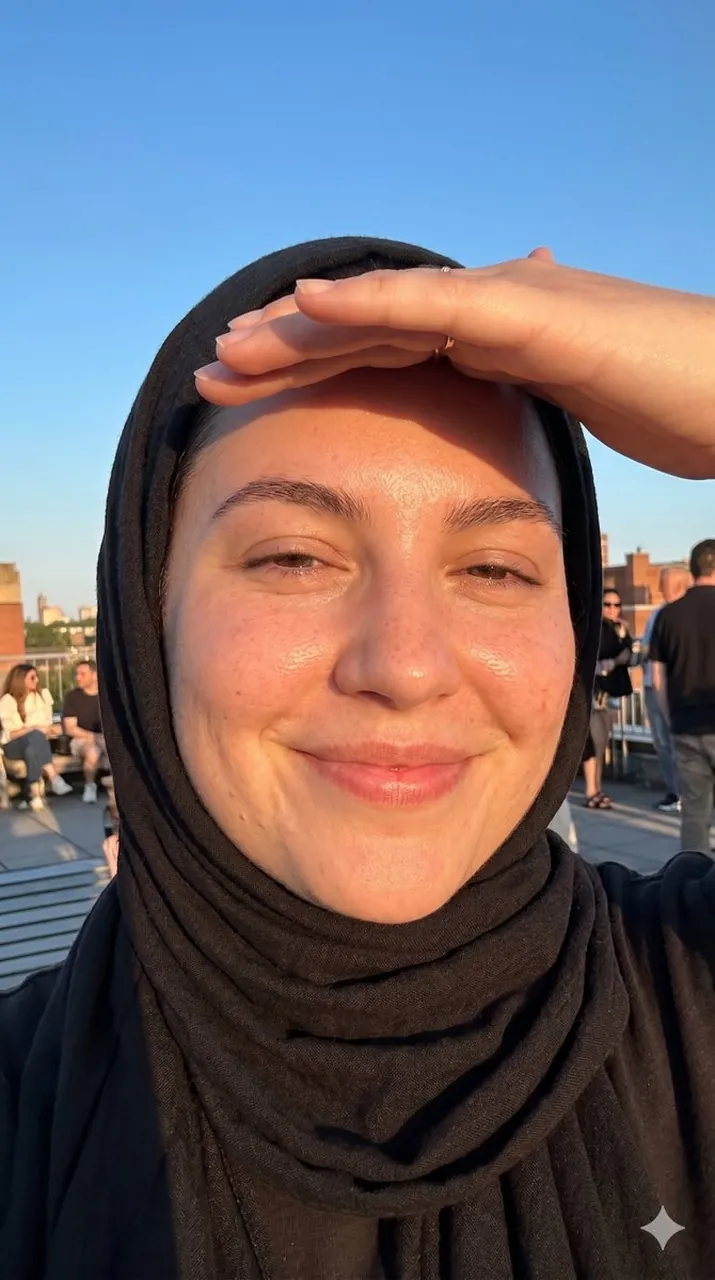
A joyful young woman in her late teens or twenties with a soft rounded oval face, warm light-medium skin tone, natural skin texture, subtle redness, and visible imperfections, wearing a simple black headscarf wrapped closely around her face. She is taking an extreme close-up smartphone selfie, her face filling nearly the entire frame. One hand is raised above her forehead to shield her eyes from bright sunlight. She wears a genuine closed-mouth smile, with expressive eyes partially closed from the sun, creating a warm, authentic, and approachable presence.
Captured outdoors on a rooftop or terrace during golden hour, with a clear blue sky, subtle roofline structures, and distant urban silhouettes softly visible in the background. Direct golden-hour sunlight illuminates her face from the front-side angle, creating glowing sun-kissed skin, warm amber highlights, and soft shadows cast by her hand and headscarf.
Shot with a front-facing smartphone camera using a wide-angle selfie perspective, deep depth of field, entire face in focus, moderate sharpness, realistic selfie distortion, intimate personal framing, very little negative space. Natural golden-hour color grading with warm tones, golden peach highlights, warm beige skin tones, sky-blue accents, soft coral undertones, and deep black fabric. High realism, minimal retouching, almost no skin smoothing, preserved skin texture, natural clarity, genuine emotion, authentic social media lifestyle portrait, spontaneous candid moment, modern smartphone photography, warm, carefree, optimistic, playful atmosphere.
Best for
Tips
Keep the main subject focused so A joyful young woman in her late remains recognizable after style or lighting changes.
Adjust camera angle and aspect ratio before generation when the composition needs a specific platform format.