
Prompt
Copy and customize
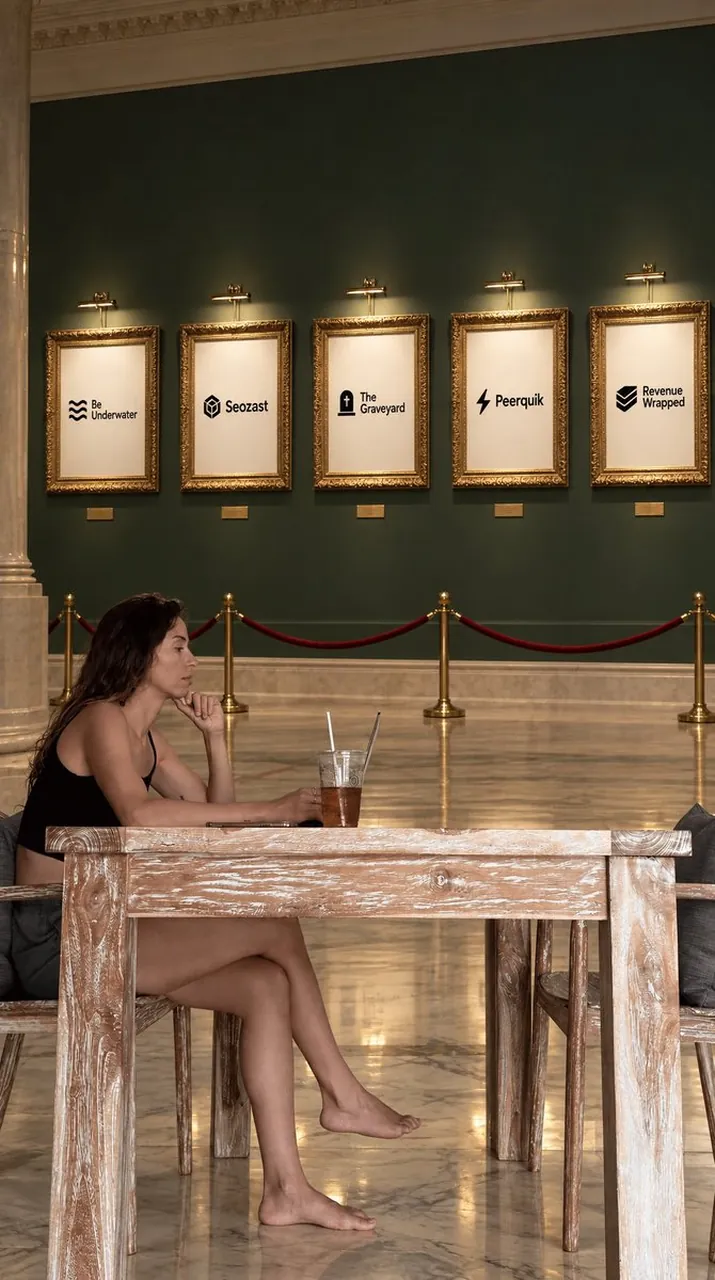
Goal: Create a realistic vertical social-media photograph inside an elegant museum-like gallery café, showing a relaxed woman seated at a rustic wooden table in the foreground while framed startup-style logos hang on the wall behind her.
Canvas: Vertical 9:16 composition, full-body/candid lifestyle shot, warm indoor lighting, slightly cinematic realism, natural perspective as if taken on a phone or DSLR from table height.
Setting: A grand interior with polished beige marble floors, tall classical stone columns at the far left, ornate crown molding, and a deep dark green gallery wall. Across the wall are exactly 5 gold baroque picture frames, evenly spaced in a horizontal row, each lit by a small brass picture light above it. Beneath each frame is a small gold museum label plaque. A red velvet rope barrier with brass stanchions runs across the midground between the café seating and the gallery wall.
Foreground subject: A young adult woman with long wavy dark brown hair sits in left profile at a pale distressed wooden table. She wears a simple black sleeveless top and black shorts, is barefoot, and sits casually with one leg crossed forward. Her left elbow rests on the tabletop, her hand supports her chin, and she looks thoughtfully toward the right side of the image. Keep her expression calm and contemplative. Include a clear plastic cup of iced tea or coffee with a straw on the table near the center, plus a thin laptop or notebook partially visible in front of her. Use rustic wooden chairs with gray cushions.
Wall artwork details: The 5 framed posters are minimal white sheets with small black logos and text centered on each. From left to right, the visible labels are exactly: 1) “Be Underwater” with a wavy three-line icon, 2) “Seozast” with a geometric cube icon, 3) “The Graveyard” with a small tombstone icon, 4) “Peerquik” with a lightning bolt icon, 5) “Revenue Wrapped” with a stacked chevron icon. Use Be Underwater, Seozast, The Graveyard, Peerquik, and keep the fifth poster as “Revenue Wrapped” unless asked otherwise.
Style and constraints: Photorealistic, warm gallery lighting, soft shadows, high detail in the ornate gold frames and distressed whitewashed wood grain. Keep the background symmetrical and the five frames clearly countable. Do not add extra people, extra posters, watermarks, captions, or UI elements.
Best for
Tips
Keep the main subject focused so Goal Create a realistic vertical social-media photograph remains recognizable after style or lighting changes.
Adjust camera angle and aspect ratio before generation when the composition needs a specific platform format.