
Prompt
Copy and customize
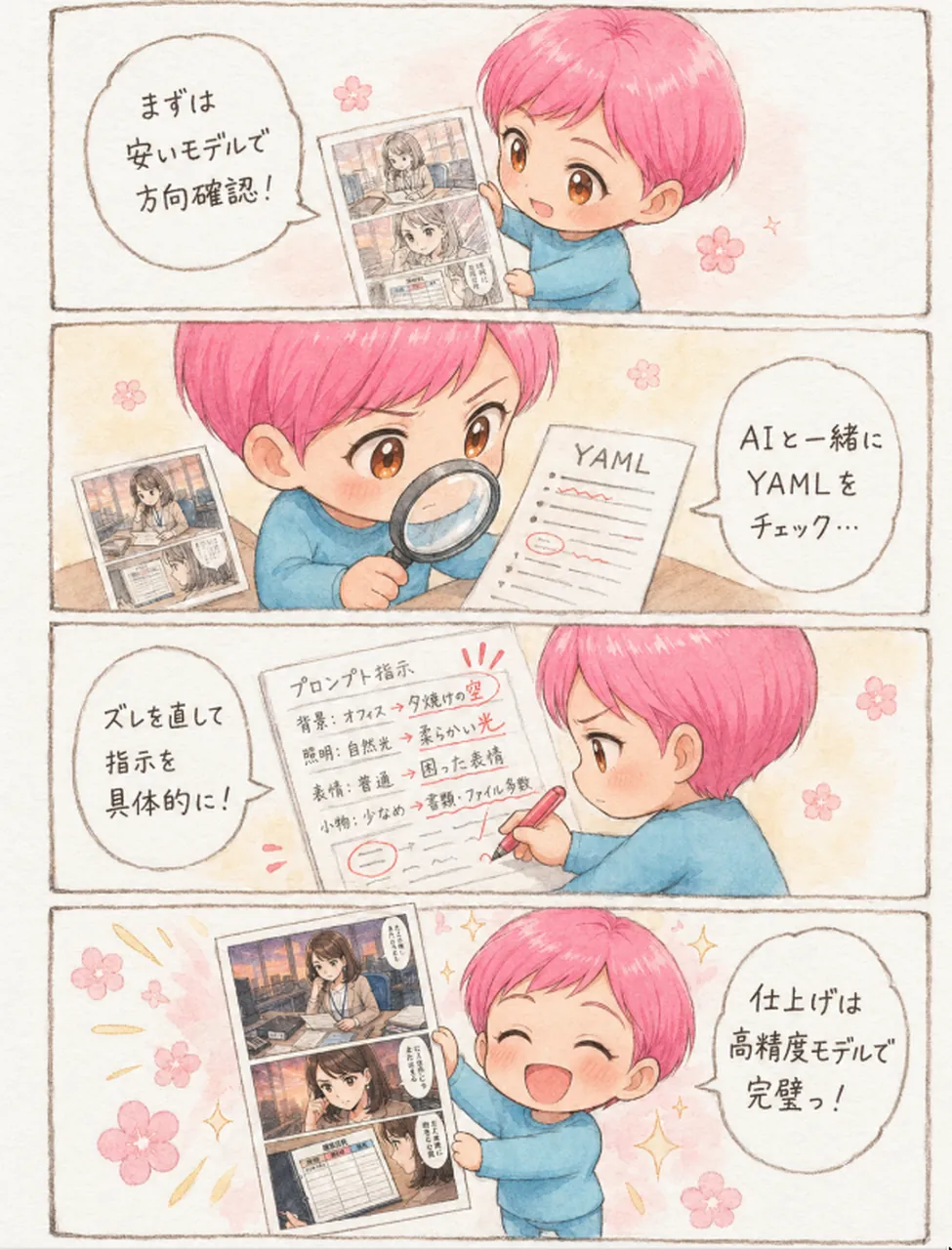
Goal: Create a soft watercolor-style vertical four-panel manga explainer about an AI manga workflow, featuring a cute chibi child mascot with short pink hair and a blue sweater demonstrating iterative image generation.
Canvas: Vertical 3:4 comic page, warm off-white paper texture, thin hand-drawn brown panel borders, gentle pastel palette, airy margins, no harsh digital gradients.
Layout: Use exactly 4 horizontal comic panels stacked from top to bottom, each separated by a thin sketchy border. The same chibi character appears in all 4 panels. Add small pink cherry-blossom motifs and tiny sparkle accents across the page.
Character details: The mascot is a cheerful chibi child named pink-haired AI manga mascot, with short rounded bright pink hair, large amber-brown eyes, small nose, soft round cheeks, and a loose light-blue sweater. The character should look friendly, instructional, and enthusiastic.
Panel 1: The chibi stands on the right, smiling and holding up a printed manga page angled toward the viewer. On the left is one large speech bubble with handwritten Japanese text: まずは安いモデルで方向確認!. The manga page should show two small grayscale/sepia comic frames featuring a young woman in an office-like setting.
Panel 2: The chibi is shown larger in close-up, leaning over a desk with a magnifying glass, carefully inspecting a document labeled “YAML” on the right. A small printed manga page lies on the left side of the desk. The YAML paper has red underlines and one red circled mark. Include one speech bubble on the right with Japanese text: AIと一緒にYAMLをチェック….
Panel 3: The chibi is on the right in side view, serious and focused, writing corrections on a large prompt instruction sheet with a red pen. On the left is one speech bubble with Japanese text: ズレを直して指示を具体的に!. The correction sheet should have a heading meaning “prompt instructions” and multiple handwritten lines with red edits, red underlines, and a circled correction, suggesting more concrete instructions about background, expression, pose, and details.
Panel 4: The chibi stands happily on the right, eyes closed in a big smile, holding up a finished manga page on the left. Add golden sparkles and pink blossoms around the successful result. The finished manga page contains exactly 3 visible stacked manga frames: top frame of a young woman at a desk, middle close-up of the woman, bottom frame with a small table or chart. Include one speech bubble on the right with Japanese text: 仕上げは高精度モデルで完璧っ!.
Text and style constraints: Use handwritten Japanese lettering inside the 4 speech bubbles and on the visible “YAML” label. Keep text legible but naturally hand-drawn. The overall mood should be cute, explanatory, optimistic, and suitable for a social media post about making AI manga. Use watercolor washes, pencil-like outlines, soft paper grain, and gentle pastel shadows. Do not add extra panels, extra speech bubbles, photorealism, logos, watermarks, or unrelated characters.
Best for
Tips
Keep the main subject focused so Goal Create a soft watercolor-style vertical four-panel remains recognizable after style or lighting changes.
Adjust camera angle and aspect ratio before generation when the composition needs a specific platform format.