
Prompt
Copy and customize
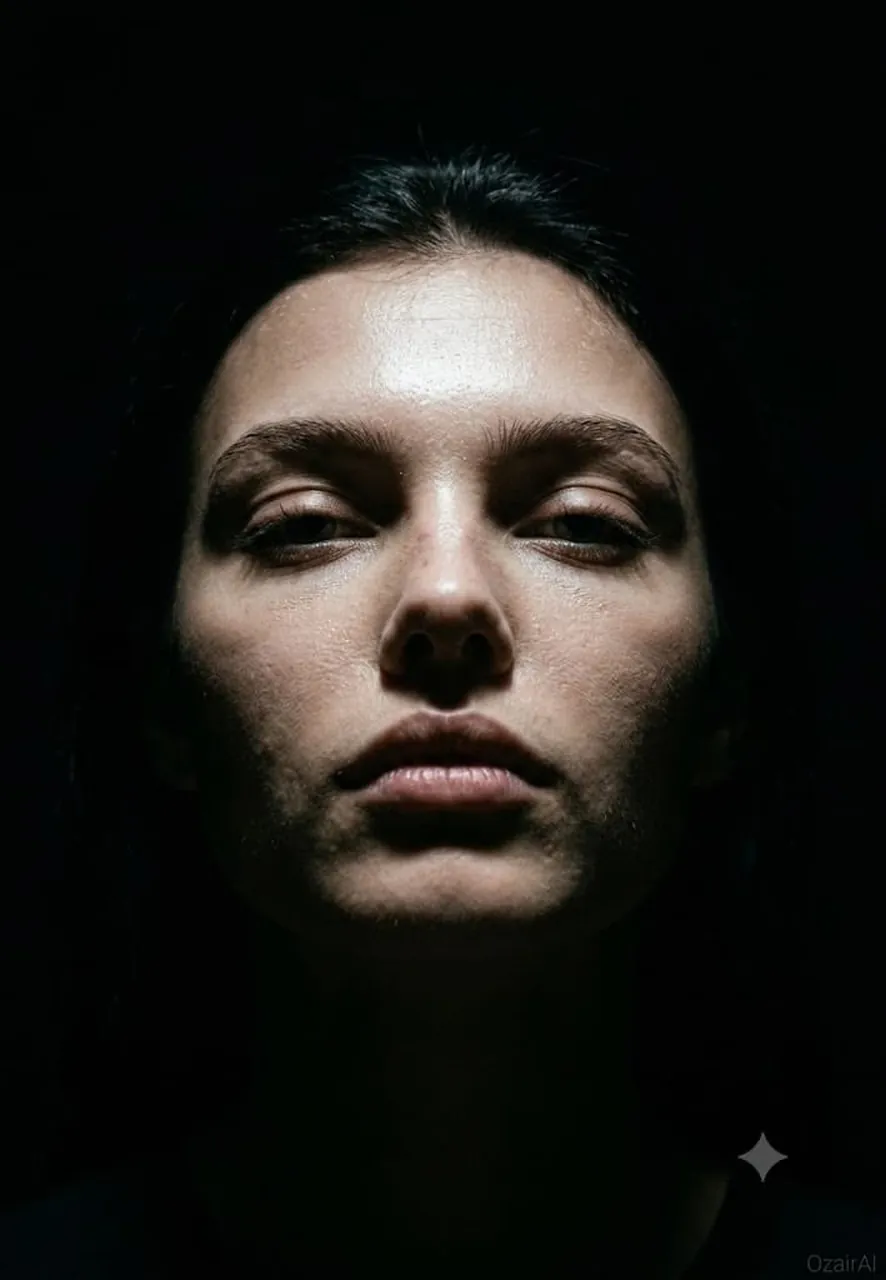
Same face as reference. Same dark, forensic-detail aesthetic — new lighting setup and mood.
Lighting: Single hard light source directly overhead, striking straight down into a pitch-black room. Light falls sharply across the forehead, brow ridge, cheekbones, and bridge of the nose, carving deep shadows beneath the brows, under the eyes, and along the jaw. Eye sockets fall into heavy shadow while the upper face burns with cold clarity. No fill, no bounce — pure top-down falloff.
Pose: Face angled slightly upward toward the light source, chin lifted just enough to let the beam rake across the full topography of the face. Eyes open, catching a thin sliver of light beneath heavy lids.
Expression: Neutral, still, almost trance-like — as if caught mid-thought under the light rather than posed for it.
Skin Rendering: Forensic-level texture throughout the top-lit zones — forehead pores and fine lines, brow ridge texture, nose bridge and tip detail, upper cheekbone pore structure, subtle sheen where light hits hardest. Lower face and jaw fall into soft-to-total shadow, textures dissolving into darkness.
Background: Total black void — room presence implied only by the light's falloff, no visible walls or floor.
Color & Grain: Crushed blacks, cold neutral skin tones with faint warm undertone tension, 10% Ilford HP5 grain. Fully unretouched — every pore and imperfection preserved.
Output: Vertical 9:13. Ultra photorealistic, 8K, 150MP skin fidelity.
Best for
Cinematic portrait photographyHigh-detail character studiesDramatic lighting practiceForensic style renderingMoody artistic compositions
Tips
Maintain consistent facial features by using a clear reference image to ensure the forensic-detail aesthetic remains recognizable across different lighting setups.
Adjust the vertical aspect ratio before generation to ensure the composition perfectly frames the subject's face and the dramatic light falloff.