
Prompt
Copy and customize
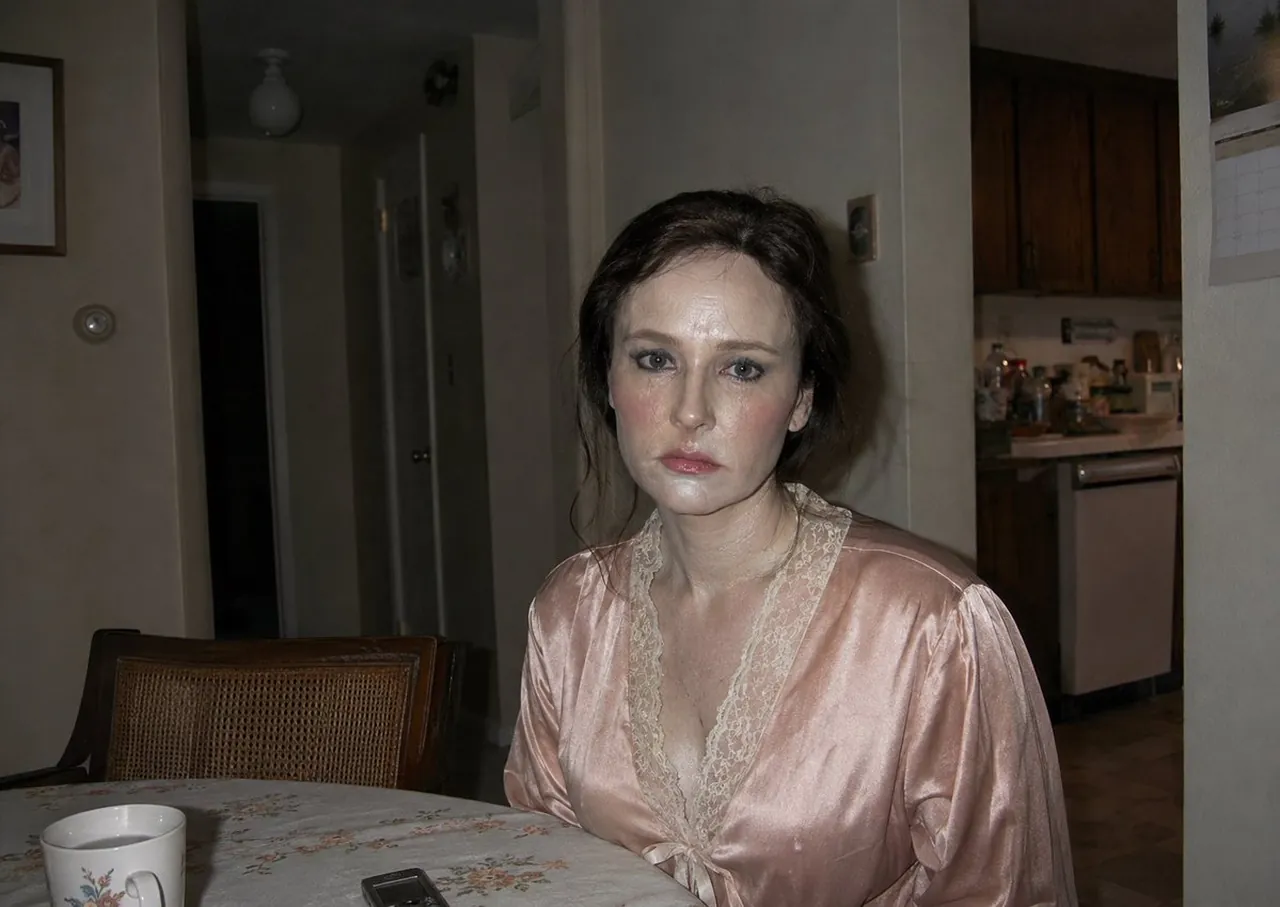
Create a candid, flash-lit documentary photograph in a dim apartment at night, framed horizontally in a 4:3 aspect ratio. The subject is a pale adult woman with dark messy hair sitting at a dining table and staring directly into the camera with a tired, blank, slightly haunted expression. She wears a pale pink satin robe with cream lace trim and a tied front; her makeup is smudgy and dramatic with dark eyeliner, flushed cheeks, glossy lips, and shiny skin from the harsh camera flash. Compose her slightly right of center, cropped from mid-torso upward, leaning near the table edge. In the foreground show a round dining table covered with a light floral tablecloth, with exactly 2 visible objects: a white ceramic mug with a small floral design on the left, and a small dark mobile phone or remote near the center front. Behind her include exactly 5 main background elements: a cane-back wooden dining chair, a dark open hallway doorway, a narrow interior door, a partially visible kitchen with brown wooden cabinets and a white dishwasher, and a wall calendar on the far right. Use muted beige walls, deep shadows, underexposed background, direct on-camera flash, slight red-eye-style glare, imperfect snapshot framing, and a gritty early-2000s compact-camera realism. Avoid glamour lighting, polished fashion styling, text overlays, or extra people.
Best for
Tips
Keep the main subject focused so candid flash-lit documentary photograph in a dim remains recognizable after style or lighting changes.
Adjust camera angle and aspect ratio before generation when the composition needs a specific platform format.