
Prompt
Copy and customize
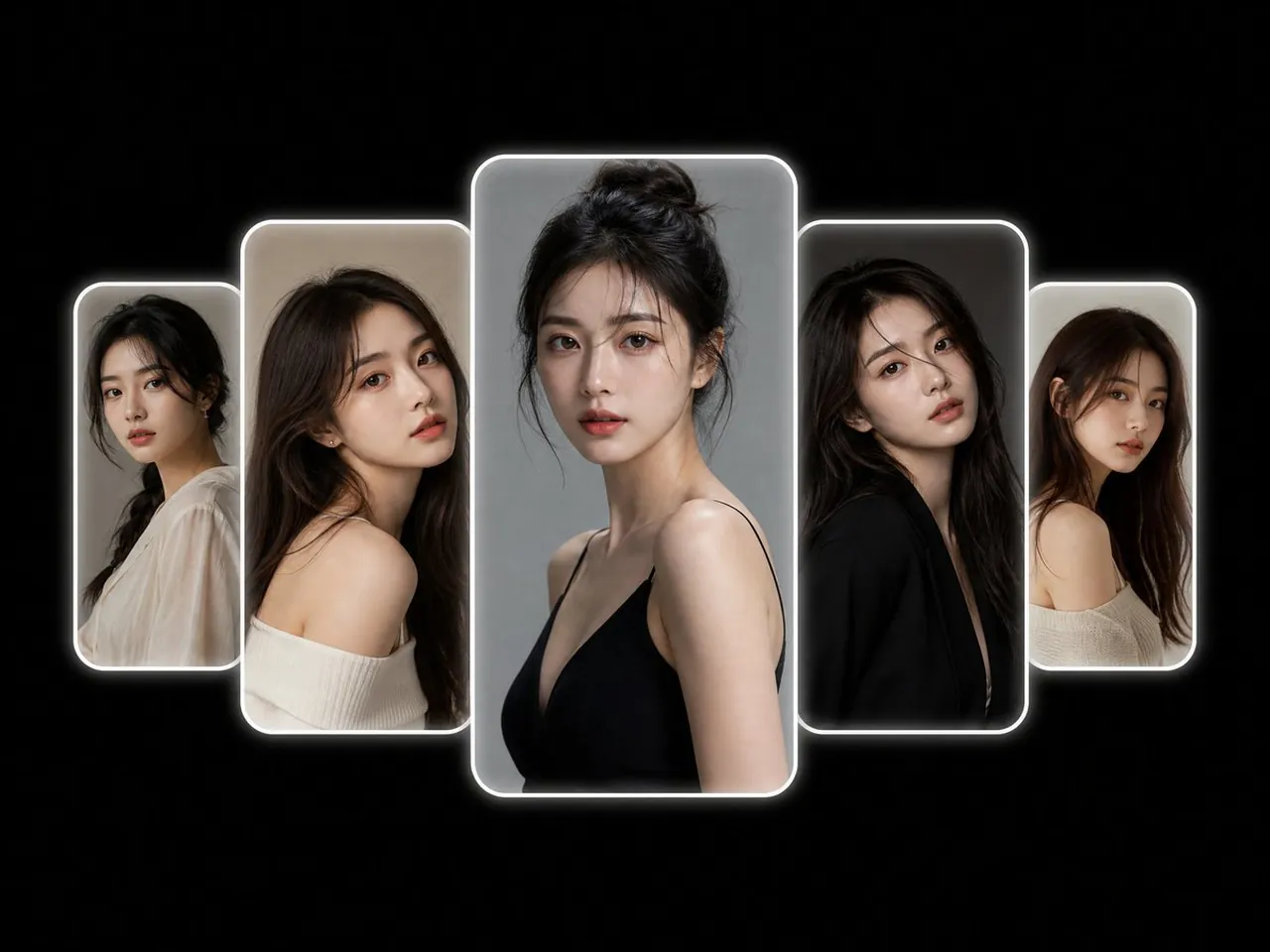
Create a minimalist high-end portrait collage on a pure pitch-black background, centered horizontally and vertically, featuring exactly 5 overlapping vertical rounded-rectangle photo frames in a symmetrical arc. Each frame contains a photorealistic studio portrait of the same young East Asian woman with long dark hair, delicate makeup, soft natural expression, shown from slightly different angles and poses. The center frame is the largest and tallest, placed in front, with a gray studio backdrop and the subject wearing a black thin-strap top, hair in a loose high bun, looking directly at the viewer. To the immediate left is a medium-large frame, partially behind the center, showing the subject in an off-shoulder cream sweater with long loose hair, head tilted, beige background. To the far left is the smallest frame, behind the medium-left frame, showing the subject in a sheer white blouse with dark tied-back hair, neutral gray-beige background. To the immediate right is a medium-large frame matching the left side size, partially behind the center, showing the subject in a black outfit with long dark hair, head slightly tilted, dark gray background. To the far right is the smallest frame matching the far-left size, behind the medium-right frame, showing the subject in a cream off-shoulder knit top with long brown-black hair, light neutral background. Use exactly 5 frames total: far left small, left medium, center large, right medium, far right small. Make all frames vertical with rounded corners, thin bright white borders, and a soft glowing white outer halo. Arrange the frames so their bottom edges form a gentle upward arc toward the center and the center frame overlaps the adjacent frames. Keep the design uncluttered with no text, no logos, no watermark, and lots of negative space. Use cinematic soft lighting, realistic skin texture, shallow depth of field inside each portrait, and a polished editorial fashion-photography look.
Best for
Tips
Keep the main subject focused so minimalist high-end portrait collage on a pure remains recognizable after style or lighting changes.
Adjust camera angle and aspect ratio before generation when the composition needs a specific platform format.