
Prompt
Copy and customize
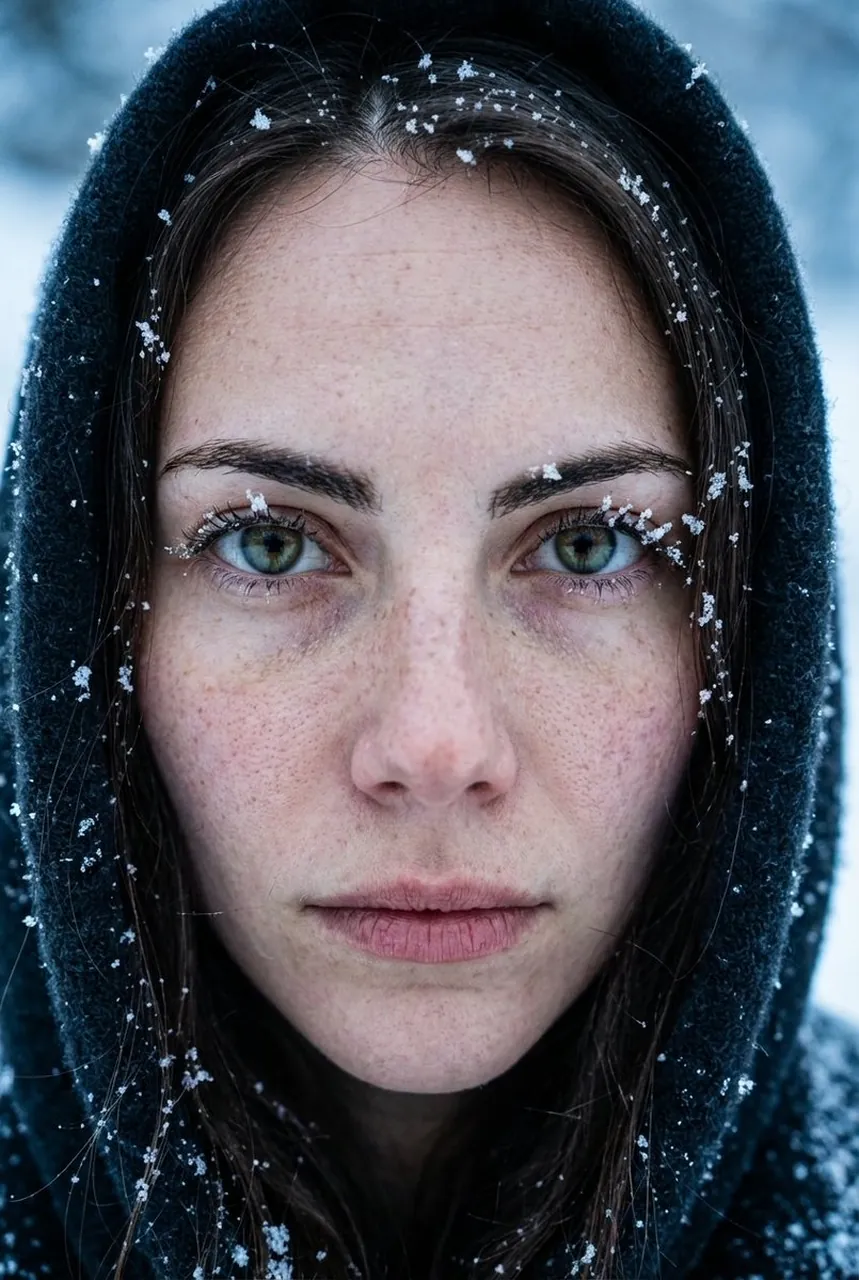
{ "mode": "image_edit", "face_preservation": { "enabled": true, "strength": 1.0, "notes": "Skin texture, freckles, pores must stay realistic" }, "composition": { "shot_type": "extreme close-up portrait", "camera_angle": "straight-on", "expression": "neutral, intense eye contact" }, "lighting": { "type": "natural cold daylight", "contrast": "low", "skin_detail": "ultra realistic, no retouch" }, "scene": { "environment": "winter outdoors", "props": ["snow on face", "hood around face"], "weather": "cold, snowy" }, "style": { "mood": "raw, documentary, emotional", "color_palette": "cool blues, pale skin tones" }, "camera": { "lens": "85mm macro portrait", "focus": "extreme sharpness on eyes" }, "negative_prompt": [ "smooth skin", "beauty filter", "face morphing", "cartoon look" ] }
Best for
Tips
Keep the main subject focused so mode image edit face preservation enabled true remains recognizable after style or lighting changes.
Adjust camera angle and aspect ratio before generation when the composition needs a specific platform format.