
Prompt
Copy and customize
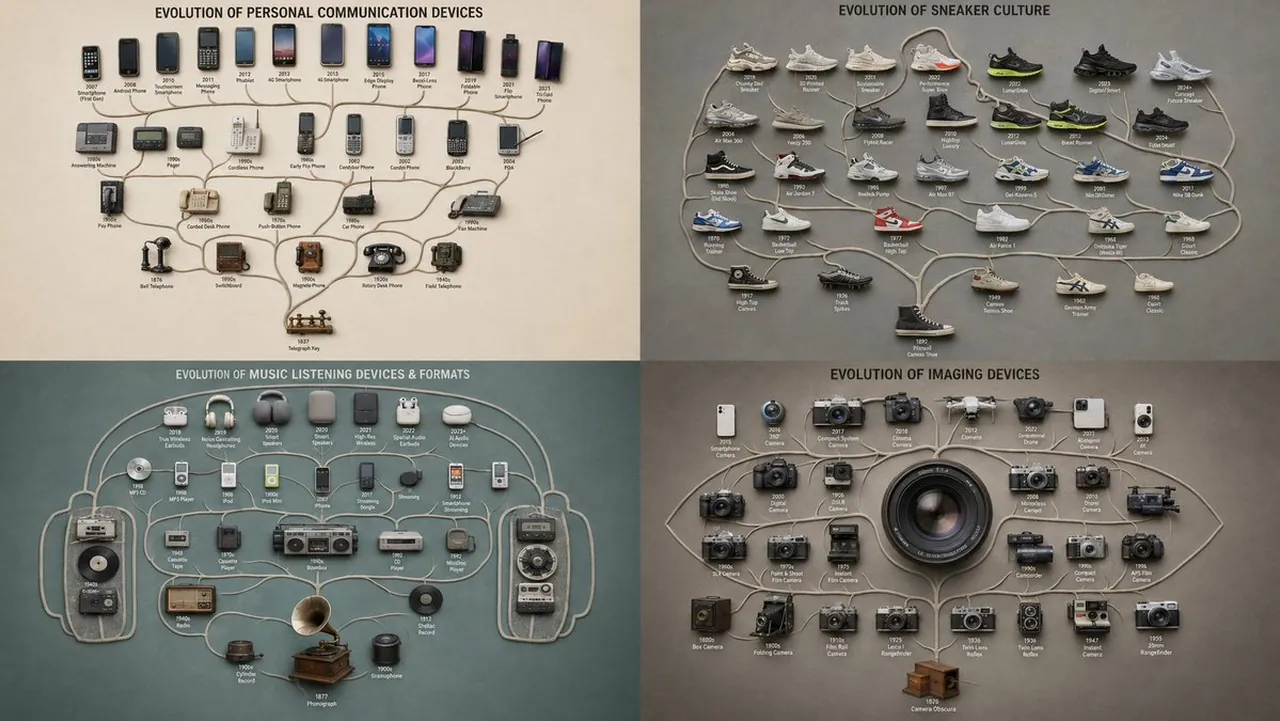
A top-down branching tree where [THEME] objects are arranged along forking limbs spreading from a single root, ancestral at the base and most-evolved at the tips, the spreading canopy forming the silhouette of [SHAPE] ::5 Branching Logic: AI_INFER 25–45 themed objects placed as a genealogy — one origin at the root, each fork a divergence, related forms on shared branches — the lineage reading clearly from base to outermost tips ::5 Composition: Clean dendritic branching, non-crossing limbs, even canopy spread, clean silhouette edge, generous margin ::3 Material Physics: Real themed objects, accurate materials and age per branch, consistent matte finish, soft shadows, faint connecting limbs ::2 Illumination: Flat overhead softbox, no glare ::2 Typography: Tiny node labels at each branch tip ::2 Render Stack: Phylogenetic flat-lay, family-tree arrangement, branching-lineage collection, 8k ::1 Negative: [tangled crossing branches, broken hierarchy, disconnected nodes, broken canopy silhouette, tilt, 3d perspective, hands] ::-1
Best for
Data visualizationConceptual artGraphic designEducational diagramsScientific illustration
Tips
Replace the [THEME] and [SHAPE] placeholders with specific subjects to ensure the AI generates a coherent and recognizable evolutionary structure.
Adjust the number of objects in the branching logic section if the generated tree appears too crowded or sparse for your needs.