
Prompt
Copy and customize
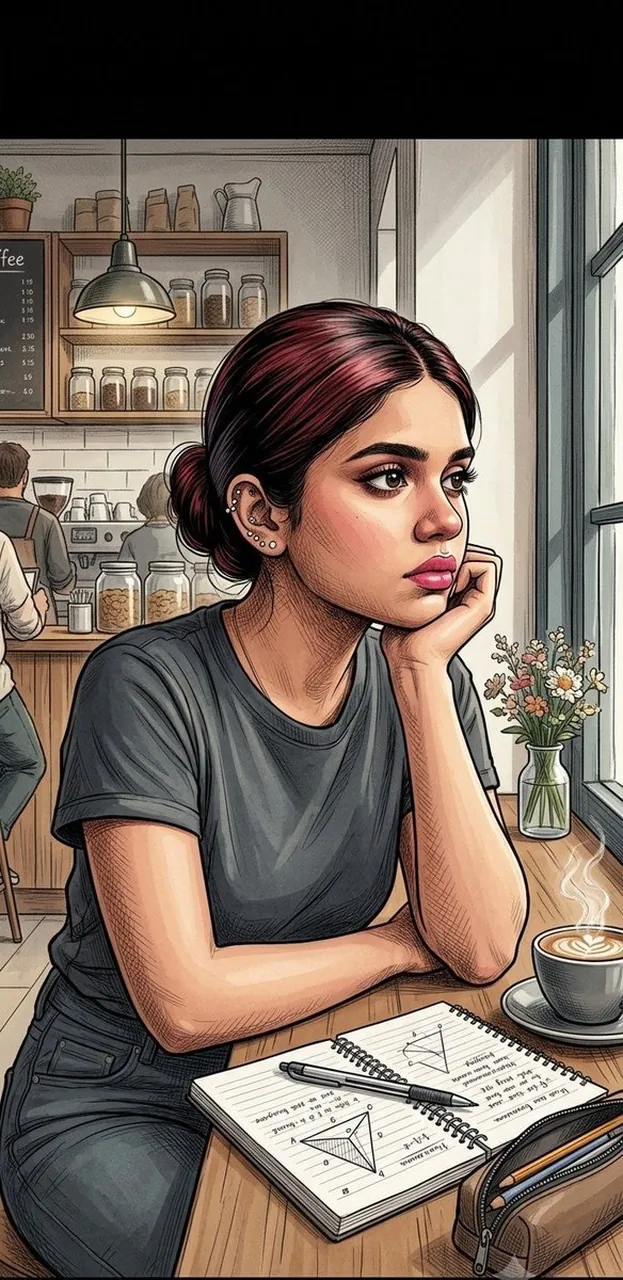
Create a highly detailed photo of the woman from the uploaded face reference, leaning on her right elbow with her chin resting on the palm of her hand, looking sideways toward the window with a thoughtful, melancholic, or concentrated expression. She has the exact facial features, skin micro-texture, and identity preserved from the reference image, with a feminine appearance and build. She is wearing a dark casual t-shirt (or fitted blouse) and matching pants.
On the table:
A spiral notebook open with a ballpoint pen. On the notebook pages there are drawings (including a geometric shape of a pyramid or triangle), small sketches, and handwritten text.
An open zippered pencil case containing additional writing instruments.
A hot cup of coffee on a saucer, with a little steam rising from it.
Background (the café):
On the right there is a large window letting in natural light, with a small vase of flowers beside it.
In the background on the left, you can see the café counter and kitchen area, with a hanging lamp, more flower vases on the shelves, and a blurred figure of another person sitting at a distant table.
The overall style is based on fine lines and dense cross-hatching that create rich depth and texture, in a realistic yet artistic sketch-like aesthetic, highly detailed, atmospheric lighting.
Best for
Tips
Upload a clear face reference to preserve identity; the prompt builds the scene around that person's exact features and micro-texture.
Use a high-resolution output to capture the fine cross-hatching and dense linework detail that defines the sketch-like aesthetic.