
Prompt
Copy and customize
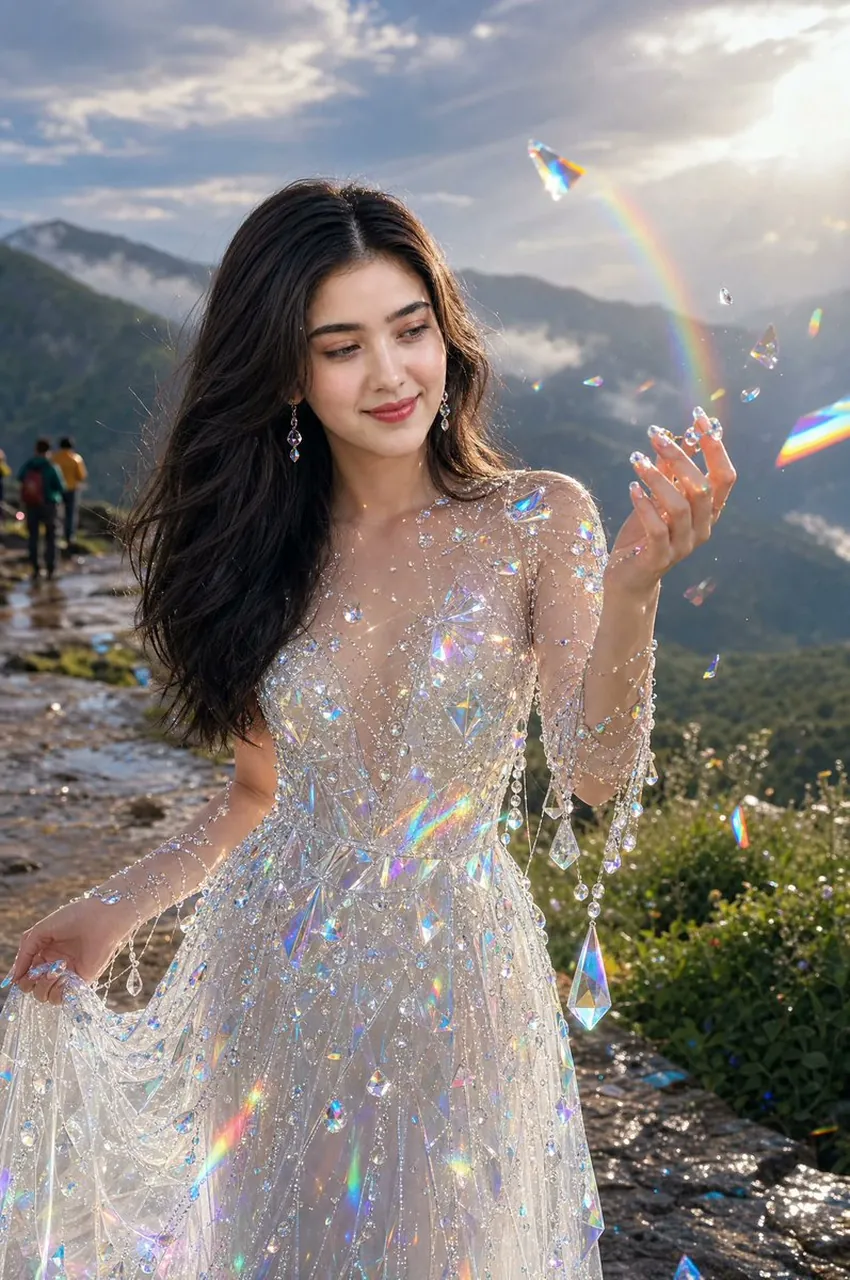
Create a photorealistic golden-hour fantasy portrait of a beautiful young woman standing naturally on a quiet mountaintop viewpoint path after rain. She has long flowing dark brown hair, soft natural makeup, delicate drop earrings, and a serene smile while looking at her raised right hand. She wears an ethereal sheer white crystal-embellished gown covered with countless iridescent beads, rhinestones, hanging strands, and large prism-like teardrop crystals; her left hand gently lifts part of the sparkling skirt. Around her, floating transparent crystal shards and prisms catch the sunlight and create vivid rainbow refractions, small lens flares, and glittering specks across the dress and air. The background shows misty green mountain ridges, a wet stone trail with a tiny group of hikers far behind on the left, wild greenery on the right, and dramatic clouds lit by a bright low sun in the upper right. Use shallow depth of field, cinematic backlighting, realistic skin texture, wind-blown hair, luminous highlights, high-detail fabric and jewelry, dreamy magical realism, vertical 2:3 composition, ultra-realistic fashion photography. Avoid text, logos, watermarks, distorted hands, extra fingers, or plastic-looking skin.
Best for
Tips
Keep the main subject focused so photorealistic golden-hour fantasy portrait of a beautiful remains recognizable after style or lighting changes.
Adjust camera angle and aspect ratio before generation when the composition needs a specific platform format.