
Prompt
Copy and customize
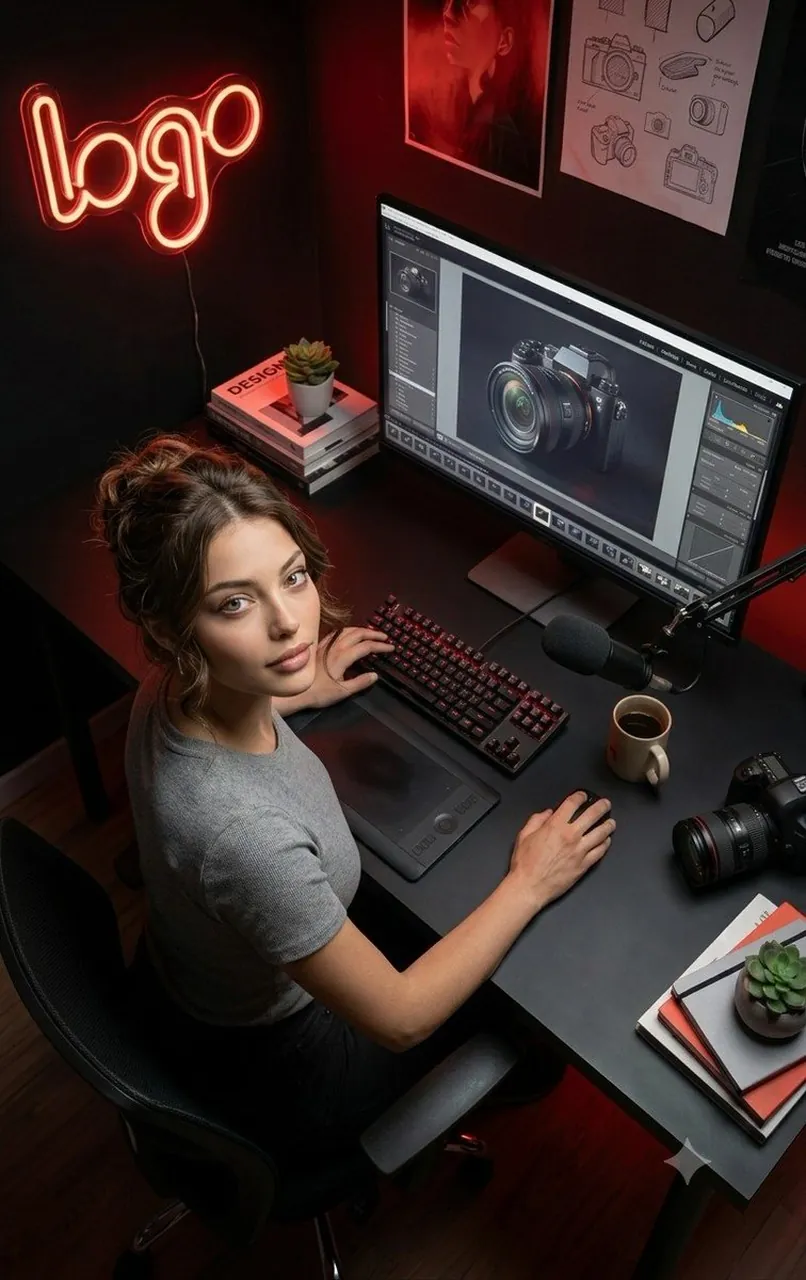
Ultra-realistic cinematic portrait of a young female creative professional working in a modern dark-themed content creation studio. She is seated in a premium ergonomic office chair at a sleek matte-black desk, looking directly up at the camera with a calm, confident expression. She has fair skin, soft natural makeup, expressive hazel eyes, and brunette hair tied in a messy bun with loose strands framing her face. She wears a fitted light gray short-sleeve t-shirt and black pants.
The workspace features a large widescreen monitor displaying professional photo editing software with a high-end mirrorless camera image open on screen. A mechanical RGB keyboard, professional pen tablet, wireless mouse, studio microphone on a boom arm, ceramic coffee mug, DSLR camera with lens, design books, notebooks, and small succulent plants are neatly arranged on the desk.
The background includes a glowing red neon "logo" wall sign, framed photography artwork, camera concept sketches pinned to the wall, and warm red ambient LED lighting that creates a cozy, creative atmosphere. Shot from a high-angle overhead perspective with a slight top-down view. Soft cinematic lighting, realistic shadows, shallow depth of field, ultra-detailed textures, premium workstation aesthetic, editorial photography, volumetric lighting, HDR, 8K, photorealistic, DSLR quality, sharp focus.
Best for
Tips
Keep the main subject focused so Ultra-realistic cinematic portrait of a young female remains recognizable after style or lighting changes.
Adjust camera angle and aspect ratio before generation when the composition needs a specific platform format.