
Prompt
Copy and customize
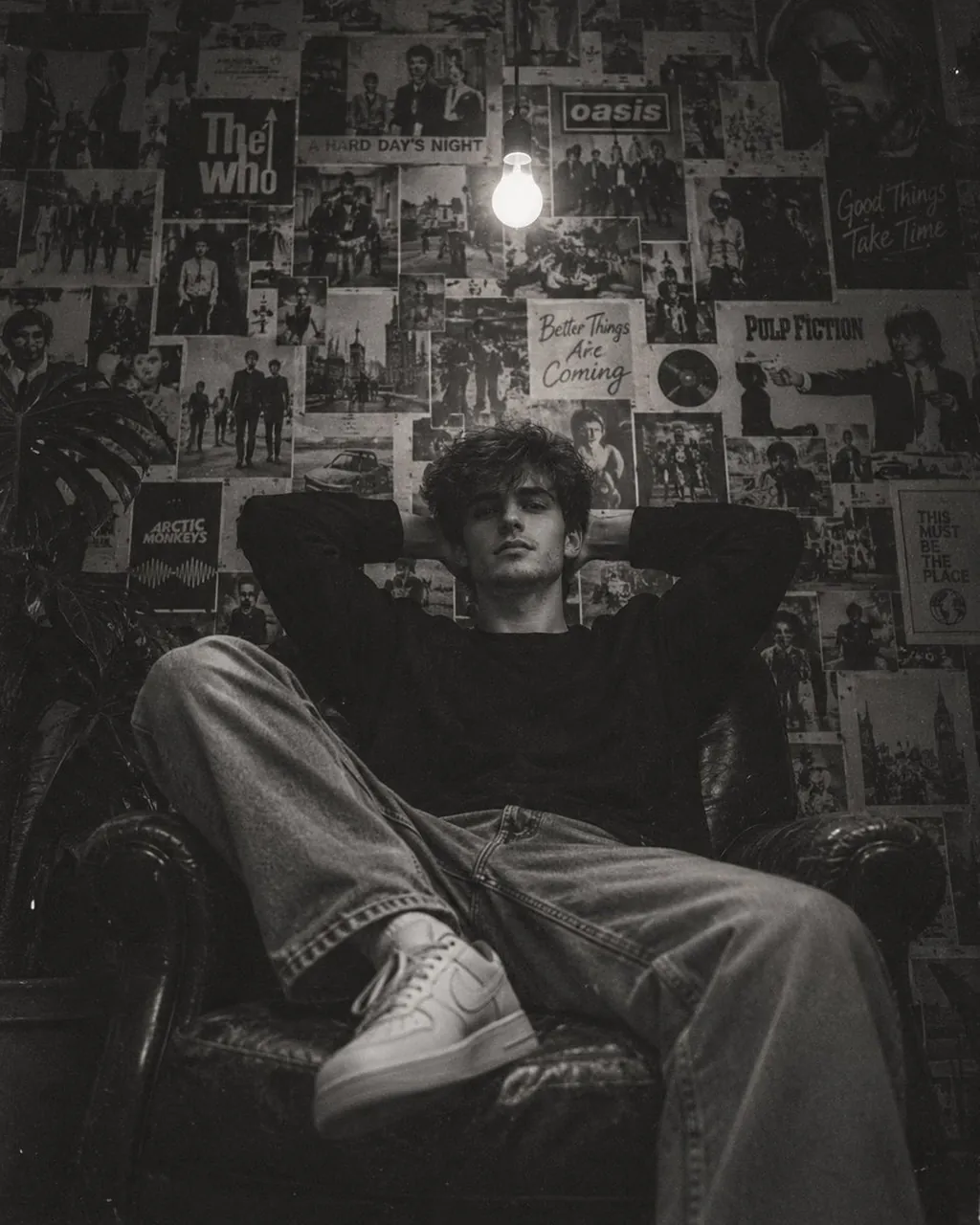
Create an ultra-realistic cinematic black-and-white editorial photograph of a young man relaxing deep inside a vintage dark leather armchair in a small, dimly lit bedroom or personal studio.
Composition:
Vertical portrait, 4:5 aspect ratio. Camera positioned slightly below eye level and directly facing the subject. The young man is centered in the frame, occupying the middle and lower portion of the image. His body is relaxed and naturally spread across the chair.
Pose:
The young man is sitting deeply and casually in the armchair, leaning backward into the seat. Both elbows are raised outward with both hands resting behind his head. His shoulders are relaxed. One leg is bent and raised toward the camera while the other leg extends naturally across the chair. His white sneakers are clearly visible in the foreground. The pose should feel effortless, relaxed, youthful and slightly rebellious.
Subject:
Young male with thick, naturally curly messy medium-length dark hair, slightly covering his forehead. Neutral, calm expression with a subtle serious look. Natural facial features, realistic skin texture, no exaggerated retouching. He is looking directly toward the camera.
Clothing:
Oversized plain black long-sleeve sweatshirt or loose black crewneck shirt, relaxed fit light-wash wide-leg denim jeans with natural wrinkles and folds, and clean white low-top sneakers. Clothing should look casual, slightly vintage and youthful.
Environment:
A dark vintage bedroom or creative personal room. The entire wall behind the subject is completely covered with an eclectic collage of old vintage magazine pages, retro advertisements, comic illustrations, fashion photographs, celebrity portraits, typography, posters and black-and-white printed artwork. The posters overlap each other naturally with uneven edges, creating a dense nostalgic wall collage.
Lighting:
A single exposed incandescent light bulb hangs from the ceiling near the upper center of the frame, directly behind and slightly above the subject. The bulb is glowing brightly and becomes the main practical light source. Strong falloff into deep shadows around the room. Soft light illuminates the subject's face and hair while leaving the edges of the room dark.
Photography style:
Authentic 1990s/early-2000s analog film photography aesthetic, gritty monochrome black-and-white, high contrast, deep blacks, soft highlights, visible fine film grain, subtle dust and film texture, slight halation around the exposed bulb, gentle vignette, low-key lighting, imperfect analog exposure, slightly faded photographic tones.
Framing details:
Include the full armchair, the subject's legs and sneakers in the foreground, the dense poster-covered wall behind him, and the hanging bulb near the top center. Keep the subject sharply recognizable while allowing the background to have slight softness and natural photographic depth.
Mood:
Nostalgic, introspective, effortlessly cool, underground youth culture, vintage bedroom photography, quiet late-night atmosphere.
Image quality:
Photorealistic, authentic skin texture, realistic fabric and denim details, natural shadows, realistic leather texture, realistic light falloff, professional editorial photography, 35mm film look, subtle grain, no artificial CGI appearance, no illustration, no excessive sharpening.
Important:
Maintain the exact overall composition, camera angle, subject placement, relaxed pose, hanging bulb position, poster-covered wall, dark tonal range and vintage monochrome aesthetic of the reference image.
Best for
Tips
Keep the main subject focused so n ultra-realistic cinematic black-and-white editorial photograph of remains recognizable after style or lighting changes.
Adjust camera angle and aspect ratio before generation when the composition needs a specific platform format.