
Prompt
Copy and customize
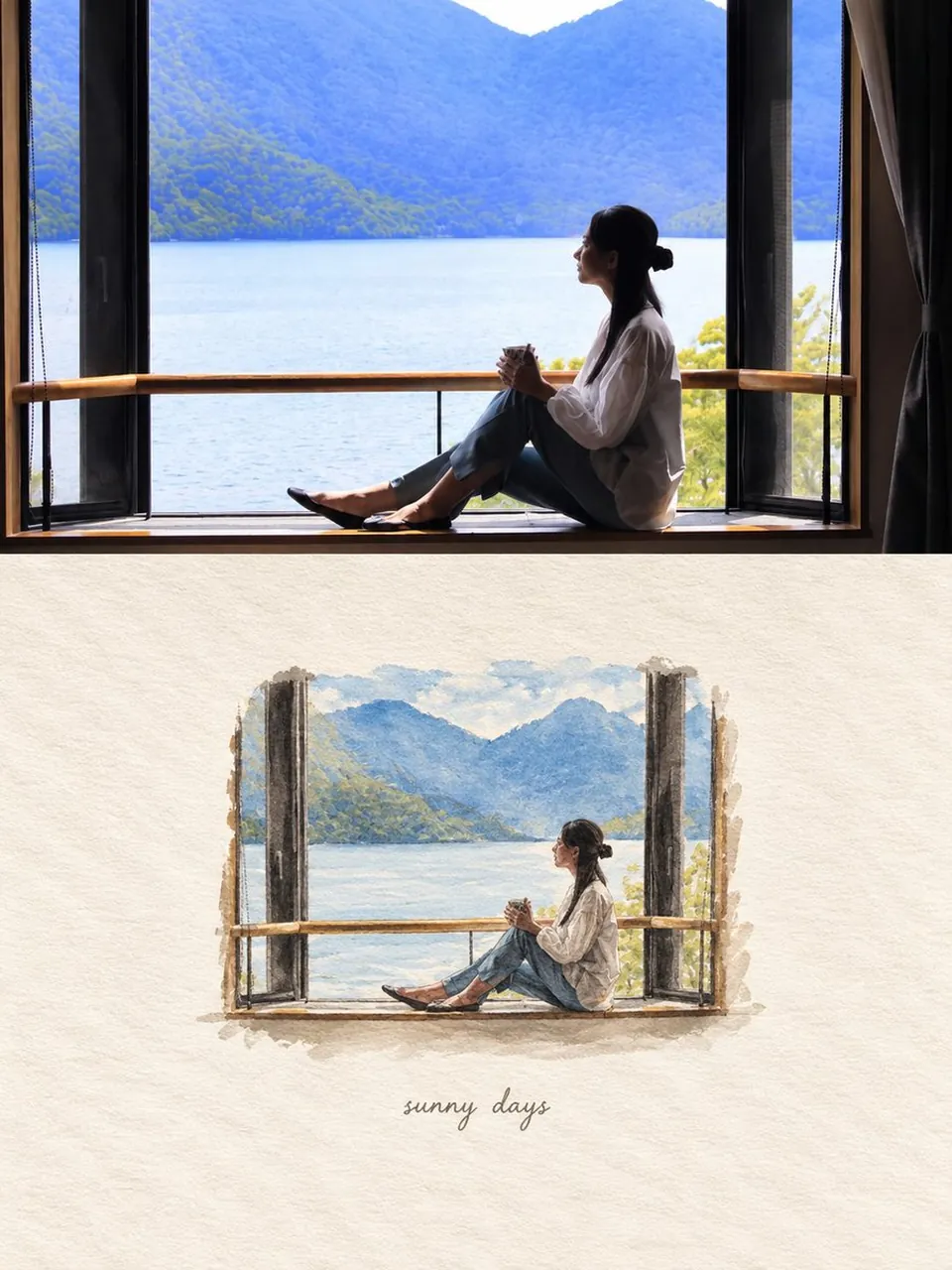
Use the uploaded photo as the exact visual reference and transform it into a nostalgic editorial scrapbook-style artwork. Preserve the subjects, composition, clothing, poses, objects, and overall scene from the original photo.
Create a vertical 3:4 composition with a refined, minimalist Japanese-inspired photo-to-illustration aesthetic.
The final design should be divided into two equal horizontal sections:
TOP HALF — ORIGINAL PHOTOGRAPH
•Place the uploaded original photograph in the upper 50% of the canvas.
•Keep it photorealistic and completely unchanged.
•Preserve the exact facial features, body proportions, clothing, hairstyle, pose, lighting, environment, furniture, food, blanket, window, and all other recognizable details.
•Do not crop important subjects.
•Use the original image naturally, with clean edges and no artificial frame.
BOTTOM HALF — MINIATURE STORYBOOK VERSION
•Recreate the exact same scene from the photograph as a small, delicate hand-painted illustration positioned around the center of the lower half.
•Keep the same subjects, poses, clothing, objects, perspective, and recognizable composition, but make the entire scene appear like a tiny nostalgic illustration placed on paper.
•Use a soft watercolor + colored-pencil + subtle gouache aesthetic.
•Delicate imperfect brushwork, lightly textured edges, soft shadows, muted natural colors, slightly faded vintage appearance.
•The miniature scene should occupy only about 25–35% of the lower section, leaving generous negative space around it.
•Make it feel like a tiny memory captured on paper rather than a conventional full-frame illustration.
•Add a very subtle hand-drawn shadow underneath the miniature scene to make it feel naturally placed on the paper.
BACKGROUND
•Cover the entire bottom half with warm off-white / ivory handmade paper.
•Visible fine paper fibers and subtle grain.
•Slightly uneven organic texture, similar to premium watercolor paper.
•Minimal, warm, calm and elegant.
•No borders, no decorative patterns, no unnecessary elements.
TEXT
•Beneath the miniature illustration, add a very small handwritten phrase:
“sunny days”
•Use thin, delicate, lowercase handwritten script.
•Light gray/taupe ink.
•Keep the text subtle and understated, centered beneath the artwork.
LIGHTING & COLOR
•Warm natural daylight.
•Soft cream, beige, pale blue, muted denim blue and warm brown tones.
•Gentle highlights and soft shadows.
•Slightly nostalgic film-inspired color grading.
•Avoid oversaturation.
•Overall mood: quiet, cozy, sentimental, peaceful family memory.
IMPORTANT
•Maintain the identity and visual characteristics of the people from the reference photo.
•Do not invent additional people or objects.
•Do not change clothing or poses.
•Do not distort anatomy.
•The miniature illustration must clearly depict the same exact moment and scene as the original photograph.
•Clean premium editorial composition.
•High detail, sophisticated art direction, realistic paper texture, subtle handcrafted imperfections.
•No extra text, no frame, no logo, no watermark.
Best for
Tips
Keep the main subject focused so Use the uploaded photo as the exact remains recognizable after style or lighting changes.
Adjust camera angle and aspect ratio before generation when the composition needs a specific platform format.