
Prompt
Copy and customize
Create a two-panel travel poster inspired by the reference images.
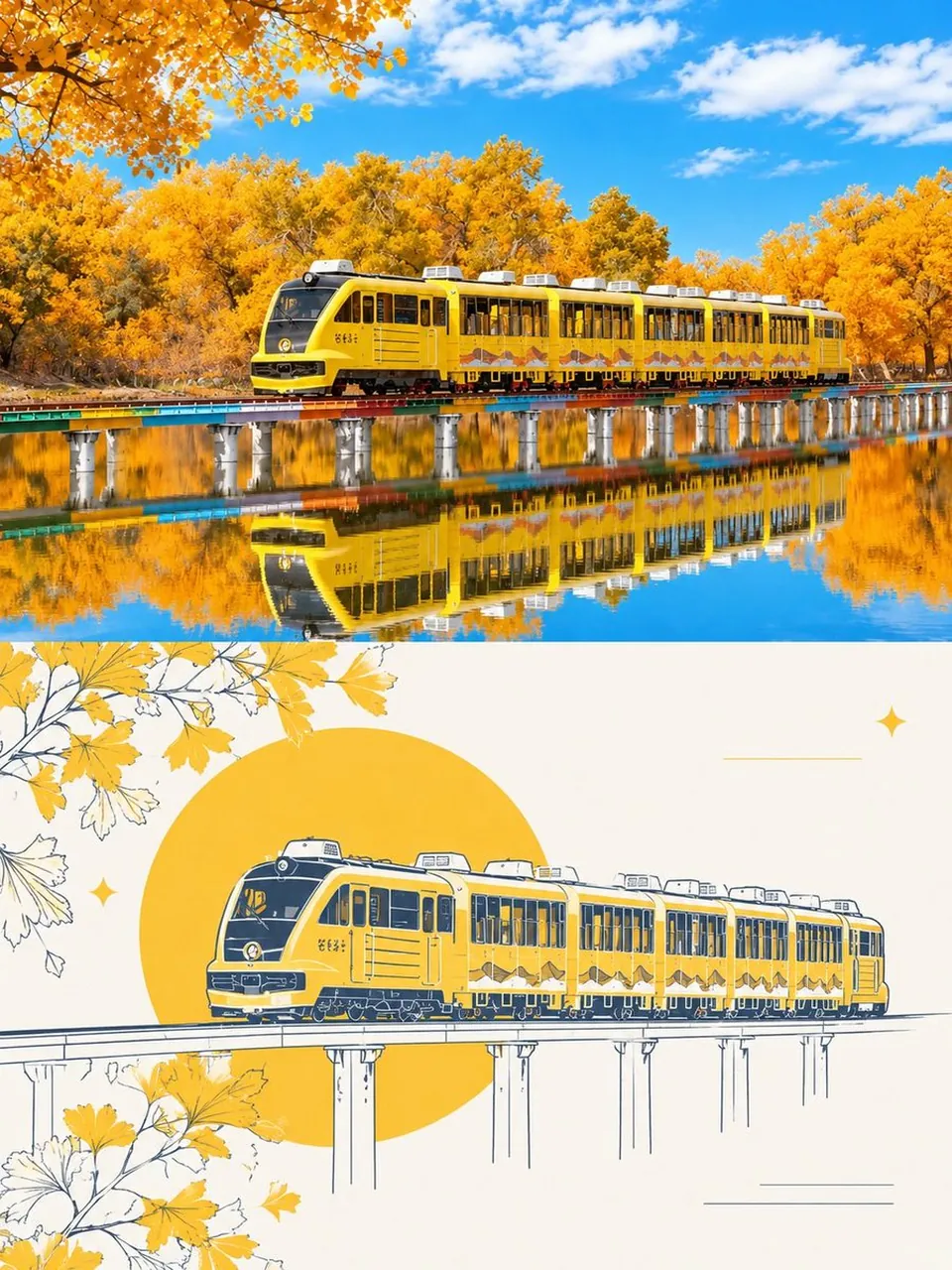
Top panel: a breathtaking photorealistic autumn landscape featuring a modern yellow sightseeing train traveling across a long elevated railway bridge over a perfectly calm lake. Surround the scene with dense golden-yellow autumn trees, vivid blue sky, soft white clouds, warm sunlight, and a crystal-clear reflection of the entire train, bridge, and foliage in the water. Highly detailed, vibrant colors, cinematic travel photography, realistic lighting, sharp focus.
Bottom panel: transform the same scene into an elegant minimalist travel illustration. Show the yellow train crossing the elevated bridge, drawn with clean navy-blue hand-drawn linework and warm golden-yellow accents. Add a large golden sun/circle behind the train, stylized autumn leaves and branches framing the corners, subtle decorative stars and fine horizontal lines, and an off-white cream background. Preserve the recognizable train shape and composition from the photograph while giving it a refined editorial poster aesthetic.
Style: premium travel magazine, sophisticated tourism poster, clean composition, harmonious color palette, highly detailed, balanced negative space, realistic-to-illustration transformation, vertical 4:5 layout, no text, no logos, no watermark.
Best for
Tips
Keep the main subject focused so two-panel travel poster inspired by the reference remains recognizable after style or lighting changes.
Adjust camera angle and aspect ratio before generation when the composition needs a specific platform format.