
Prompt
Copy and customize
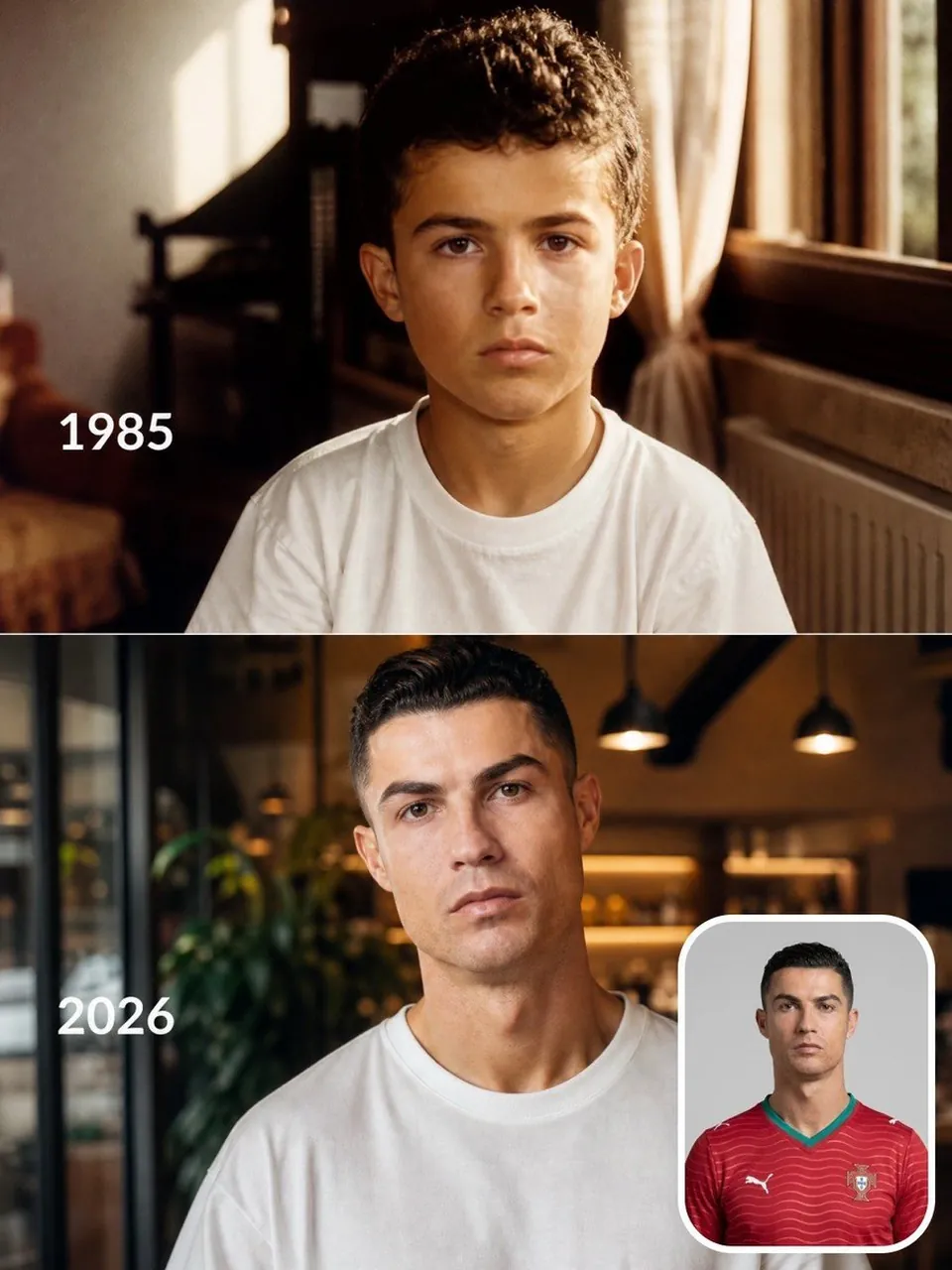
Create a realistic vertical split-screen "Then vs Now" transformation featuring the same famous football player. The composition is divided into two stacked sections. Top panel: a warm nostalgic childhood portrait set in the player's family home during their birth year (display the year in clean white text on the left, e.g. "1985"). The child sits naturally facing the camera wearing a simple white T-shirt, soft golden sunlight streaming through a nearby window, authentic 90s/80s home interior, subtle film grain, warm Kodak color grading, emotional and cinematic. Bottom panel: the same person recreated as their present-day adult self in 2026, maintaining recognizable facial structure and identity, wearing a plain white oversized T-shirt inside a modern café with warm ambient lighting and shallow depth of field. Place a small rounded-corner reference portrait of the player in their national team jersey at the bottom-right corner. Match the pose, eye direction, framing, and expression between the child and adult versions to emphasize the passage of time. Hyper-realistic skin, natural facial evolution, consistent identity, cinematic photography, editorial quality, soft depth of field, 85mm lens, ultra-detailed, photorealistic, 8K, masterpiece.
Best for
Tips
Keep the main subject focused so realistic vertical split-screen Then vs Now transformation remains recognizable after style or lighting changes.
Adjust camera angle and aspect ratio before generation when the composition needs a specific platform format.