
Prompt
Copy and customize
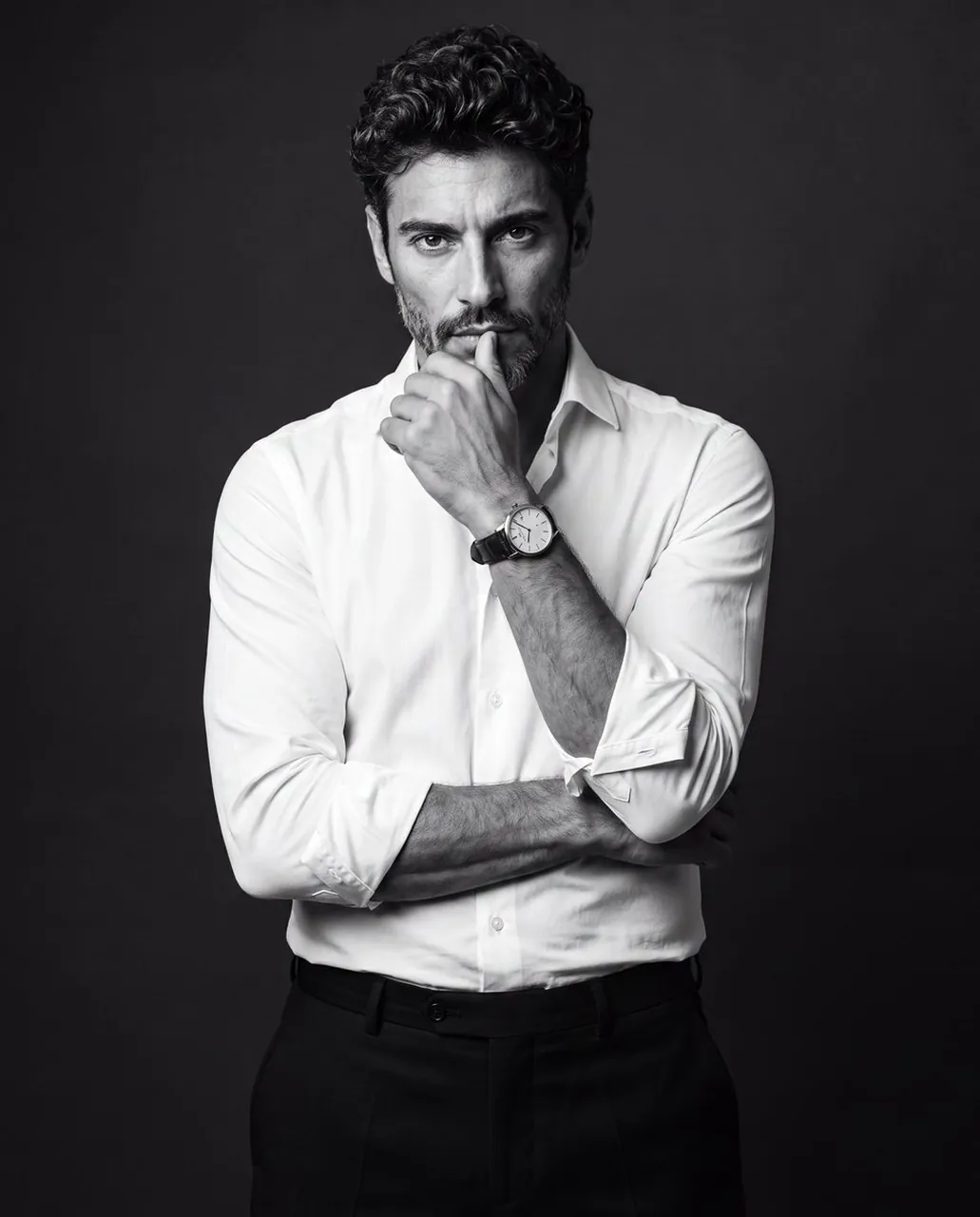
Create a premium black-and-white studio portrait of the uploaded man, preserving his recognizable facial identity, natural hairstyle, skin texture, and existing facial hair. Frame him from the upper thighs upward, standing confidently, subtle body tilt and facing the camera with an intense, sharp expression.Dress him in a crisp fitted white dress shirt with the collar slightly open and the sleeves neatly rolled to the elbows, paired with tailored black trousers. Pose him with one arm folded horizontally across his waist, supporting the opposite elbow, while the raised hand rests naturally against his lips or chin in a contemplative gesture. Add a classic round analog wristwatch with a dark leather strap on the raised wrist.
Place him against a clean, seamless charcoal-black studio background with a subtle soft gradient behind the upper body and no visible corners or props. Use soft directional light from the upper camera-right side, creating sculpted highlights on one side of the face and shirt while the opposite side falls into rich shadow. Keep strong subject-to-background separation, balanced contrast, crisp focus on the eyes, face, hands, and watch, realistic fabric folds, natural anatomy, and refined monochrome editorial toning. Shot with an 85mm portrait lens, shallow depth of field, high-end professional photography, 4:5 aspect ratio.
Best for
Tips
Keep the main subject focused so premium black-and-white studio portrait of the uploaded remains recognizable after style or lighting changes.
Adjust camera angle and aspect ratio before generation when the composition needs a specific platform format.