
Prompt
Copy and customize
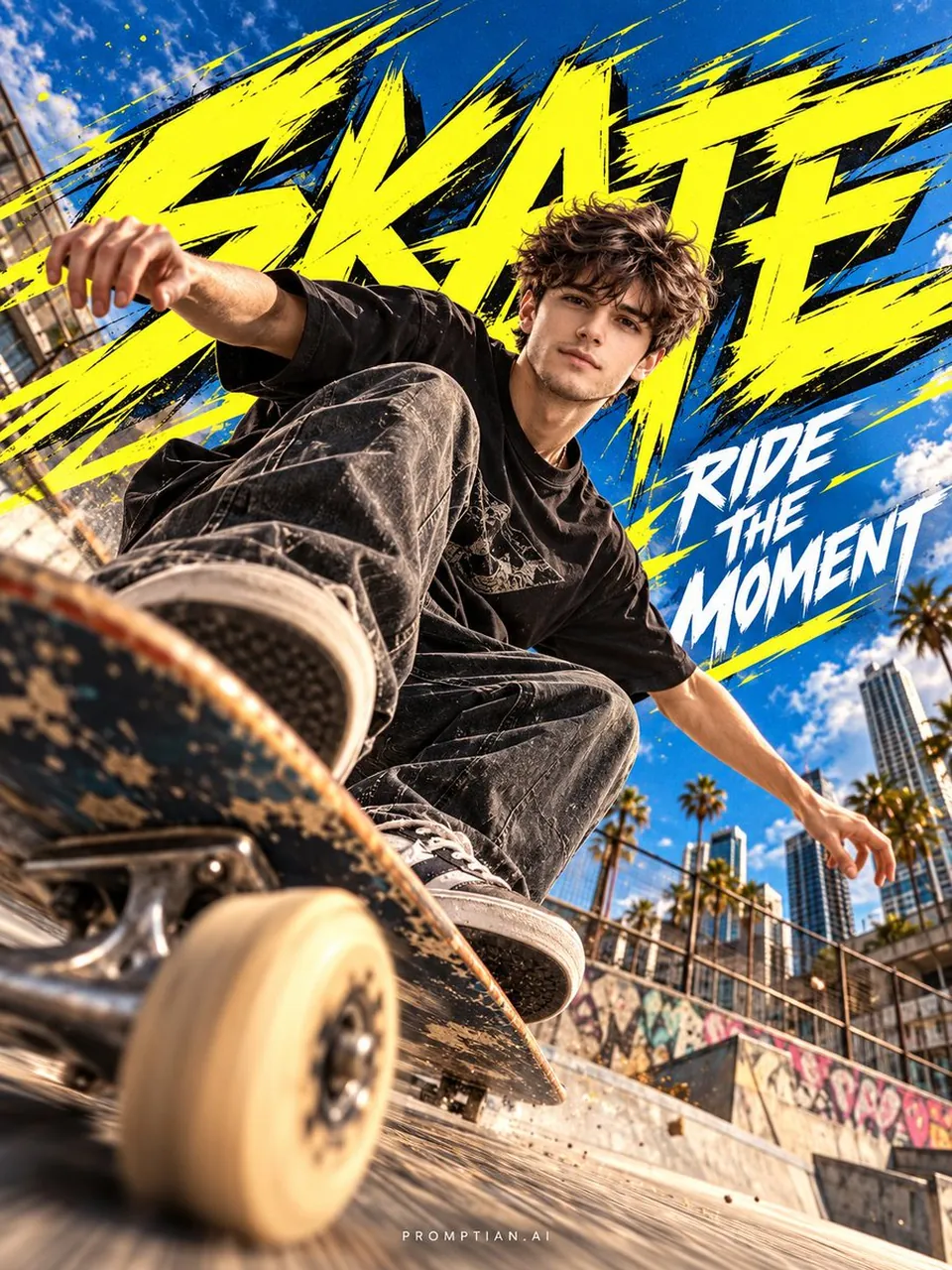
Create a premium 3:4 semi-realistic anime × cinematic sports photography poster featuring the person from the uploaded photo as the main character.
IDENTITY REFERENCE:
Use the uploaded photo as the ONLY identity reference. Preserve the person's exact recognizable facial identity, facial structure and proportions, eyes, eyebrows, nose, lips, cheekbones, jawline, chin, hairstyle, hairline, skin tone and distinctive features. Keep their natural gender presentation exactly consistent with the uploaded photo. Do not feminize, masculinize, beautify, reshape, slim, widen, age, de-age or genericize the face.
SCENE & COMPOSITION:
Show the person as a confident skateboarder performing a dynamic street-skating moment. Use an extreme wide-angle, ultra-low camera perspective. Place the skateboard and one wheel close to the lens in the foreground, creating strong depth and scale, while the character appears slightly farther behind it. The character must remain clearly visible and the face must be large, sharp, naturally detailed and instantly recognizable. Keep the face unobstructed and in strong visual focus.
VISUAL STYLE:
Blend 70% high-end cinematic sports photography + 30% premium semi-realistic anime.
Use realistic anatomy, natural skin texture and believable clothing, combined with refined anime linework, subtle cel-shading, slightly stylized hair, expressive facial rendering and polished anime-inspired lighting. Create a vibrant clear-blue sky, modern urban skate environment, warm concrete surfaces, atmospheric depth, subtle flying dust and realistic clothing movement. Add controlled directional motion blur to the skateboard, wheels, dust and background while keeping the face tack-sharp.
GRAPHIC ELEMENT:
Behind the character's upper body, add one flat, hard-edged jagged graphic burst in a bold anime accent color such as electric lime or vivid yellow. Keep it clean and graphic — not glowing, not multiple explosions, not magical energy.
ANIME EDITORIAL TYPOGRAPHY:
Integrate the typography directly into the composition using premium Japanese street-anime / modern sports-anime graphic design language.
Main title: "SKATE"
Use sharp, energetic anime-inspired lettering with:
• dynamic angular cuts
• slightly condensed geometric forms
• thin-to-medium strokes
• subtle outline treatment
• controlled offset/shadow detail
• slight perspective or rotation
• speed-line-inspired micro details
• editorial Japanese anime poster energy
Secondary text: "RIDE THE MOMENT"
Typography should feel like part of a premium anime opening sequence or high-end manga sports campaign, not a childish cartoon font. Keep typography behind or around the character where appropriate, never covering the face. Maintain clean hierarchy and generous negative space.
BRANDING:
Place " small and refined at the bottom center.
No logo.
QUALITY CONTROL:
Premium composition, cinematic lighting, realistic perspective, crisp facial details, natural anatomy, sophisticated color grading, subtle film grain, polished semi-anime rendering, high-end sports campaign aesthetic.
No: logos, brand marks, extra text, text boxes, thick block typography, superhero elements, fantasy powers, magical effects, helmet, face covering, hidden face, distorted hands, distorted anatomy, duplicate limbs, generic model face, excessive anime exaggeration or childish cartoon styling.
Best for
Tips
Keep the main subject focused so premium 3 4 semi-realistic anime cinematic sports remains recognizable after style or lighting changes.
Adjust camera angle and aspect ratio before generation when the composition needs a specific platform format.