
Prompt
Copy and customize
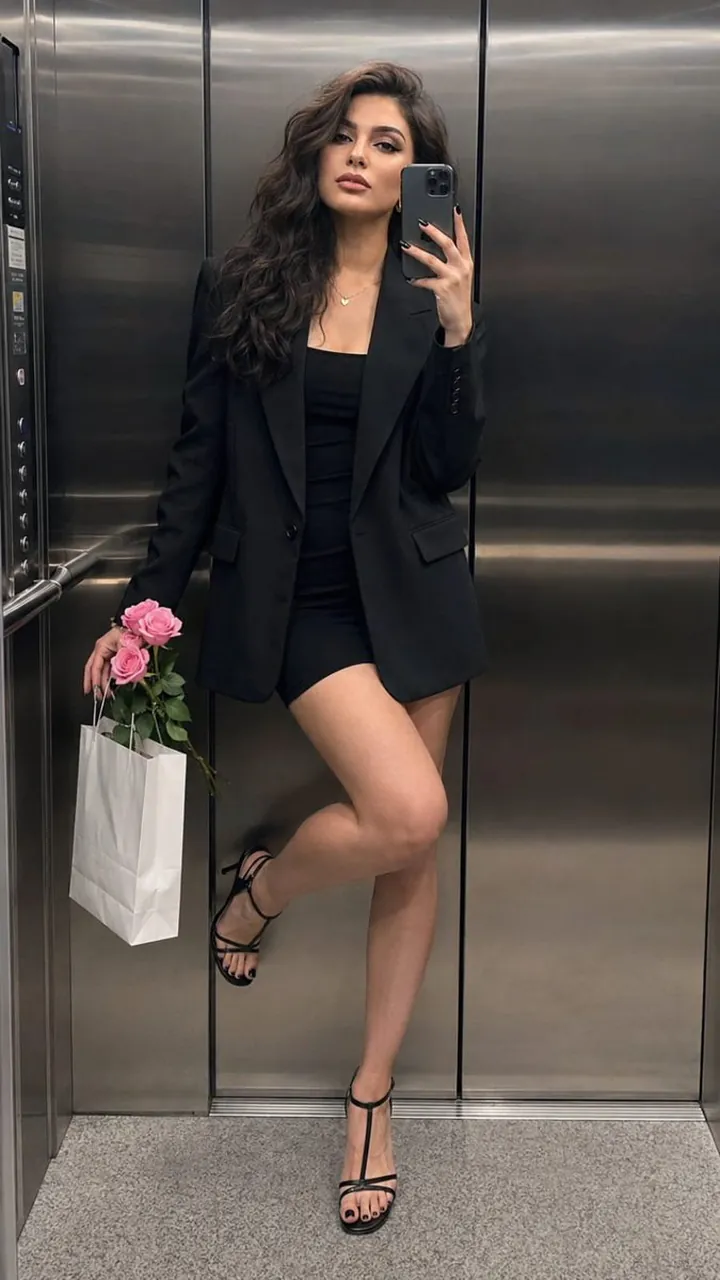
Create a hyper-realistic full-length mirror selfie of a clearly adult woman, maintaining her exact facial identity, facial structure, proportions, skin tone, and natural asymmetry. She is standing inside a sleek contemporary elevator with brushed-metal walls and subtle cool reflections. Her pose is relaxed and sophisticated: gently leaning against the elevator wall, one leg extended naturally while the other is bent with her foot resting lightly against the wall. She holds an iPhone close beside her cheek, while her free hand carries a small bouquet of pink roses together with a white shopping bag.
She wears a fitted black mini dress beneath an oversized black blazer, elegant black strappy heels, a delicate necklace, and small hoop earrings. Keep makeup light and realistic. Use subdued overhead elevator lighting with cool metallic highlights and believable shadows. Capture authentic iPhone 15 Pro Max photography characteristics, including natural skin pores, subtle texture, realistic fabric detail, mild smartphone grain, accurate mirror reflections, and natural perspective. Vertical full-body composition, 9:16, sharp facial detail and clothing.
Avoid identity changes, face beautification, artificial skin smoothing, extra fingers, malformed hands, duplicated people, duplicate reflections, distorted phone geometry, warped limbs, unrealistic reflections, CGI appearance, or plastic-looking skin.
Best for
Tips
Keep the main subject focused so hyper-realistic full-length mirror selfie of a clearly remains recognizable after style or lighting changes.
Adjust camera angle and aspect ratio before generation when the composition needs a specific platform format.