
Prompt
Copy and customize
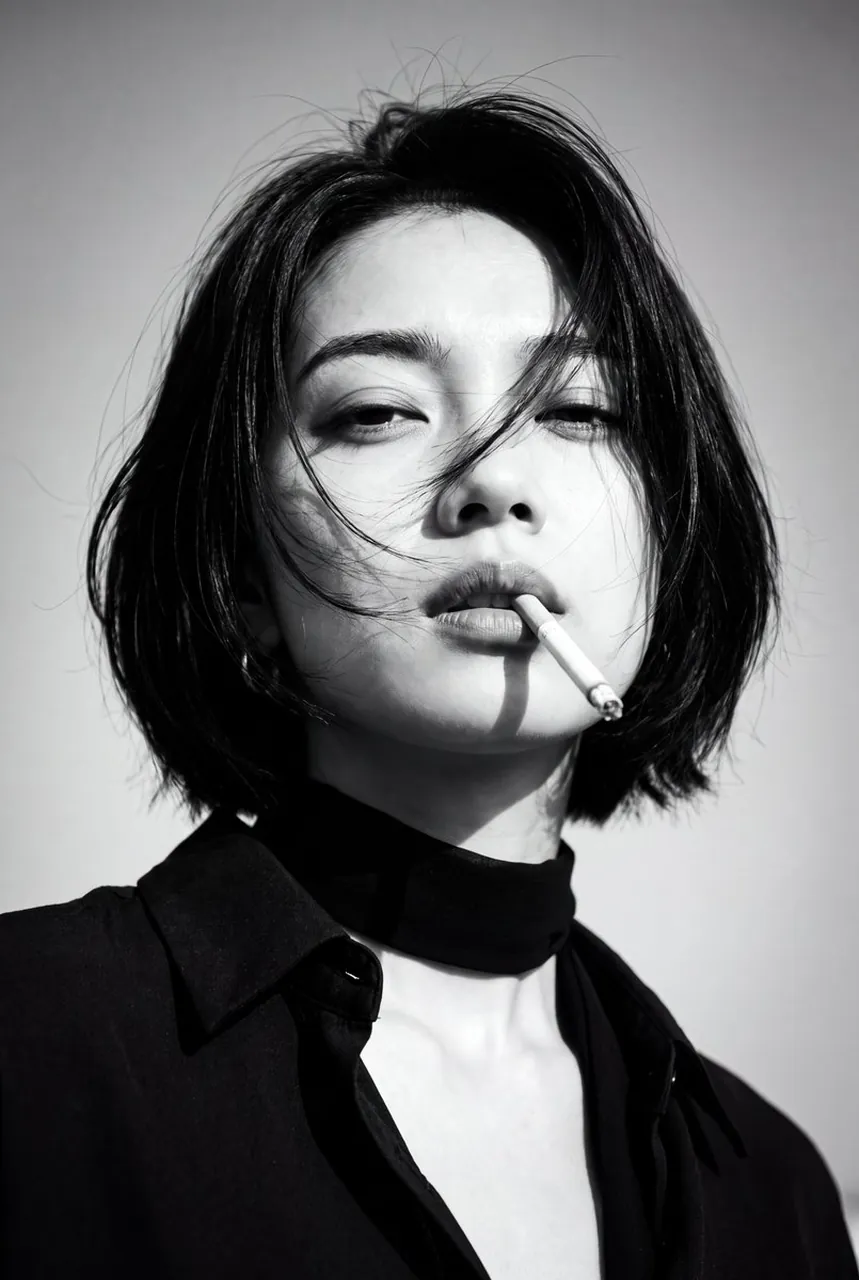
Create a 1970s black-and-white close-up portrait in a windswept outdoor setting, black and white noise . Camera/look: eye-level, front ¾ view (~30° off-axis); 85–105 mm portrait perspective; vertical 2:3, tight head-and-shoulders crop; shallow DoF f/2.8–f/4; subject centered .
Lighting: hard natural sunlight from upper camera-left with minimal fill; crisp shadows; subtle rim on hair; sky as bright mid-tone background; no blown highlights.Pose & expression: subject faces camera, chin slightly down, lips parted with a cigarette held between them; gaze relaxed/half-lidded; hair blown across the face by wind, partially covering one eye.Wardrobe & styling: dark collared shirt with open neck; thin black neck scarf tied loosely; no logos/jewelry.Grade: high-contrast monochrome with rich blacks, bright highlights, medium–heavy film grain (Tri-X/HP5 vibe), slight halation, faint vignette; keep skin texture natural (no plastic smoothing).Composition: simple sky background, no extra props; clean verticals; ensure sharp focus on near eye and cigarette.Output: high-resolution, editorial/classic cinema mood; no text or watermarks.
Best for
Tips
Keep the main subject focused so 1970s black-and-white close-up portrait in a windswept remains recognizable after style or lighting changes.
Adjust camera angle and aspect ratio before generation when the composition needs a specific platform format.