
Prompt
Copy and customize
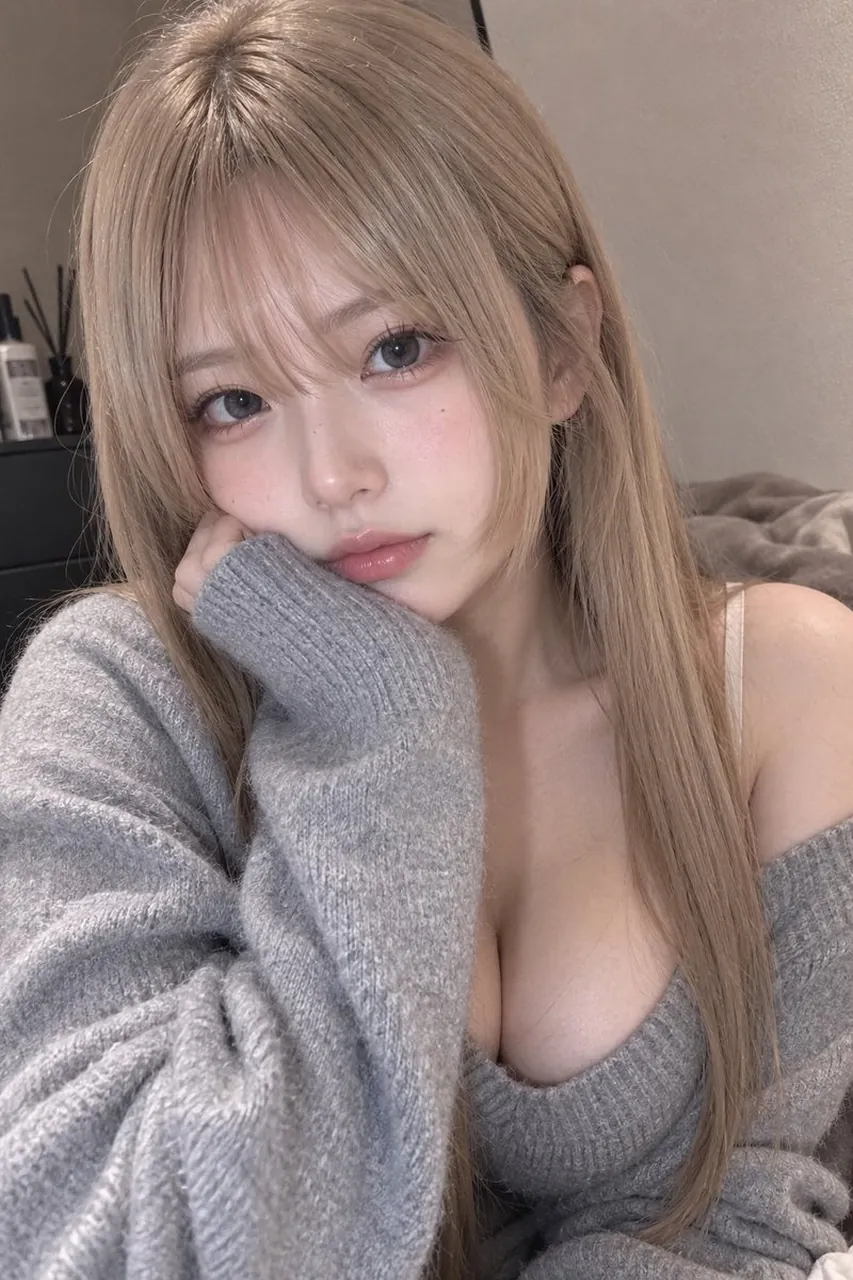
Create a highly realistic, vertical smartphone selfie portrait of a young adult woman with light ash-blonde long straight hair, soft curtain bangs, pale smooth skin, large glossy gray-brown eyes, delicate makeup, subtle blush, natural pink lips, and a tiny beauty mark on one cheek. She is indoors in a cozy bedroom, leaning close to the camera with her left cheek resting on her hand, gazing directly at the viewer with a calm, slightly wistful expression. She wears an oversized fuzzy heather gray knit cardigan slipping off one shoulder over a matching low-cut ribbed knit top, with soft fabric texture and relaxed folds visible. Frame her from the chest up in a close intimate composition, head near the top edge, one shoulder exposed, long hair falling over both sides of her face and down her chest. Background: softly blurred beige wall, bed or blanket on the right, and a dark dresser or shelf on the left with two visible small cosmetic bottles and thin reed diffuser sticks. Use soft warm indoor lighting, muted beige-gray color grading, shallow depth of field, natural skin texture, realistic hair strands, subtle film grain, and a candid social-media selfie aesthetic. No text, no watermark, no exaggerated anime features, no extra people.
Best for
Tips
Keep the main subject focused so highly realistic vertical smartphone selfie portrait of remains recognizable after style or lighting changes.
Adjust camera angle and aspect ratio before generation when the composition needs a specific platform format.