
Prompt
Copy and customize
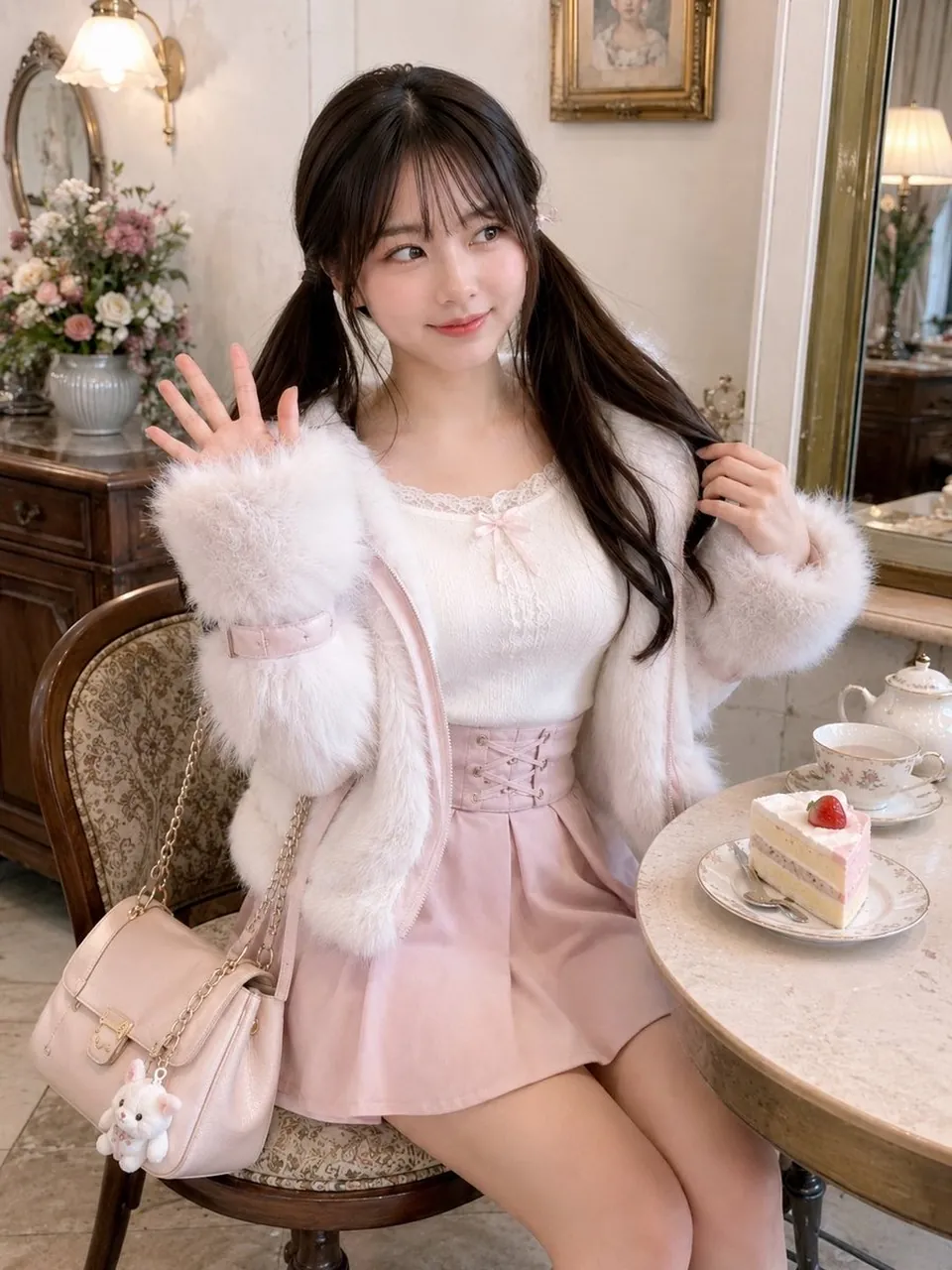
Create a realistic, high-resolution fashion portrait of a cute young woman in a romantic vintage tea room, seated at a small round marble café table. She has dark brown long hair styled in twin low pigtails with wispy bangs, soft natural makeup, and a gentle playful smile while looking slightly to the side. Pose her sitting on an ornate wooden chair with patterned upholstery, raising one hand in a small wave and holding one pigtail with the other. Dress her in a soft feminine coquette outfit: a fluffy white faux-fur jacket with oversized fuzzy cuffs, a white lace-trim camisole with a tiny pink bow, and a pale pink high-waisted mini skirt with a corset-lace front. Add a pale pink shoulder bag with a gold chain strap hanging from the chair, decorated with one small white plush bunny charm. On the table place exactly 3 visible tea-time items: a delicate floral teacup and saucer, a white porcelain teapot, and a slice of strawberry shortcake on a floral plate with a fork. The background should show an elegant shabby-chic room with warm cream walls, antique wooden furniture, a gold-framed mirror, a framed portrait, a wall sconce lamp, and a large vase of pastel flowers. Use soft warm indoor lighting, creamy pastel tones, shallow depth of field, detailed textures, natural skin, photorealistic quality, vertical 3:4 composition, cozy dreamy Japanese girly aesthetic, no text, no watermark.
Best for
Tips
Keep the main subject focused so realistic high-resolution fashion portrait of a cute remains recognizable after style or lighting changes.
Adjust camera angle and aspect ratio before generation when the composition needs a specific platform format.