
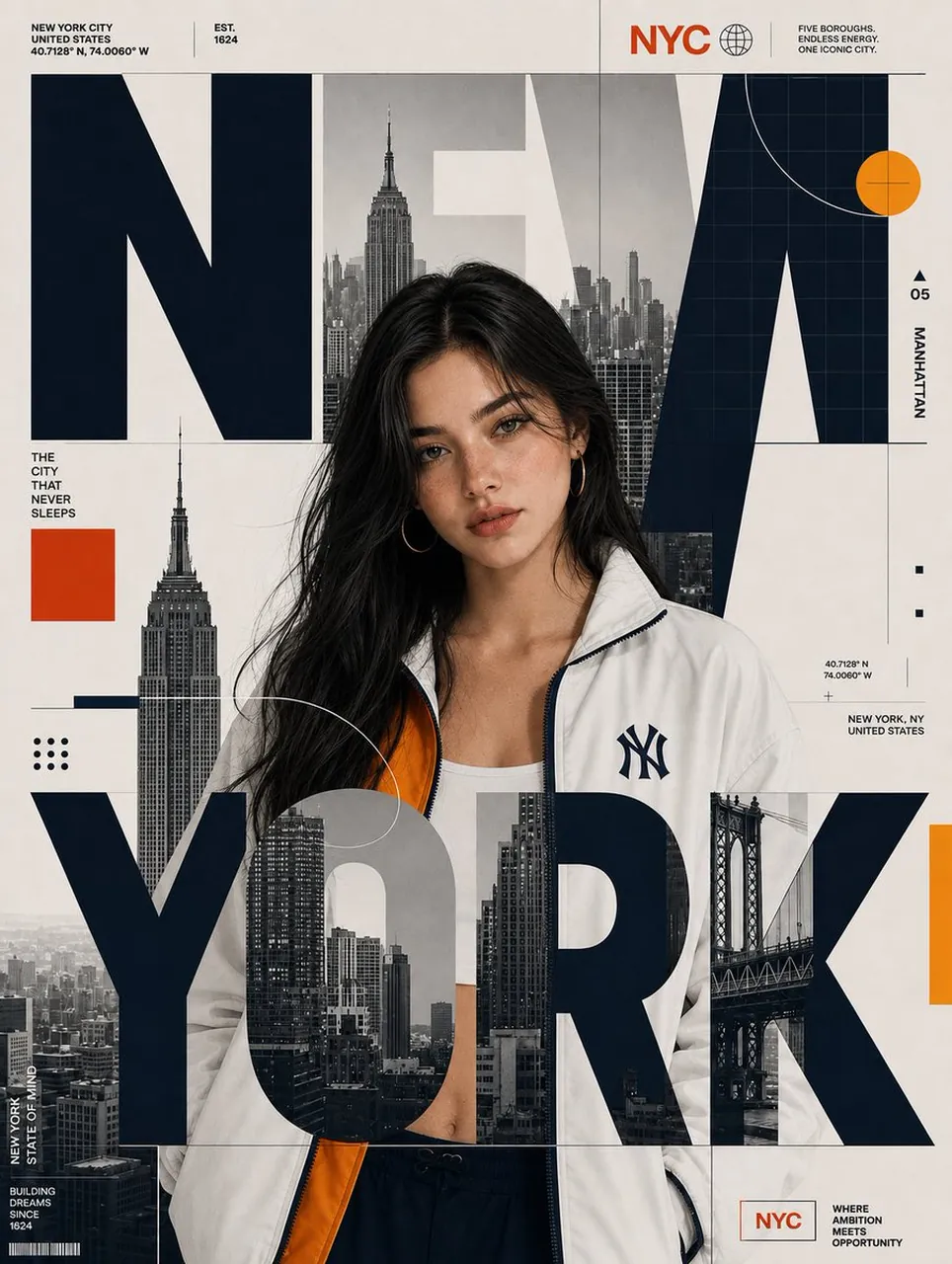
Prompt
Copy and customize
{
"CITY_NAME": "",
"SUBJECT": "",
"prompt": "Recreate the reference image as a premium editorial city poster. Replace the original person with SUBJECT while preserving SUBJECT's identity, facial features, hairstyle, hair color, skin tone, and natural appearance. SUBJECT must be standing in the SAME pose, SAME body orientation, SAME framing, SAME scale, and approximately the SAME position as the reference subject.\n\nReplace the original city with CITY_NAME and rebuild the surrounding skyline, landmarks, architecture, bridge, and urban photography specifically for CITY_NAME. Replace all city-specific labels, coordinates, location information, and captions accordingly.\n\nCRITICAL TYPOGRAPHY COMPOSITION: The oversized CITY_NAME typography must be physically layered OVER the standing character, exactly like the reference. Do NOT place all of the city text behind the subject. The large CITY_NAME letters must pass across the subject's body and overlap her clothing and lower torso, visibly covering portions of her. At the same time, some portions of the typography should remain behind her head and shoulders. Create a true foreground/background collage: BACKGROUND CITY IMAGERY → SUBJECT → FOREGROUND OVERSIZED CITY_NAME LETTERS. The foreground letters must visibly obscure portions of the subject while the subject remains recognizable through the gaps and around the typography. The large letters should intersect the character naturally rather than appearing as text floating beside her.\n\nThe oversized CITY_NAME typography should dominate the composition and extend almost across the entire poster width. Integrate grayscale city photography inside selected portions of the letters. Keep the typography bold, geometric, heavy, and editorial. Make the letters large enough to cross directly over the subject's torso and lower body.\n\nPreserve the EXACT visual language and color code of the reference: warm cream/off-white background, deep black oversized typography, grayscale city photography, red accent blocks, blue accent elements, and yellow/gold accent elements. Do NOT create a new color palette based on CITY_NAME. Keep the same approximate colors, saturation, contrast, and proportions as the reference.\n\nPreserve the reference's structured editorial grid, thin lines, geometric circles, dots, rectangles, technical markings, small uppercase labels, coordinates, and minimalist information blocks. Adapt only the city-related content to CITY_NAME.\n\nMaintain the same vertical poster composition, subject placement, typography scale, graphic layering, spacing, photographic treatment, and premium magazine aesthetic. The final result should look like the same poster design system recreated for a different city and subject, with CITY_NAME typography clearly crossing OVER and physically overlapping the character."
}
Best for
Tips
Keep the main subject focused so CITY NAME SUBJECT prompt Recreate the reference remains recognizable after style or lighting changes.
Adjust camera angle and aspect ratio before generation when the composition needs a specific platform format.