
Prompt
Copy and customize
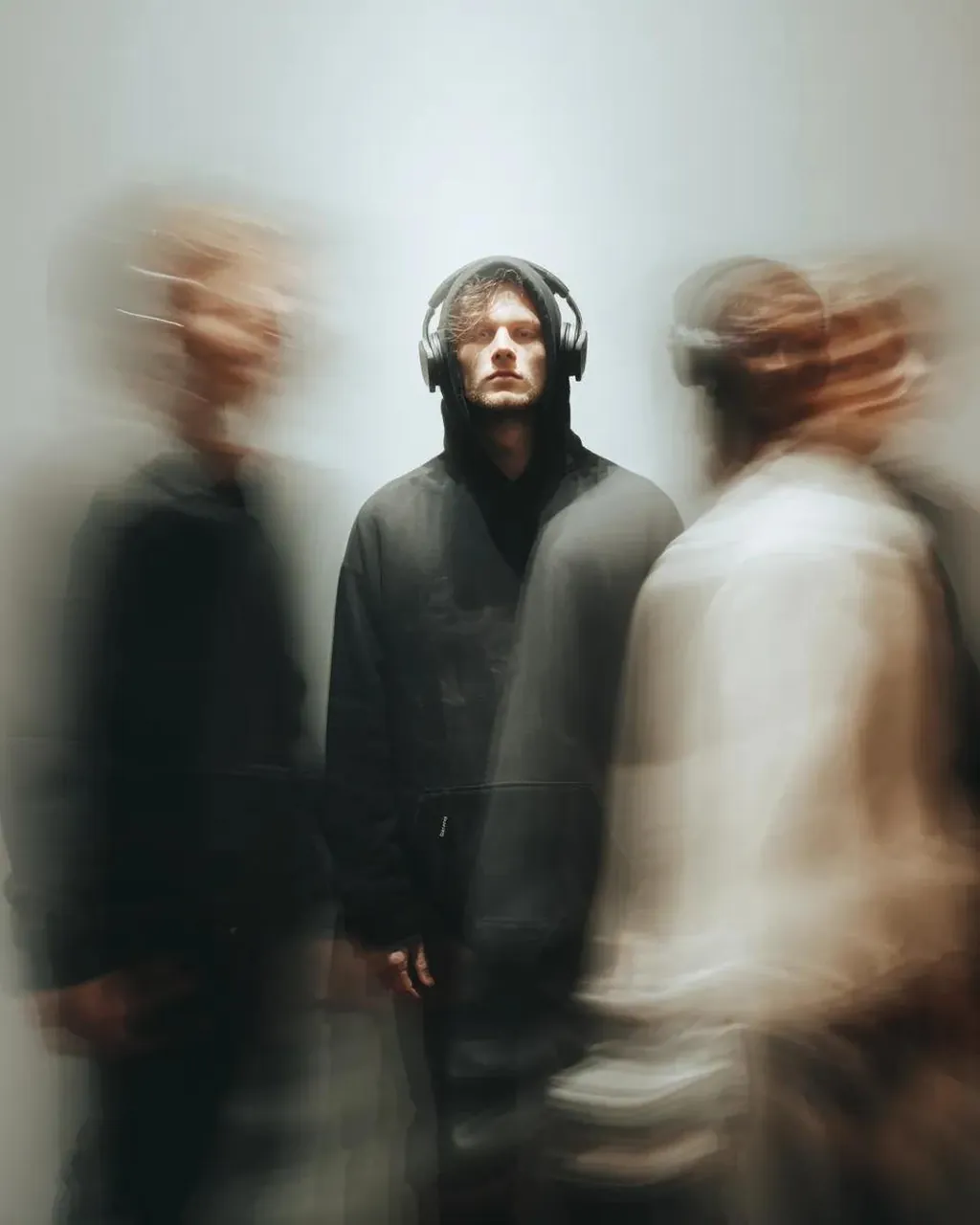
Cinematic psychological portrait of a solitary young man standing perfectly still in the center of a fast-moving crowd. He wears an oversized black hoodie with the hood up, black over-ear headphones, relaxed black trousers, and minimal streetwear styling. His expression is calm, distant, and emotionally detached, staring directly into the camera while everyone around him rushes past.
The subject remains razor sharp and perfectly frozen, while surrounding pedestrians become ghostly streaks of motion blur created with a long exposure (1–2 seconds). Multiple translucent human silhouettes overlap naturally, conveying chaos, loneliness, and sensory overload. Some blurred figures pass close to the camera, partially obscuring the frame with soft, dreamy streaks.
Soft diffused ambient city lighting, subtle overhead illumination, muted neutral tones, gentle cinematic haze, shallow depth of field, realistic skin texture, crisp facial details, premium fashion editorial aesthetic, emotional storytelling, minimal urban background fading into soft blur, high dynamic range.
Shot on a Sony A7R V, 85mm f/1.4 GM, f/1.8, ISO 100, 1–2 second long exposure, tripod-mounted, cinematic color grading, subtle film grain, volumetric light, award-winning documentary photography, hyperrealistic, ultra-detailed, magazine cover quality, 4:5 aspect ratio.
Best for
Tips
Keep the main subject focused so Cinematic psychological portrait of a solitary young remains recognizable after style or lighting changes.
Adjust camera angle and aspect ratio before generation when the composition needs a specific platform format.