
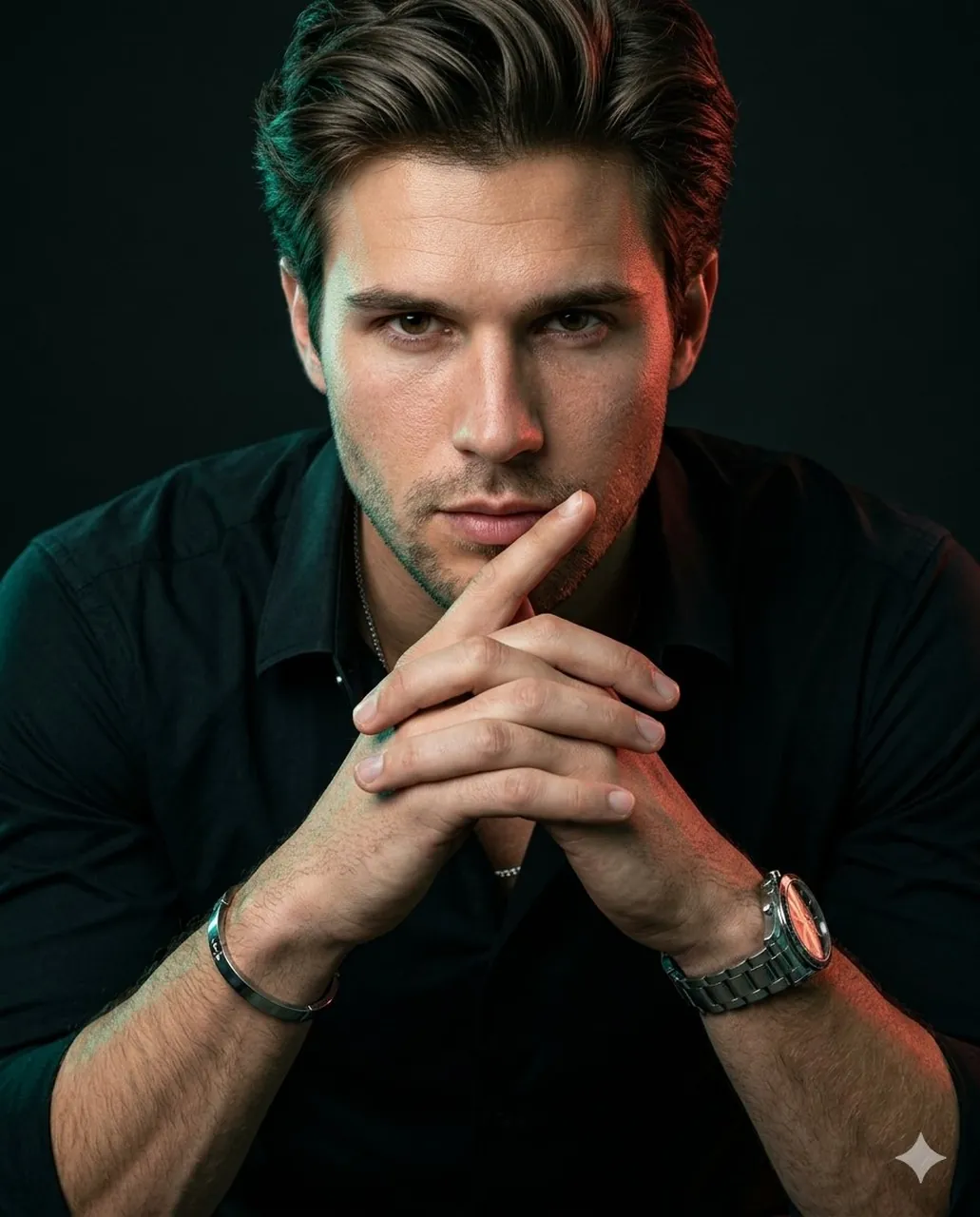
Prompt
Copy and customize
Use the uploaded image as the exact identity reference. Preserve the face 100% accurate — same facial structure, proportions, skin tone, eyes, lips, hairline, and unique details. Ultra-realistic cinematic editorial portrait, vertical 4:5 composition. Subject leaning slightly toward the camera with both forearms forward, fingers naturally interlocked near the chin, one finger subtly resting close to the lips. Strong, calm eye contact with a composed confident expression. Hyper-detailed natural skin texture with visible pores, soft imperfections, realistic under-eye detail and authentic facial depth. Natural hair strands with clean volume and texture. Outfit: fitted black open-collar shirt with subtle luxury styling, metallic watch, bracelet and thin chain. Lighting: moody studio lighting with teal/green rim light on one side and warm red/orange edge light on the opposite side, soft frontal fill maintaining facial detail. Deep black cinematic background with minimal distractions. Shot like high-end fashion campaign photography on Hasselblad X2D / Fujifilm GFX, 80mm lens, shallow depth of field, razor sharp focus on face and hands, ultra realistic textures, premium RAW look, cinematic contrast, zero artificial or plastic skin appearance. RAW photo processing, micro-contrast, clarity boost, detailed sharpness, luxury editorial aesthetic. Ratio 4:5
Best for
Tips
Keep the main subject focused so Use the uploaded image as the exact remains recognizable after style or lighting changes.
Adjust camera angle and aspect ratio before generation when the composition needs a specific platform format.