
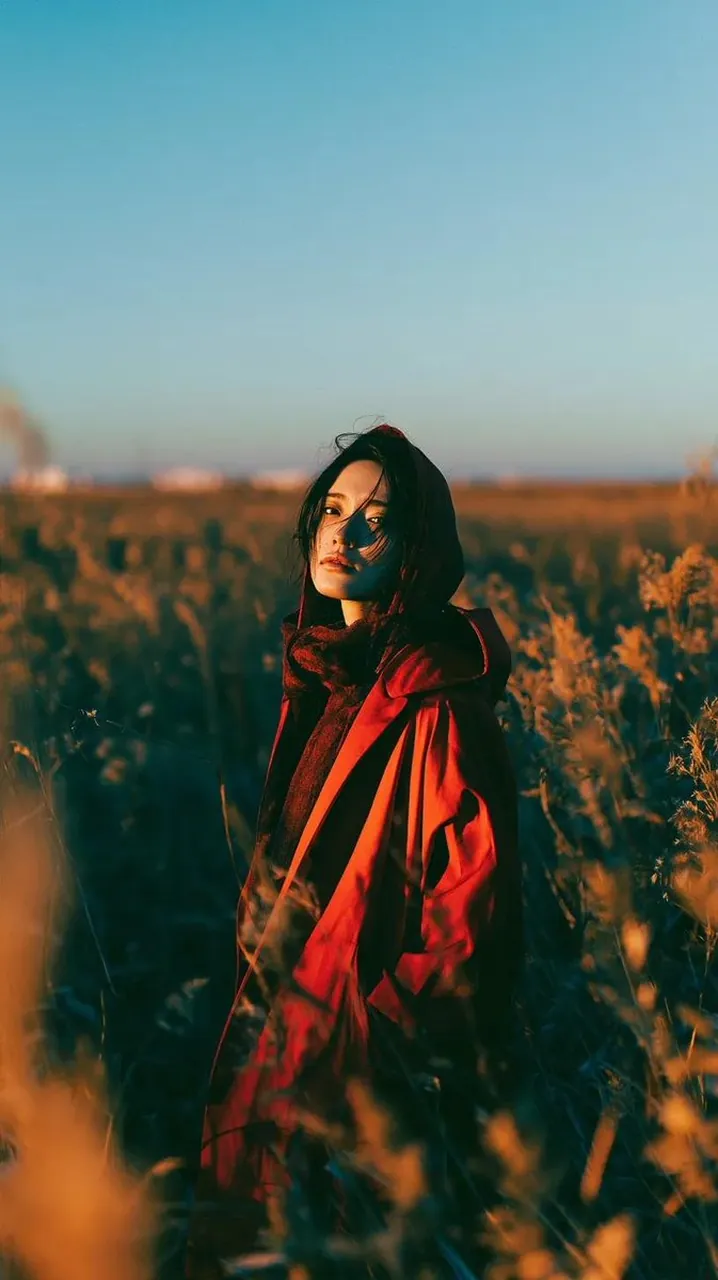
Prompt
Copy and customize
Use the uploaded image as the face reference and preserve the subject's exact facial features and identity. A cinematic editorial portrait of the subject standing alone in a vast field of tall golden reeds and scattered crimson wildflowers during golden hour. The subject has a messy short black bob haircut with soft windswept strands, wearing an oversized deep crimson hooded trench coat over a dark knit sweater, creating a dramatic silhouette. Warm low-angle sunset light casts rich golden highlights across the face while deep shadows add depth and mood. The subject gazes either directly into the camera with a calm, melancholic expression or looks downward in quiet contemplation. A gentle breeze moves the hair, coat, and surrounding grasses naturally. The background features an expansive meadow leading to a distant lake beneath a clean blue sky with subtle atmospheric haze. Foreground grasses create soft natural framing and creamy bokeh. Cinematic color grading with deep scarlet reds, warm amber sunlight, golden grasses, and teal-blue sky. High contrast, natural skin tones, subtle film grain, soft lens bloom, ultra-realistic textures, luxury fashion editorial, emotional storytelling, minimalist composition, captured on a Leica SL3 with a Summilux 50mm f/1.4 lens, f/1.8, HDR, shallow depth of field, photorealistic, 8K, vertical 9:16.
Best for
Editorial fashion photographyCinematic character portraitsMood-driven visual storytellingNature landscape imagery
Tips
Select a high-resolution reference image with clear lighting to ensure the facial features and identity are accurately preserved during generation.
Adjust the camera lens and aperture settings in the prompt if you want to modify the depth of field or background blur effect.