
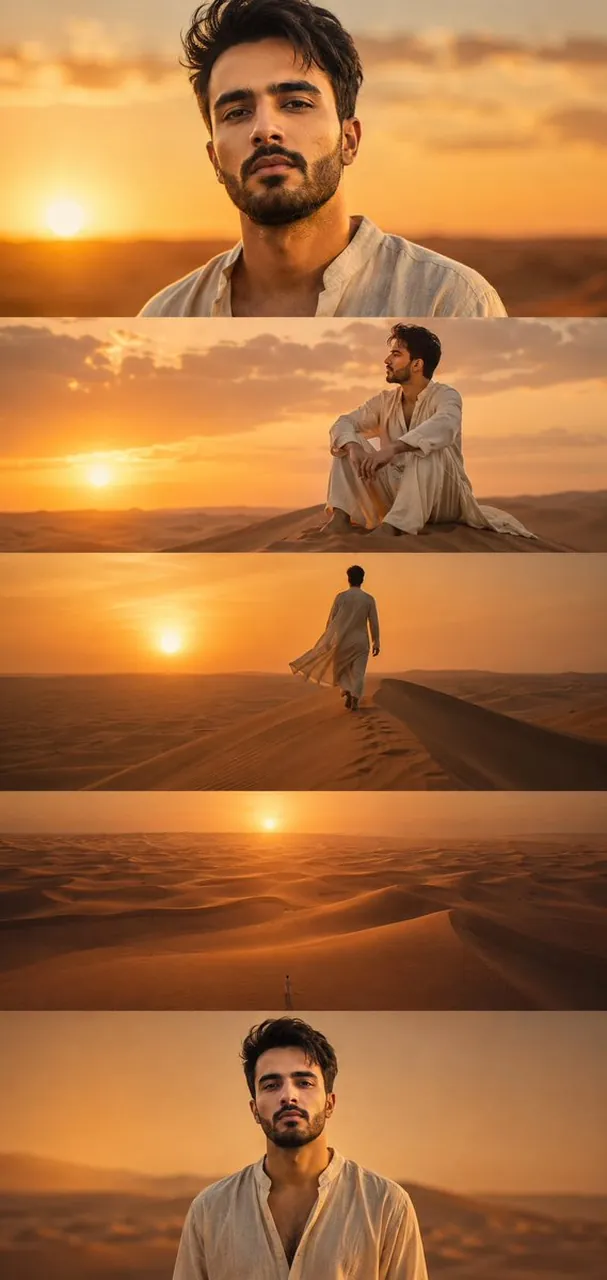
Prompt
Copy and customize
Use my uploaded reference image as the primary facial identity reference. Preserve my exact facial identity with maximum accuracy, including face shape, jawline, beard style, hairstyle, and skin tone. Create a hyper-realistic, cinematic desert portrait inspired by the visual language of large-scale cinematography. The scene takes place during golden hour at sunset in an endless sea of majestic desert dunes. Warm amber sunlight stretches across the landscape, creating dramatic long shadows and rich orange-gold gradients. I am wearing an elegant off-white desert robe made of premium natural linen with layered flowing fabric, slightly weathered from travel. The composition should feel like a premium cinematic editorial, featuring a centered portrait of me looking directly toward the camera with quiet confidence while softly blurred dunes glow behind me. The desert features endless pristine dunes with elegant natural curves, fine rippled sand textures, and soft atmospheric dust. Lighting is exceptionally cinematic with golden hour sunlight, soft rim lighting, volumetric sun rays, and rich warm color grading. The image should evoke solitude, purpose, and resilience, utilizing a shallow depth of field, rule of thirds, and leading lines created by the dunes to emphasize scale and isolation.
Best for
Cinematic portrait photographyFashion editorial conceptsAtmospheric desert scenesHigh-end visual storytelling
Tips
Use a high-quality reference image to ensure facial consistency while allowing the model to adapt the lighting and environment to the desert setting.
Focus on the golden hour lighting cues to achieve the desired warm, amber color palette and soft, long shadows across the sand dunes.