
Prompt
Copy and customize
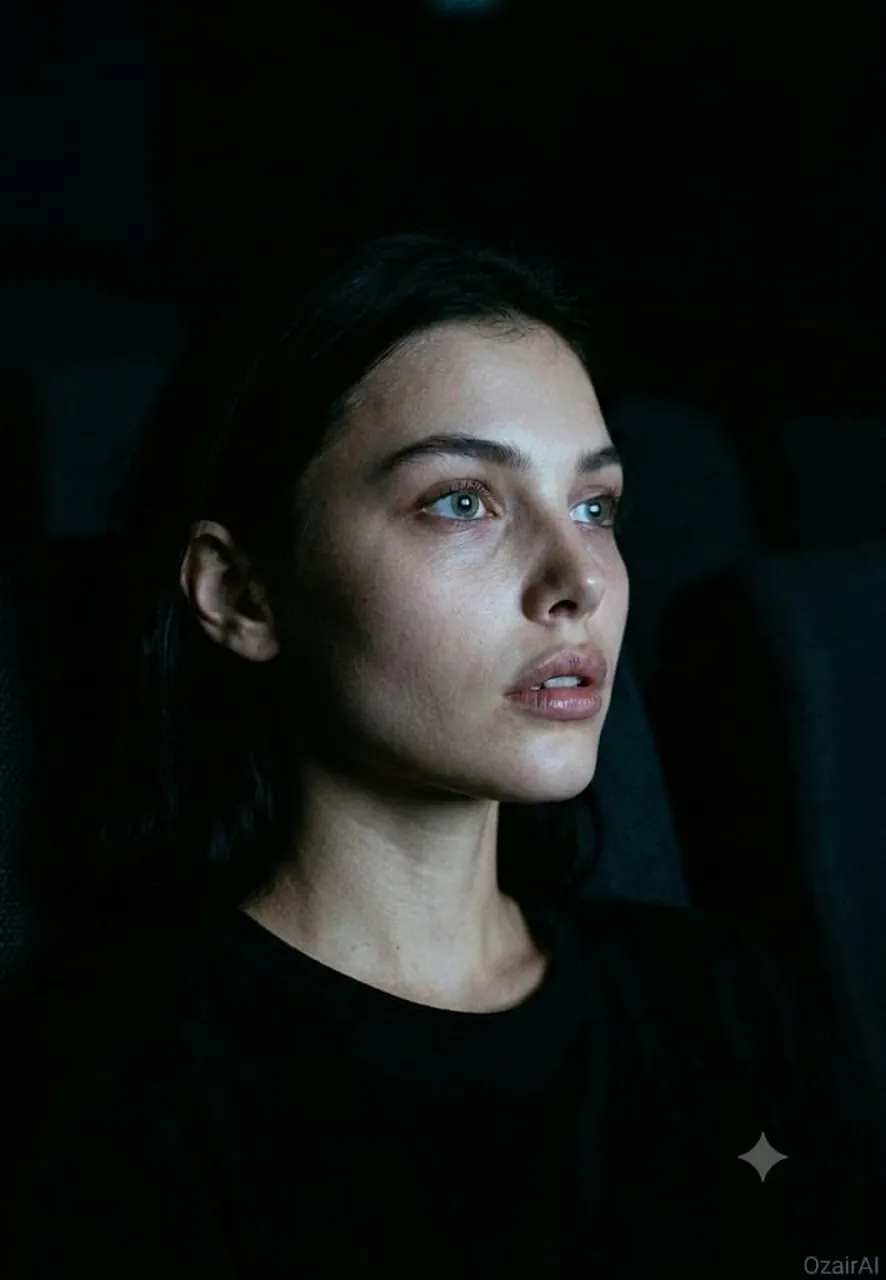
Same face as reference. Same dark, forensic skin-detail aesthetic — new setting and light source.
Scene: Subject seated alone in a dark cinema, face lit entirely by the glow of the screen off-frame. No other light source. Seat and surroundings barely visible, dissolving into the surrounding darkness.
Pose & Angle: Three-quarter angle, face turned toward the unseen screen. Head slightly tilted back against the seat, eyes wide and fixed forward, absorbed in the film. Neck relaxed, jaw slightly loose.
Expression: Captivated, unguarded — mouth very slightly parted, eyes reflecting flickers of screen light. Not posed; a candid moment of pure attention.
Lighting: Cool, shifting screen-glow light striking the face from the front-side — flickering blue-white tones with soft falloff into shadow on the far side of the face. Light catches the front plane of the face (forehead, nose bridge, cheekbone, lips) while the shadow side and neck fall into near-total black.
Skin Rendering: Forensic detail on the screen-lit side — forehead texture, fine under-eye lines catching the flicker, nose and cheekbone pore structure, lips with natural texture and light reflection, subtle sheen from the glow. Shadow side textures fading into darkness.
Background: Deep black cinema interior, only suggested by faint ambient falloff — no visible screen, seats, or other patrons.
Color & Grain: Crushed blacks, cool blue-white key tone with warm undertone tension in skin, 10% Ilford HP5 grain. Fully unretouched — every pore and texture detail preserved.
Output: "OzairAI" signature, lower right, cold tone. Vertical 9:13. Ultra photorealistic, 8K, 150MP skin fidelity.
Best for
Tips
Keep the main subject focused so Same face as reference Same dark forensic remains recognizable after style or lighting changes.
Adjust camera angle and aspect ratio before generation when the composition needs a specific platform format.