
Prompt
Copy and customize
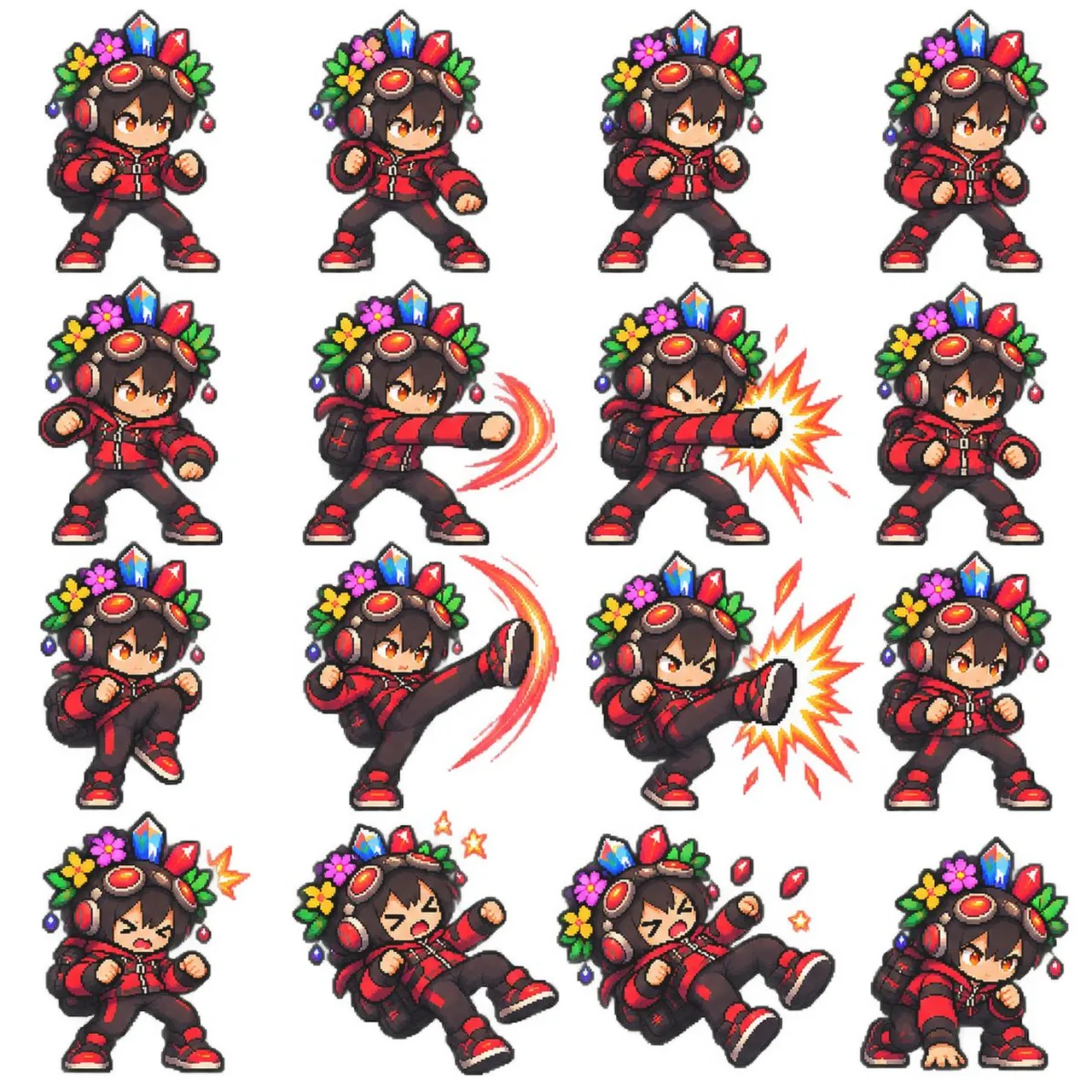
Goal: Create a clean pixel-art fighting game sprite sheet featuring one chibi adventurer character in multiple combat poses.
Canvas: Square 1:1 image on a plain white background, arranged as a neat 4 by 4 grid with even spacing and no borders, labels, shadows, watermark, or UI. The final sheet contains exactly 16 separate sprites.
Character design: A small chibi fighter with oversized head, short body, orange eyes, dark brown tousled hair, and a determined anime expression. The character wears a red and black streetwear combat outfit: red hooded jacket with black panels and zipper details, black pants with red accents, red-and-black sneakers, fingerless gloves, and a small black backpack. On the head are large red headphones and bronze steampunk goggles with red lenses. A decorative crown-like headdress sits behind the goggles, made of bright crystals, flowers, leaves, and dangling beads: blue crystal in the center, red crystals on the sides, green leaves, yellow and pink flowers, and small purple/red ornaments. Use thick dark pixel outlines, crisp 16-bit/32-bit game sprite rendering, saturated colors, tiny highlight pixels, and transparent-sprite-like isolation against white.
Pose layout: Include exactly 16 sprites in a 4-column by 4-row grid. Row 1: 1) neutral fighting stance facing slightly right with both fists raised, 2) forward punch wind-up with one fist extended slightly, 3) ready stance with fists up and feet apart, 4) guarded stance turned slightly right. Row 2: 5) low guarded stance with left fist forward, 6) straight punch to the right with red curved motion trails, 7) powerful straight punch to the right with a yellow-orange starburst impact effect, 8) compact defensive stance with fists close to chest. Row 3: 9) knee raised preparing to kick, 10) high side kick to the right with red-orange crescent motion trail, 11) high side kick landing with a large yellow-orange impact burst, 12) neutral battle stance variant. Row 4: 13) hurt or startled pose with eyes squeezed shut and a small yellow impact mark near the head, 14) knocked-back falling pose with mouth open, one leg lifted, and two small yellow stars, 15) stronger knocked-back pose with mouth open, red crystal fragments flying, and small yellow stars, 16) crouched landing pose with one hand on the ground and eyes focused.
Effects: Use only three visible effect types: red curved motion trails for attacks, yellow-orange comic impact bursts, and tiny star/crystal hit effects. Keep all effects pixelated and consistent with the sprite style.
Constraints: The sheet must look like a polished retro fighting-game sprite set, not a modern vector illustration. Keep the same character design, scale, colors, and headdress details across all 16 poses. Avoid text, extra characters, background scenery, blur, gradients outside pixel-art shading, or inconsistent costume details.
Best for
Tips
Keep the main subject focused so Goal Create a clean pixel-art fighting game remains recognizable after style or lighting changes.
Adjust camera angle and aspect ratio before generation when the composition needs a specific platform format.