
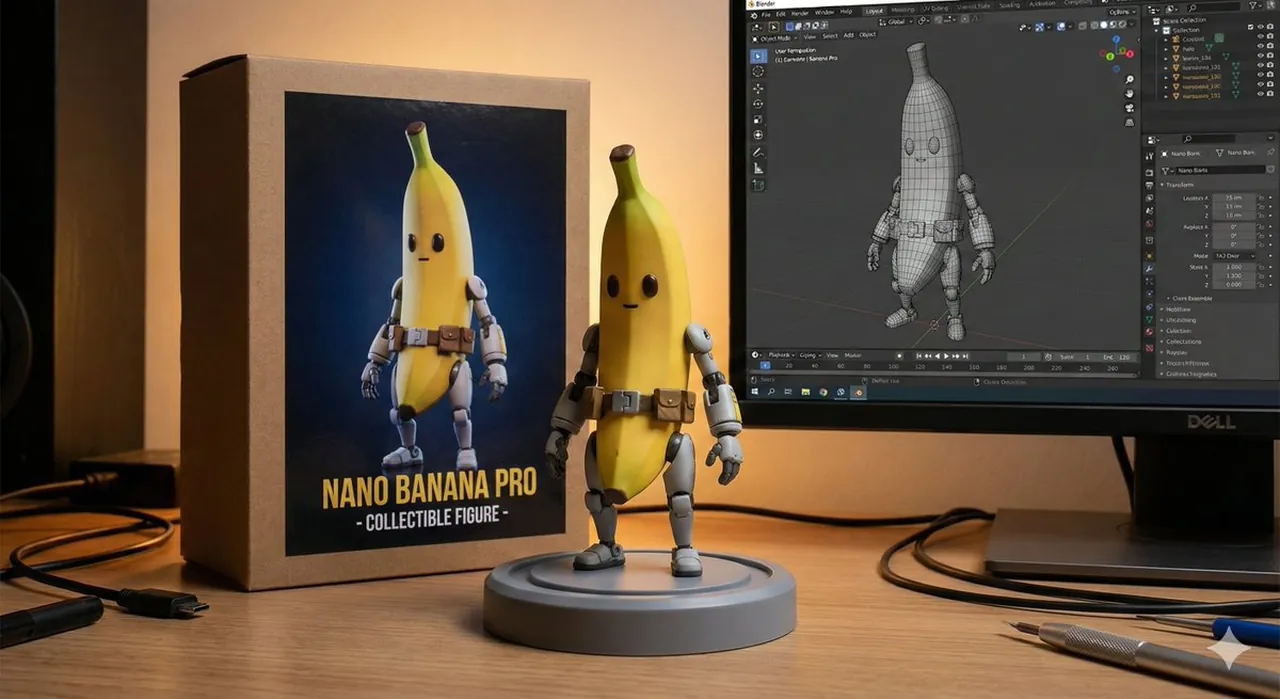
Character Figure Product Photography Setup

A high-quality product shot featuring a character figure standing on a plastic base with a branded box and a computer monitor in the background.

Character Figure Product Photography Setup

Prompt

Copy and customize

8K ultra-realistic cinematic. A character figure standing on a round plastic base. Behind it, place a box with the character's image printed on it, and a computer showing the blender modeling process on its screen. Set the scene indoors.

Best for

Portrait style photographyProfessional product scenesCinematic lighting moodsDetailed character designHigh quality 3D renders

Tips

Ensure the main subject remains the focal point by adjusting the depth of field to blur the background computer screen slightly.

Experiment with different indoor lighting setups like soft studio lights or rim lighting to highlight the textures of the character figure.

How to use this Nano Banana Pro prompt

1

Copy the ready-to-use Nano Banana Pro prompt from this page.

2

Paste it into GoEnhance AI or another generator that supports Nano Banana Pro.

3

Click generate and get your image quickly. You can edit the prompt first if needed.

Copy the prompt, try it with GoEnhance AI or another tool that supports Nano Banana Pro, and generate your image in just a few simple steps.

Overview

Everything you need to master AI prompts

From quick copy-paste prompts to advanced techniques, build stunning visuals faster.

20000+ prompts
All major models
Updated Daily