
Prompt
Copy and customize
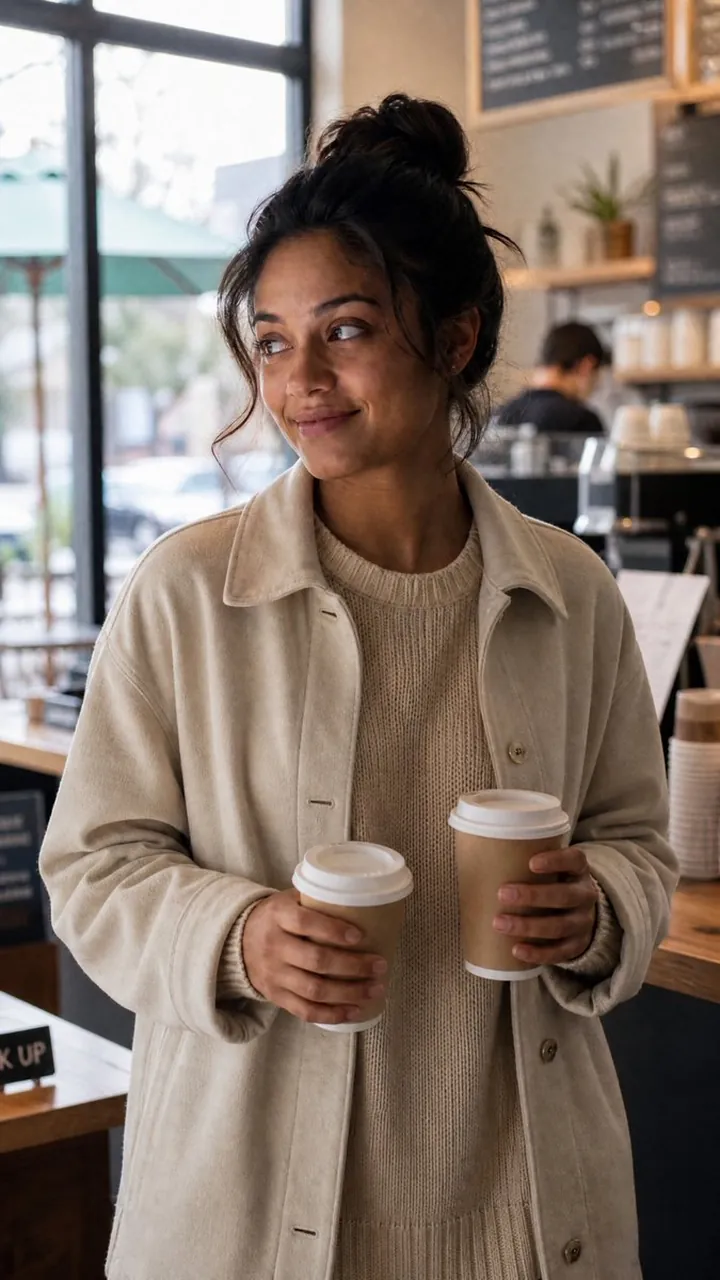
Create a realistic vertical lifestyle photograph of a young South Asian woman in her late 20s with warm medium-brown skin, dark brown eyes, and black hair in a messy high bun with loose face-framing strands standing inside a cozy modern coffee shop. She wears an oversized cream fleece or corduroy button-up jacket over a chunky beige ribbed knit sweater and holds exactly two takeaway coffee cups: one small brown paper cup with a white plastic lid in her left hand, and one slightly larger brown paper cup with a white plastic lid in her right hand. She is shown from mid-thigh upward, relaxed posture, shoulders slightly angled, looking off to the left with a subtle amused smile rather than looking at the camera. The cafe background includes exactly three prominent menu boards on the upper right wall, wooden shelves with cups and small plants, a blurred barista behind the counter, a stack of takeaway cups on the right, a wooden counter, and a large window on the left with soft daylight and an out-of-focus street scene outside. Use natural window light, warm neutral tones, shallow depth of field, realistic skin texture, candid documentary style, 35mm lens look, vertical 2:3 composition, gentle background bokeh, no visible branding, no readable text except indistinct chalkboard menu marks. Emphasize tactile fabric texture, coffee shop ambience, and a spontaneous everyday moment.
Best for
Tips
Keep the main subject focused so realistic vertical lifestyle photograph of a young remains recognizable after style or lighting changes.
Adjust camera angle and aspect ratio before generation when the composition needs a specific platform format.