
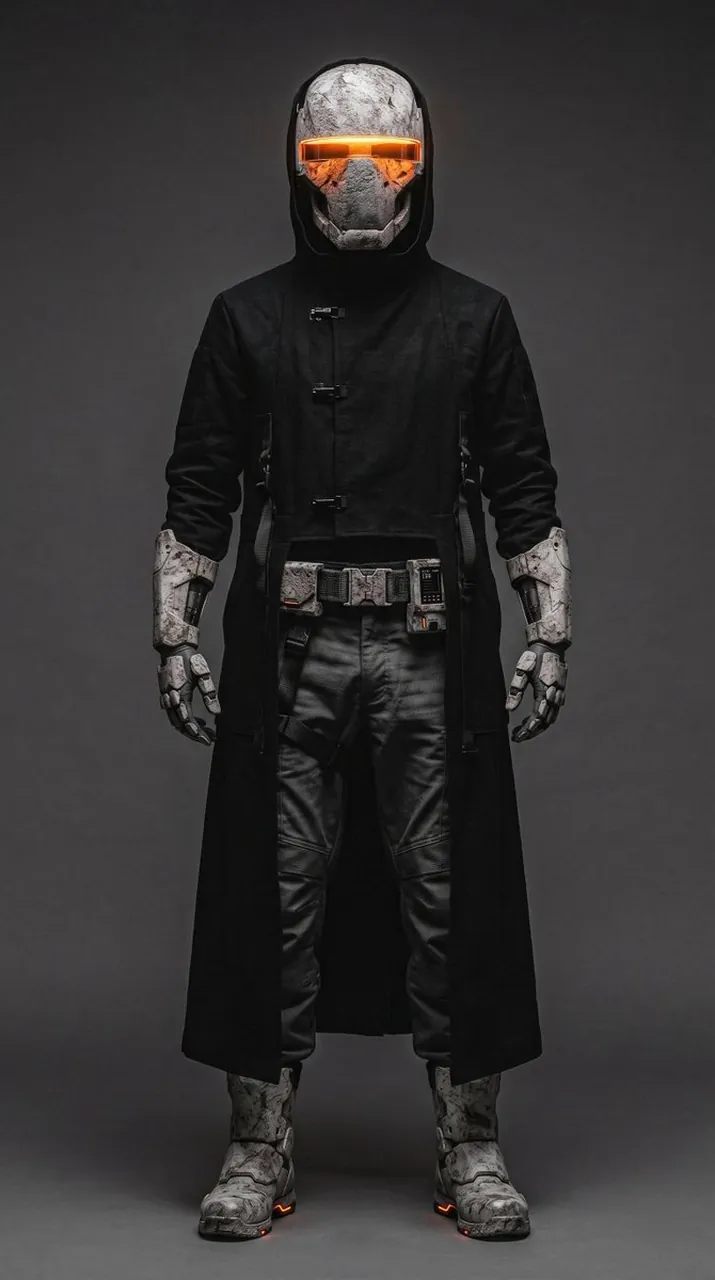
Prompt
Copy and customize
Create a full-body studio character portrait of a futuristic brutalist sci-fi operative standing front-facing in a neutral power pose, centered on a tall vertical canvas. The character is an anonymous armored wanderer, wearing a matte black long hooded trench coat inspired by heavy brutalist architecture: severe straight silhouette, thick fabric, minimal seams, three visible small metal toggle clasps down the chest, and a split lower front revealing dark tactical clothing underneath. The helmet should look like weathered concrete and carved stone, with rough gray-white cracked surfaces, angular cheek plates, and a single horizontal glowing orange visor slit across the eyes; add warm orange light reflecting inside the visor and subtle landscape-like texture in the glass. Show exactly 12 major visible gear elements: 1 long hooded trench coat, 1 full-face concrete-textured helmet, 1 glowing horizontal visor, 2 heavy forearm bracers, 2 mechanical gloves, 1 utility belt, 3 belt modules/pouches, and 2 bulky armored boots. The pants are black leather or coated tactical fabric with wrinkled knees and structured panels. The gloves, bracers, belt pouches, and boots are gray-white chipped concrete armor with black mechanical joints and small orange indicator lights near the soles. Use dark charcoal gray seamless studio backdrop, dramatic low-key lighting, soft frontal fill, subtle rim light around the hood and shoulders, realistic materials, high contrast, sharp details, gritty cyberpunk mood, symmetrical composition, no text, no logo, no weapons, no extra characters.
Best for
Tips
Keep the main subject focused so full-body studio character portrait of a futuristic remains recognizable after style or lighting changes.
Adjust camera angle and aspect ratio before generation when the composition needs a specific platform format.