
Prompt
Copy and customize
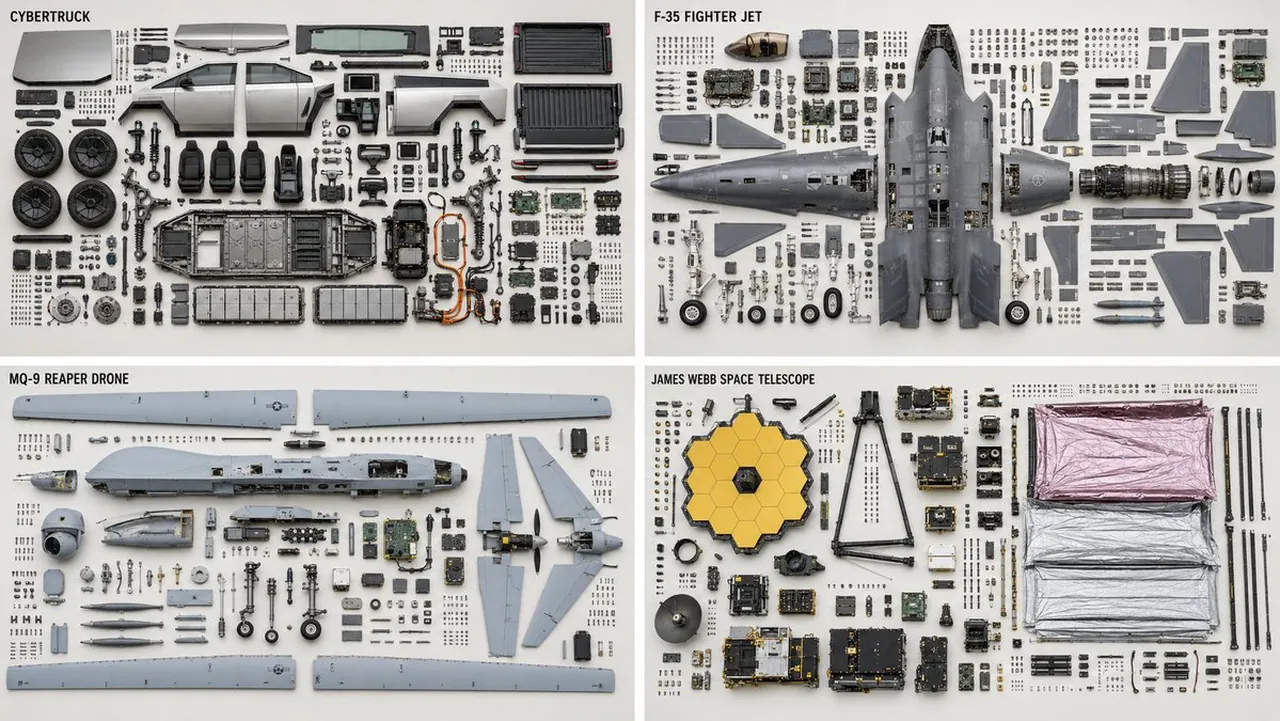
Breaking down complex machines with GPT Image 2. Some of these topics have proprietary and classified parts, so the model replaces those.
2x2 grid, 16:9, do this for 4 complex machines, like CyberTruck, F35 plane, Reaper Drone, James Webb Telescope Knolling teardown — {SUBJECT} ({SUBJECT_TYPE}), top-down orthographic. PARTS — complete bill of materials, show each exactly once: {PARTS — list every part with quantity, e.g.: top housing ×1, bottom housing ×1, main PCB ×1, ribbon cable ×2, lens assembly ×1, M2×5 screw ×6, spring ×2, rubber gasket ×1, ...} LAYOUT - clean rectilinear grid; every part aligned to horizontal and vertical axes - grouped by subassembly — a subassembly's parts stay adjacent as one cluster - each group anchored by its largest structural part; fasteners cluster beside the part they secure - even spacing, no overlapping parts, no diagonal scatter - consistent scale across every part DEPICTION — keep it truthful - every fastener sits near a matching mounting hole; screw count = hole count - every gasket or seal shown with the perimeter it seals against - no duplicated or phantom parts - preserve each part's true orientation and handedness; do not mirror chiral parts RENDER - orthographic projection, no perspective, all parts in sharp focus - flat, even, diffuse lighting; minimal soft shadow - neutral seamless background
Best for
Tips
Keep the main subject focused so Breaking down complex machines with GPT Image remains recognizable after style or lighting changes.
Adjust camera angle and aspect ratio before generation when the composition needs a specific platform format.