
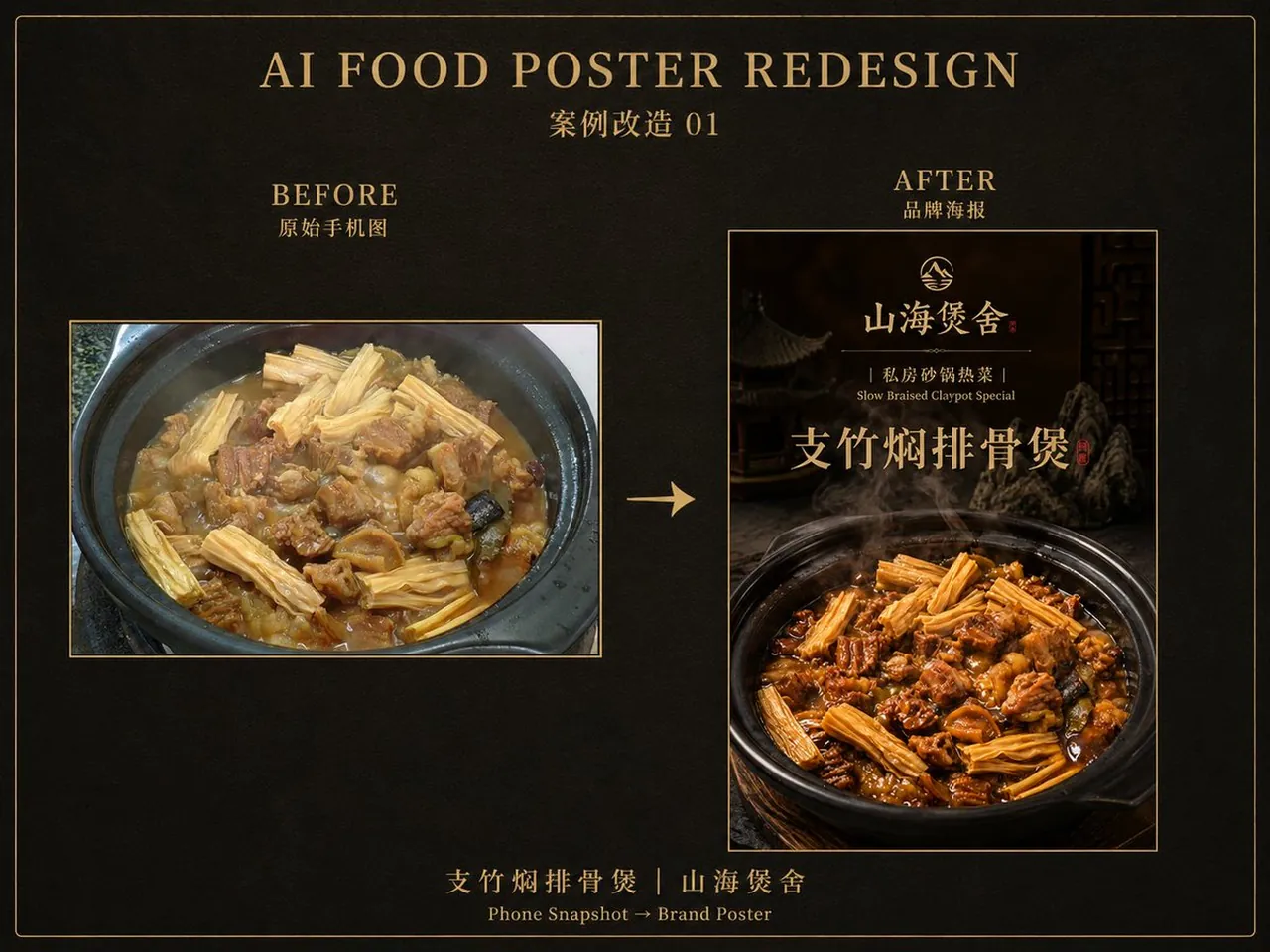
Branded Food Photo Transformation

A polished image of Branded Food Photo Transformation uses clear subject styling, lighting, composition, and atmospheric detail for a finished visual concept.

Branded Food Photo Transformation

Prompt

Copy and customize

上传一张手机拍摄的菜品原图,基于原图进行高质量风格转换。

【商家品牌名】:[商家名称] 【菜品类型】:[菜品分类] 【菜品名称】:[菜品名称] 【副标题 / slogan】: 【主色调】: 【画幅比例】:9:16

请保留原图菜品的核心食材结构、菜品类型识别度、主要摆盘关系和大致视角,不要改成另一道菜。

Best for

Product sceneProduct MarketingVisual conceptStyle studyComposition test

Tips

Keep the main subject focused so slogan 9 16 remains recognizable after style or lighting changes.

Adjust camera angle and aspect ratio before generation when the composition needs a specific platform format.

How to use this GPT Image 2 prompt

1

Copy the ready-to-use GPT Image 2 prompt from this page.

2

Paste it into GoEnhance AI or another generator that supports GPT Image 2.

3

Click generate and get your image quickly. You can edit the prompt first if needed.

Copy the prompt, try it with GoEnhance AI or another tool that supports GPT Image 2, and generate your image in just a few simple steps.

Overview

Everything you need to master AI prompts

From quick copy-paste prompts to advanced techniques, build stunning visuals faster.

20000+ prompts
All major models
Updated Daily