
Prompt
Copy and customize
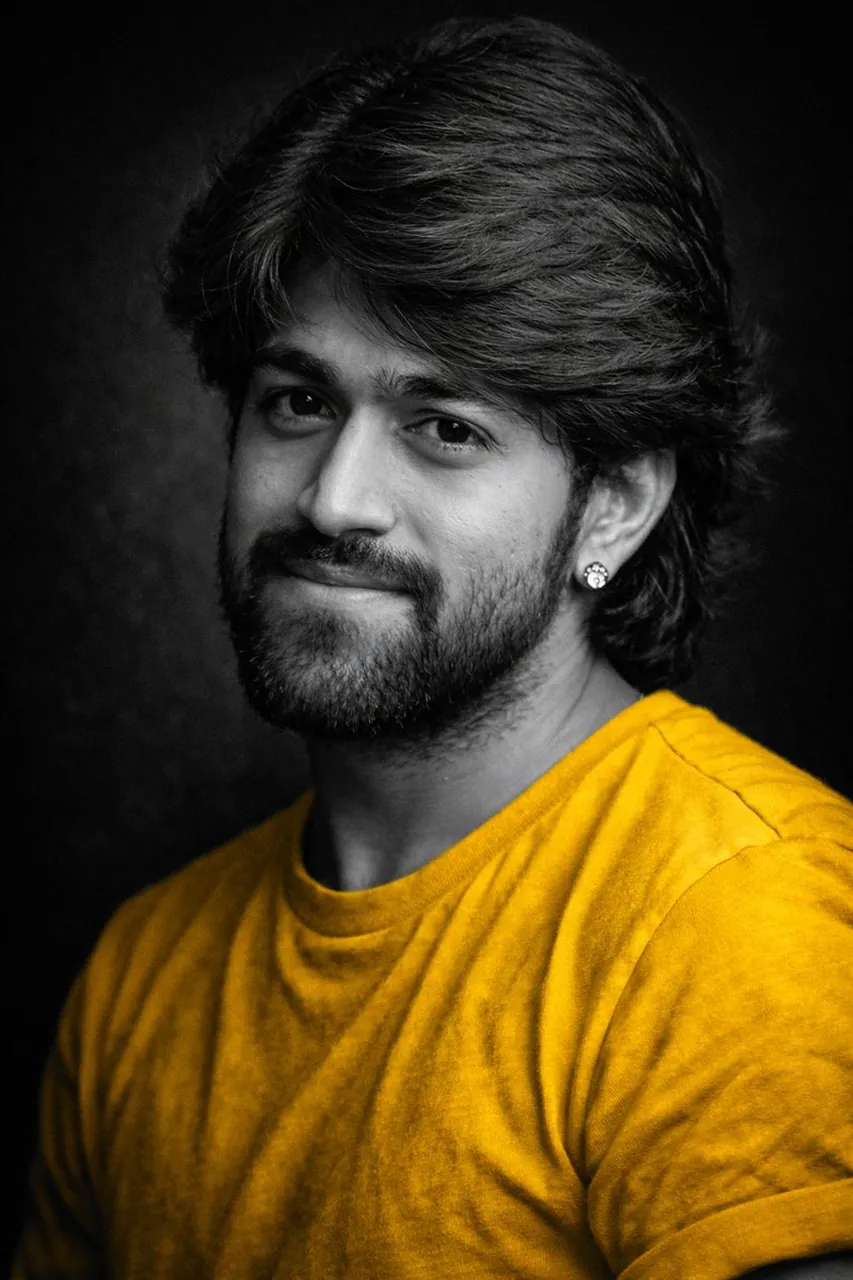
A dramatic black-and-white fine art portrait of the person in the uploaded picture (preserve face 100%), captured in a close-up, three-quarter profile. Soft directional lighting sculpts the face and upper body, creating deep shadows and a cinematic chiaroscuro effect.
The subject wears a simple unbranded T-shirt in a randomly chosen solid color: [red/ yellow/ black/ white/ teal/ maroon]. Only the T-shirt color is visible — all other elements remain strictly monochromatic black-and-white. Natural fabric folds are clearly visible, with realistic texture and contrast.
The subject’s expression is [calm / introspective / confident / serene / melancholic], with relaxed features and a gentle gaze directed [TOWARDS THE CAMERA / AWAY / DOWNWARD].
Skin texture appears natural and detailed, with smooth tonal transitions. Styling is minimal, emphasizing light, form, and emotion rather than fashion. A dark, unobtrusive background fades into black, creating a timeless studio portrait aesthetic.
High-contrast monochrome tones with selective color isolation on the T-shirt only, subtle film grain, shallow depth of field, classic fine-art photography style. Ultra-high resolution, professional studio quality, intimate, elegant, emotionally evocative.
Best for
Tips
Upload a clear, well-lit front-facing photo to ensure the face is accurately preserved in the three-quarter profile conversion.
Try different T-shirt colors from the options to achieve the desired contrast against the monochrome background.